iPad Basics — Hardware Information 15
2010-04-30
Hardware Information
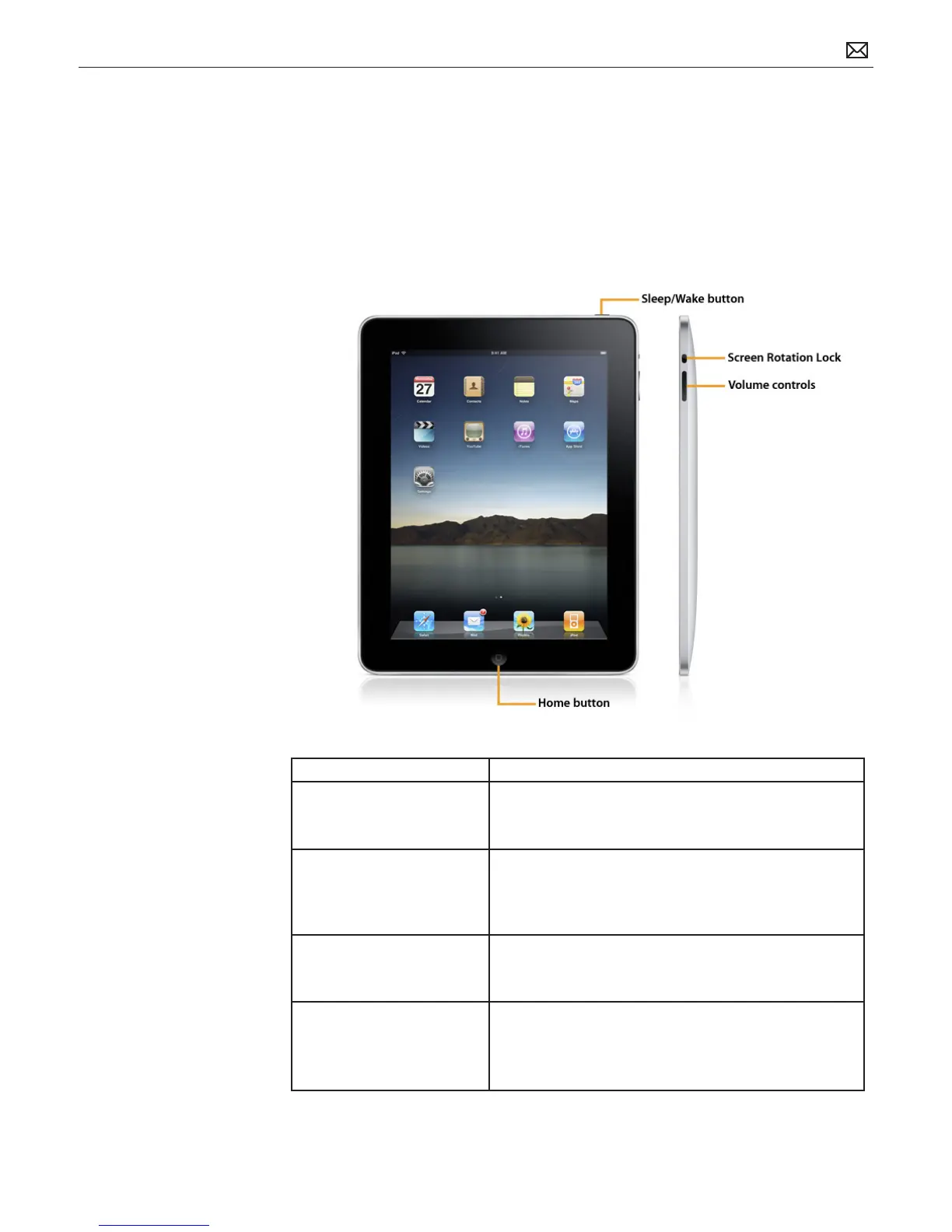
Physical Controls
Physical Controls Function
Home button Press the Home button to:
• return to the main Home screen
• wake iPad
Sleep/Wake button Press the Sleep/Wake button to:
• place iPad in standby mode and lock the Multi-Touch
display
• wake iPad, and then slide arrow to unlock iPad
Screen Rotation Lock Button Slide the Rotation Lock switch to:
• Lock the display orientation in portrait or landscape
mode
Volume controls • Press the controls to turn the iPad volume up or
down. Adjusting the volume aects only the output
currently in use. iPad uses icons to indicate which
volume output is being adjusted.



 To Next Page