Tap Photos to see all your photos and videos, organized by Years,
Collections, and Moments. To quickly browse the photos in a collection or
year, touch and hold for a moment, then drag.
Tap Shared to see photos and videos you shared with others or that others
shared with you. See iCloud Photo Sharing (on page) .
Tap Albums to see your photos and videos organized by albums. See
Organize photos and videos (on page) .
View all your photos and videos.
By default, Photos displays a representative subset of your photos when you
view by year or by collection. To see all your photos, go to Settings > Photos &
Camera, then turn off Summarize Photos.
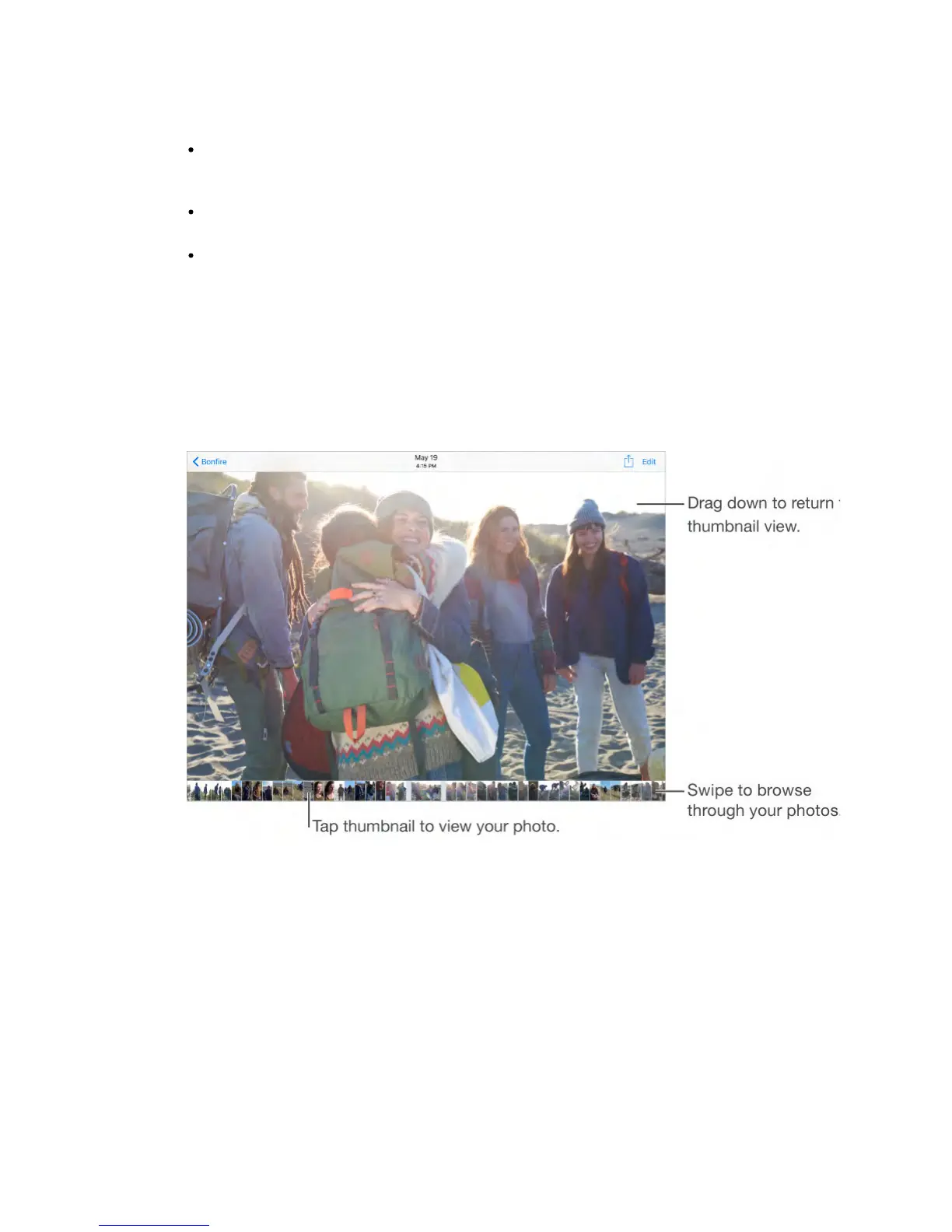
Browse through your photos and videos.
While viewing a photo, swipe the thumbnails to browse through your photos.
Tap a thumbnail to view it. Drag the photo down to go to thumbnail view.
Play a Live Photo.
On iPhone 6s and iPhone 6s Plus, you can take and share Live Photos. If you
receive a Live Photo via iMessage, iCloud Photo Sharing, or AirDrop, you can
bring it to life on your iPad (with iOS 9). Touch and hold the Live Photo to play it.
If someone shares a Live Photo with you via email, it will show up as a 12MP still
image.
Share a Live Photo.
You can share a Live Photo using iMessage, iCloud Photo Sharing, or AirDrop. A
shared Live Photo plays in Photos on any iOS device with iOS 9 or Mac with
OS X El Capitan. A Live Photo is sent as a still photo if you share it any other
way.



 To Next Page