Turn on iCloud Photo Sharing.
Go to Settings > iCloud > Photos. Or go to Settings > Photos & Camera.
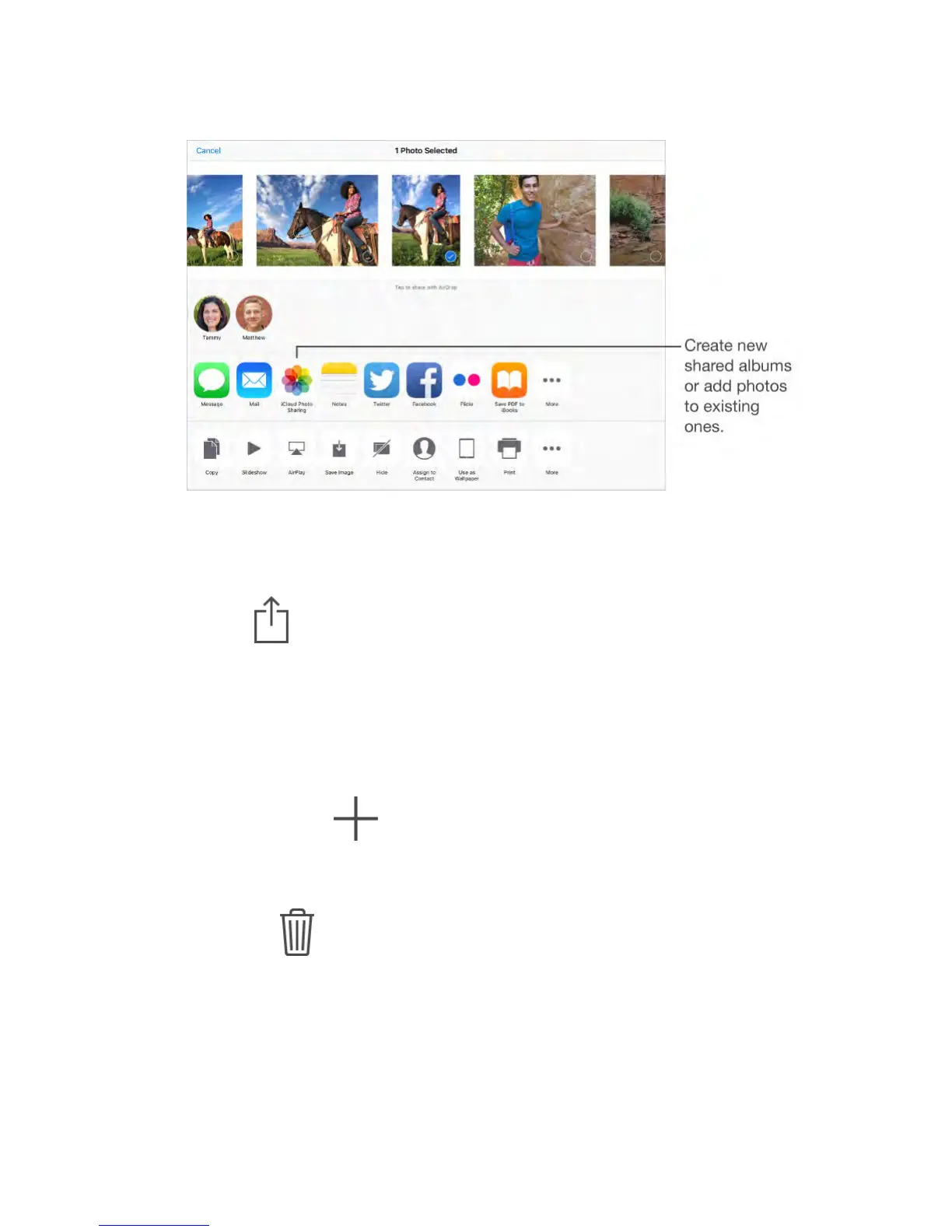
Share photos and videos.
While viewing a photo or video, or when you’ve selected multiple photos or
videos, tap , tap iCloud Photo Sharing, add comments, then share to an
existing shared album or select a new one. You can invite people to view your
shared album using their email address or the mobile phone number they use for
iMessage.
Enable a public website.
Select the shared album, tap People, then turn on Public Website. Tap Share
Link if you want to announce the site.
Add items to a shared album.
View a shared album, tap , select items, then tap Done. You can add a
comment, then tap Post.
Delete photos from a shared album.
Select the shared album, tap Select, select the photos or videos you want to
delete, then tap . You must be the owner of the shared album, or the
owner of the photo.
Delete comments from a shared album.
Select the photo or video that contains the comment. Touch and hold the
comment, then tap Delete. You must be the owner of the shared album, or the
owner of the comment.
Rename a shared album.



 To Next Page