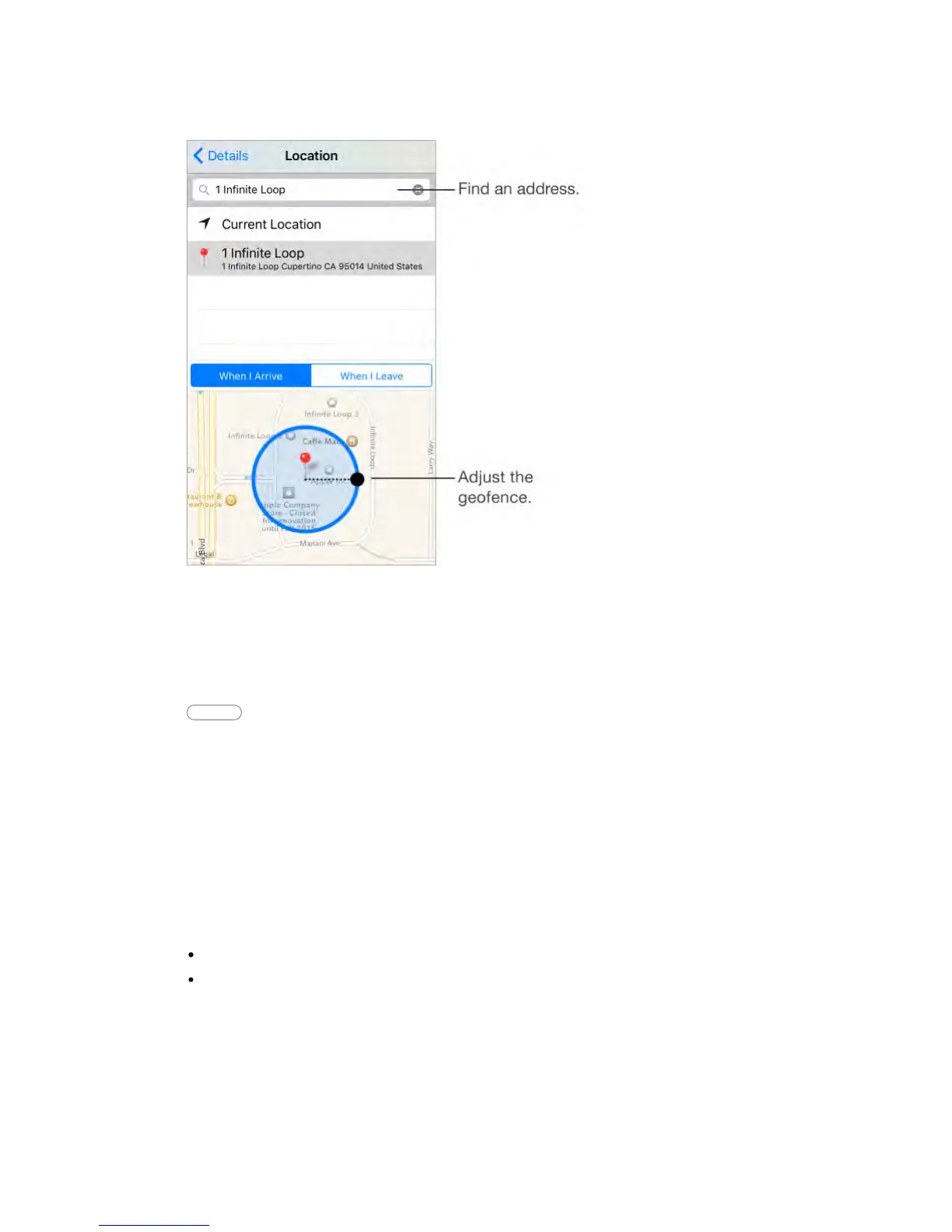
Be reminded when you arrive at or leave a location.
Swipe a reminder to the left, tap More, then turn on “Remind me at a location.”
Tap Location, then choose a location from the list or enter an address. After you
define a location, you can drag to change the size of the geofence on the map,
which sets the approximate distance at which you want reminded. You can’t
save a location reminder in Outlook or Microsoft Exchange accounts.
Ask Siri Say something like: “Remind me to stop at the grocery store when I
leave here.”
Add common locations to your My Info card.
When you set a location reminder, locations in the list include addresses from
your My Info card in Contacts. Add your work, home, and other favorite
addresses to your card for easy access in Reminders.
Reminders settings
Go to Settings > Reminders, where you can:
Set a default list for new reminders
Sync past reminders
Keep your reminders up to date on other devices.
Go to Settings > iCloud, then turn on Reminders. To keep up to date with
Reminders on OS X, turn on iCloud on your Mac, too. Some other types of
accounts, such as Exchange, also support Reminders. Go to Settings > Mail,



 To Next Page