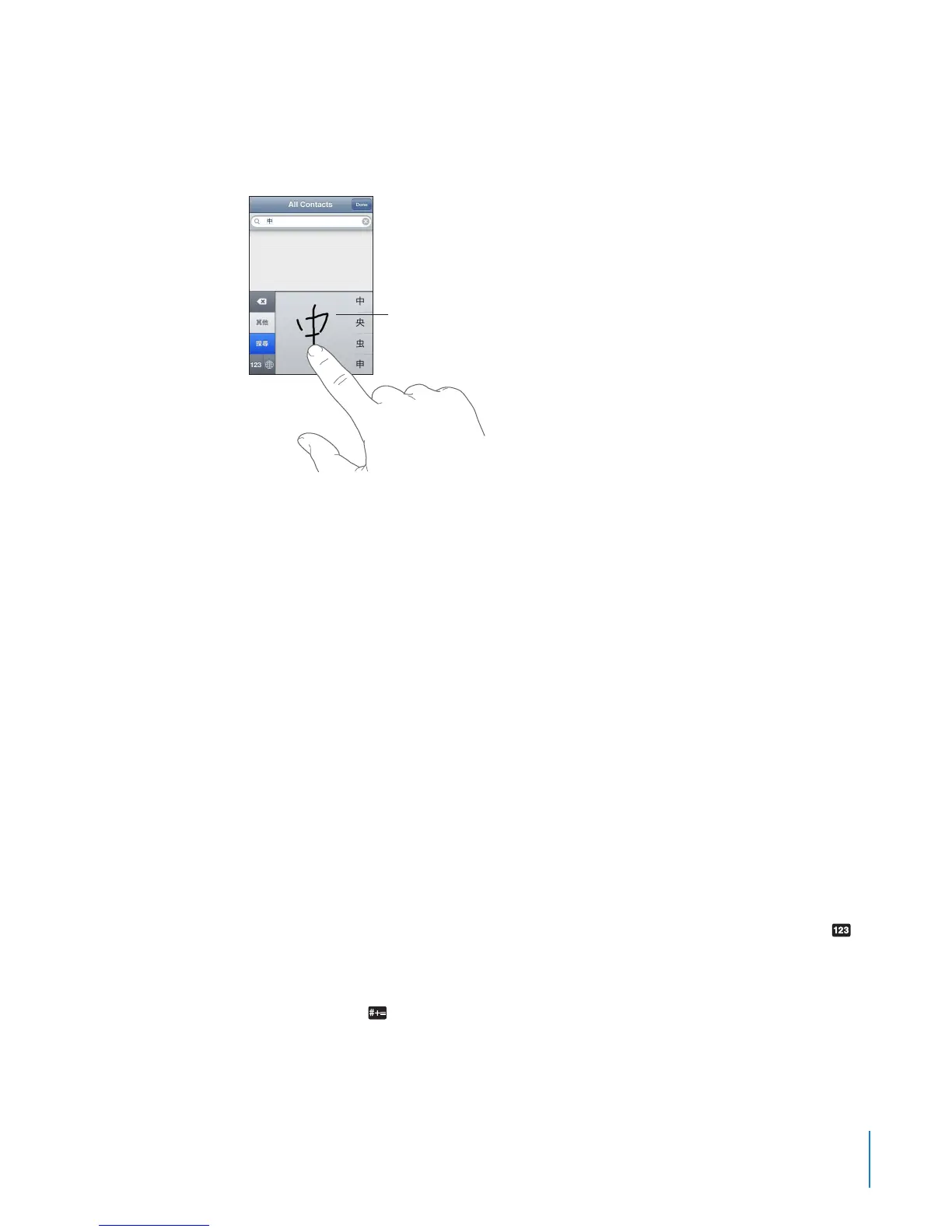
Drawing Chinese Characters
When Simplied or Traditional Chinese handwriting formats are turned on, you can
enter Chinese characters with your nger, as shown:
Japanese
You can enter Japanese using the Kana, QWERTY, or Emoji keyboards. You can also
enter facemarks.
Entering Japanese Kana
Use the Kana keypad to select syllables. For more syllable options, tap the arrow key
and select another syllable or word from the window.
Entering Japanese QWERTY
Use the QWERTY keyboard to input code for Japanese syllables. As you type,
suggested syllables appear. Tap the syllable to choose it.
Entering Emoji Picture Characters
Use the Emoji keyboard. Available only on iPhone models purchased and used in Japan.
Entering Facemarks
Using the Japanese Kana keyboard, tap the “^_^” key.
Using the Japanese Romaji keyboard (QWERTY-Japanese layout), tap the Number
key, then tap the “^_^” key.
Using the Chinese (Simplied or Traditional) Pinyin or (Traditional) Zhuyin keyboards,
tap the Symbols key, then tap the “^_^” key.
251
Appendix A International Keyboards



 To Next Page