GET STARTED
Chapter
results, depending on how you’re using your device: Pressing the button
wakes the iPhone from sleep mode, exits the currently-running app to
return you to the home screen, brings you to the first home screen from
a secondary one, and sends you to the iPhone’s Spotlight search mode if
you press it while on the first home screen. (See “Navigation Basics” in
the “Work with Apps” section for more information on Spotlight.)
Single Press and Hold If you press and hold the Home button for at
least two seconds, you’ll activate Siri. (See “Siri” in the “Work with Apps”
section for more information.)
Double Press When the phone is locked or in sleep mode, a double
press of the Home button will wake your device and bring up both the
iPod controls and a shortcut for the Camera app. When you’re on a
home screen or in an app, doing so will bring up the multitasking bar,
showcasing your active apps. (See “Multitask on Your iPhone” in the
“Work with Apps” section for more information on the multitasking bar.)
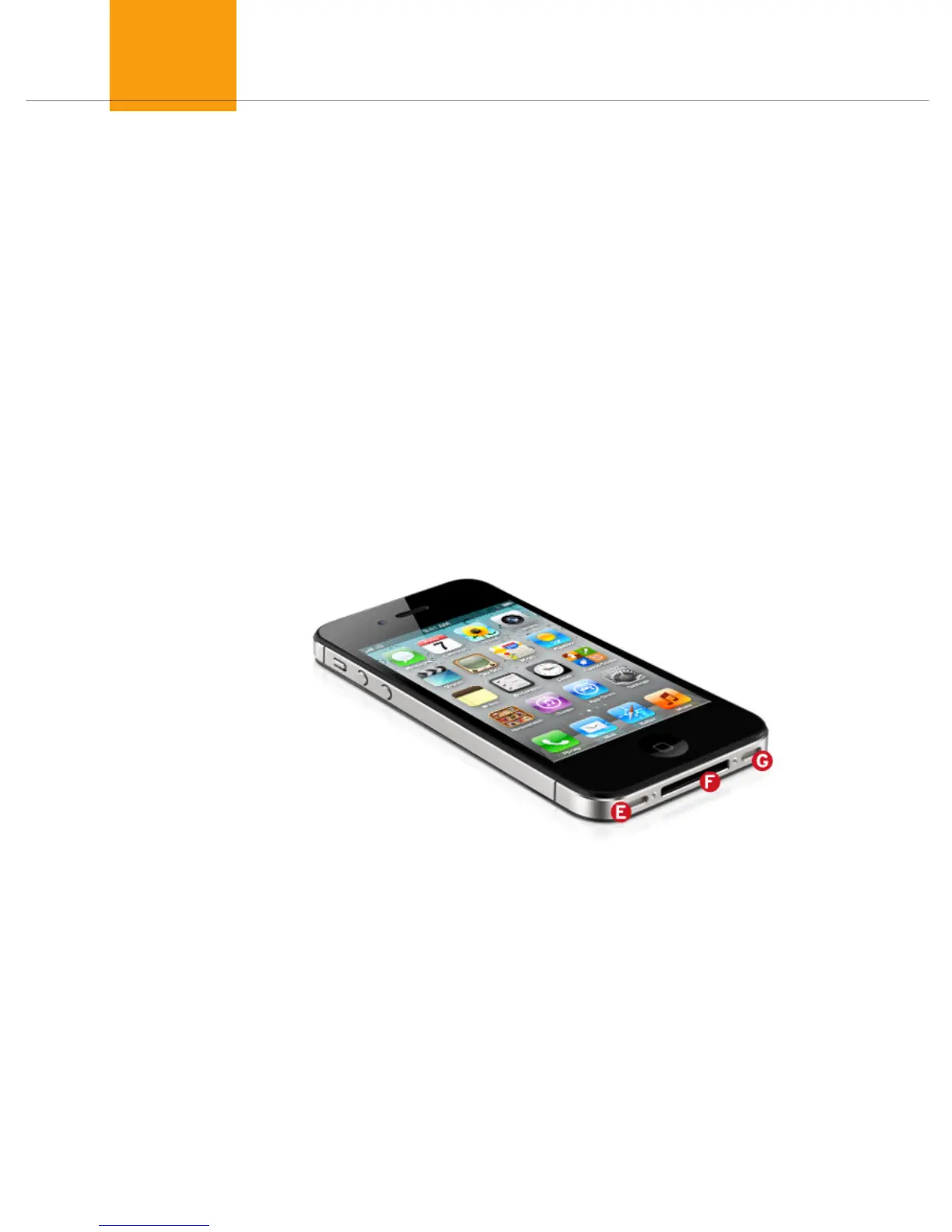
E) Microphone
The internal microphone is located on the bottom left of the device.
Unless you’re using an external microphone (see the “Accessories”
chapter for more information), you’ll use this mic when making calls,
recording voice memos, talking to Siri, and more.
F) Dock Connector
The iPhone 4S uses Apple’s standard 30-pin dock connector to hook up
with your computer and other accessories. That being said, your iPhone
may not fit or work with all third-party accessories—especially older
ones—thanks to its form factor and power requirements. (See the
“Accessories” chapter for more information.)



 To Next Page