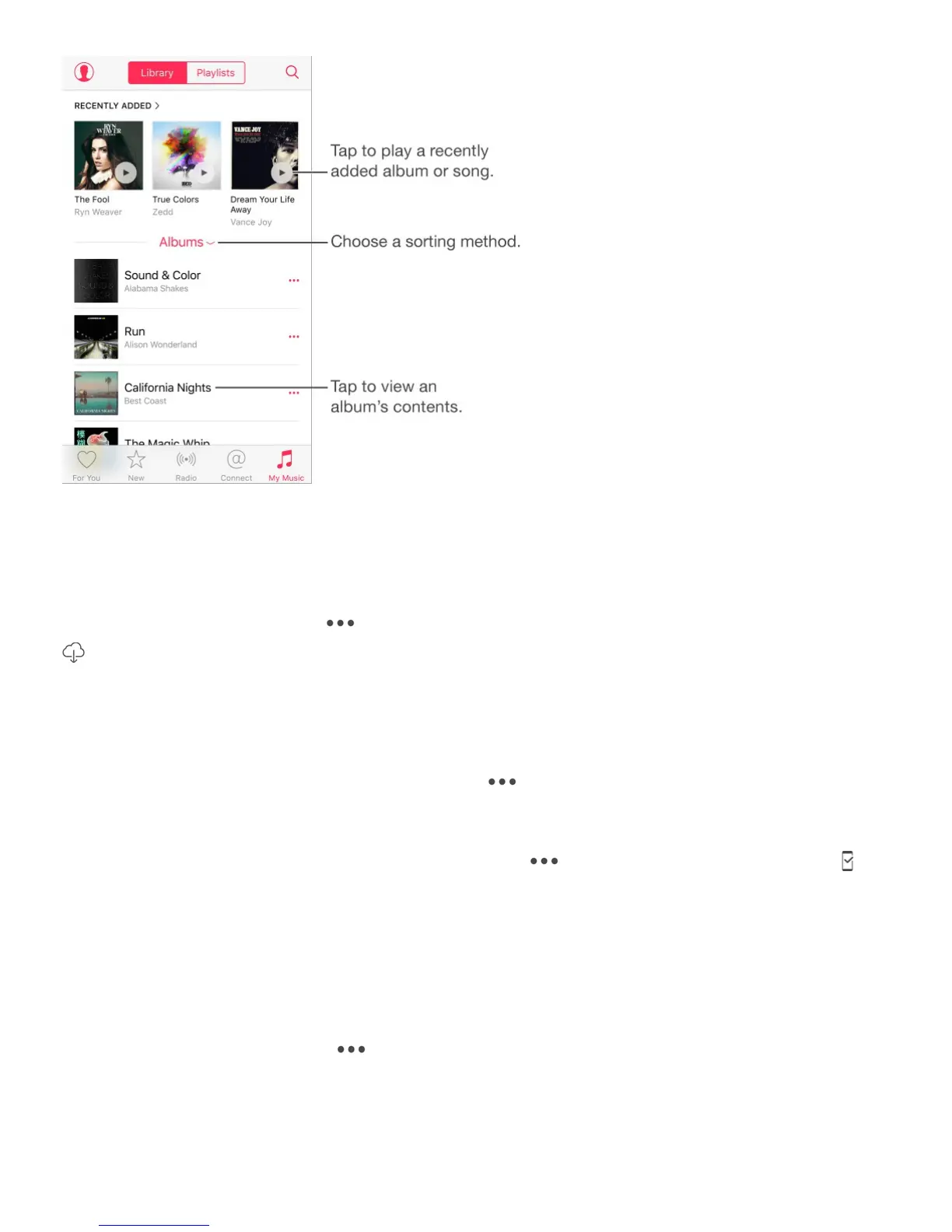
Browse and play your music. Tap the sorting menu to display your music by Artists,
Albums, Songs, and more. Tap the album art to play a song or album. Tap the Miniplayer to
display the Now Playing screen.
Save music to iPhone. Tap next to an album, playlist, or track in My Music, then tap
.
View only music stored on iPhone. Tap My Music, tap the sorting menu, then turn on
Only Downloaded Music.
Delete a song or album from My Music. Tap next to the song or album, then tap
Delete from My Music. The item is deleted from your iCloud Music Library.
Remove a song or album stored on iPhone. Tap next to the song or album, tap ,
then tap Remove Downloads. The item is removed from iPhone, but not from iCloud Music
Library.
To manage music storage on iPhone, go to Settings > General > Storage & iCloud Usage >
Manage Storage > Music.
Add music to a playlist. Tap next to an album or track, tap Add to a Playlist, then
choose a playlist.
Note: The first time you tap Add to Playlist, you can choose to automatically add songs to
your library when you add them to a playlist. If you do this, the songs are also added



 To Next Page