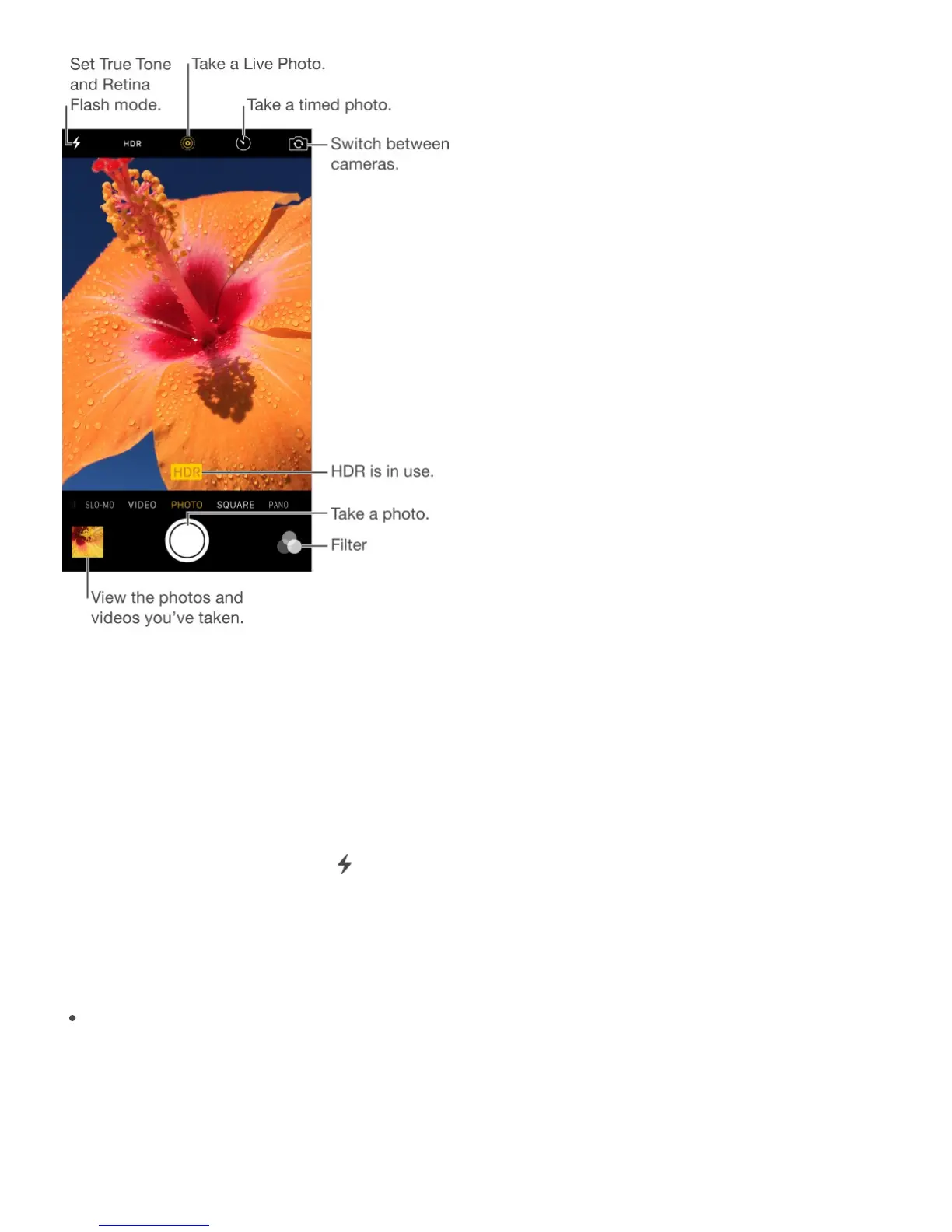
Take photos and videos
Camera offers several photo and video modes, which let you shoot stills, square-format
photos, panoramas, time-lapse, videos, and slow-motion videos (iPhone 5s and later).
Choose a mode. Drag the screen left or right, or tap the camera mode labels.
Turn the flash on or off. Tap . The True Tone flash on the back of iPhone also provides
extra light when you need it—even as a flashlight, just a swipe away in Control Center. See
.
Take a photo. Choose Photo, then tap the Shutter button or press either volume button.
Take Burst shots: (iPhone 5s and later) Touch and hold the Shutter button to take rapid-
fire photos in bursts (available while in Square or Photo mode). The shutter sound is
different, and the counter shows how many shots you’ve taken, until you lift your finger.
To see the suggested shots and select the photos you want to keep, tap the thumbnail,
then tap Select. The gray dot(s) under the thumbnails mark the suggested photos. To
copy a photo from the burst as a separate photo in Photos, tap the circle in the lower-
Control Center



 To Next Page