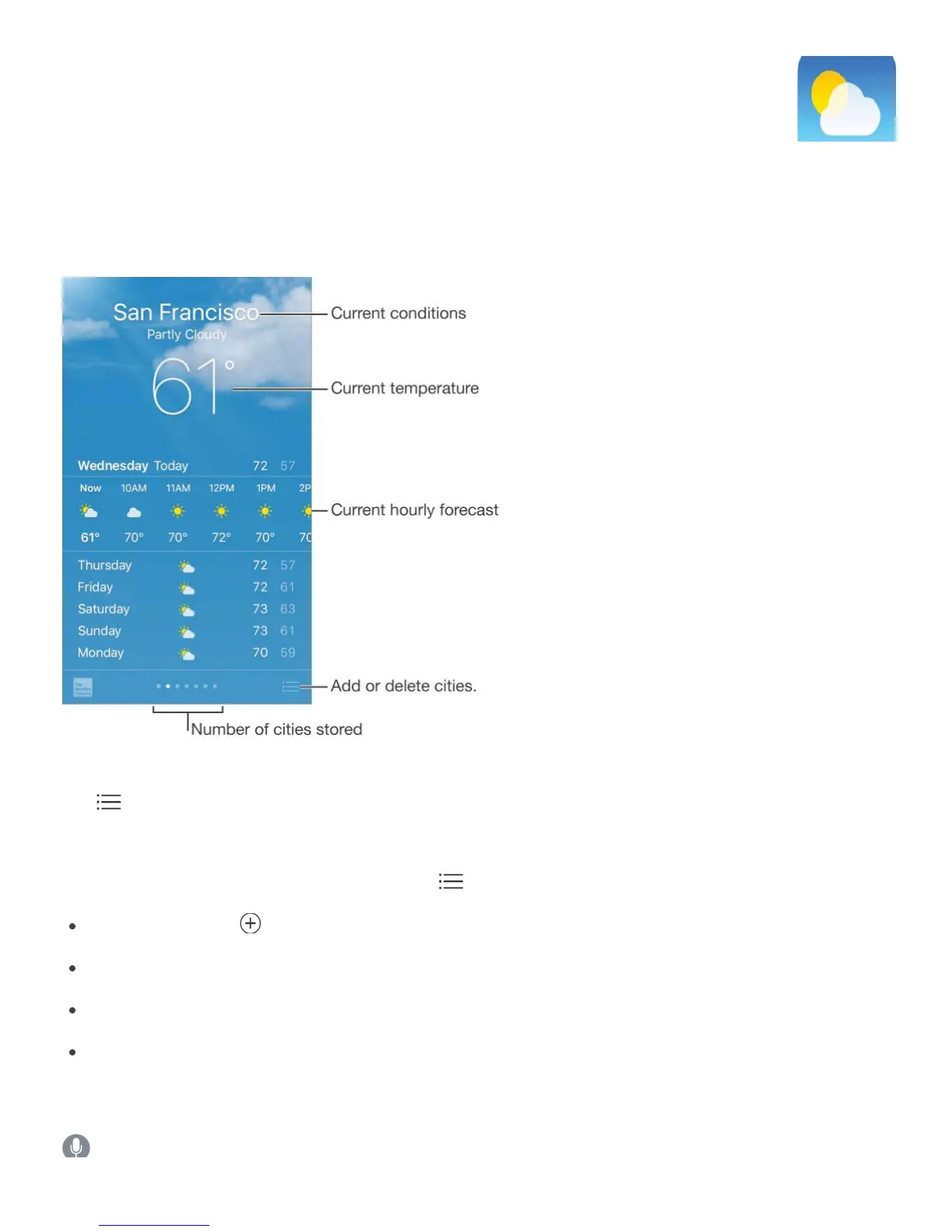
Get the current temperature and ten-day forecast for one or more cities around the world,
with hourly forecasts for the next 12 hours. Weather uses Location Services to get the
forecast for your current location.
Swipe up to see your detailed forecast. Swipe left or right to see weather for another city, or
tap , then choose a city from the list. The leftmost screen shows your local weather when
Location Services is on (Settings > Privacy > Location Services).
Add a city or make other changes. Tap .
Addacity:Tap . Enter a city or zip code, then tap Search.
Rearrange the order of cities: Touch and hold a city, then drag it up or down.
Delete a city: Slide the city to the left, then tap Delete.
Choose Fahrenheit or Celsius: Tap °F or °C.
View the current hourly forecast. Swipe the hourly display left or right.
Ask Siri. Say something like:



 To Next Page