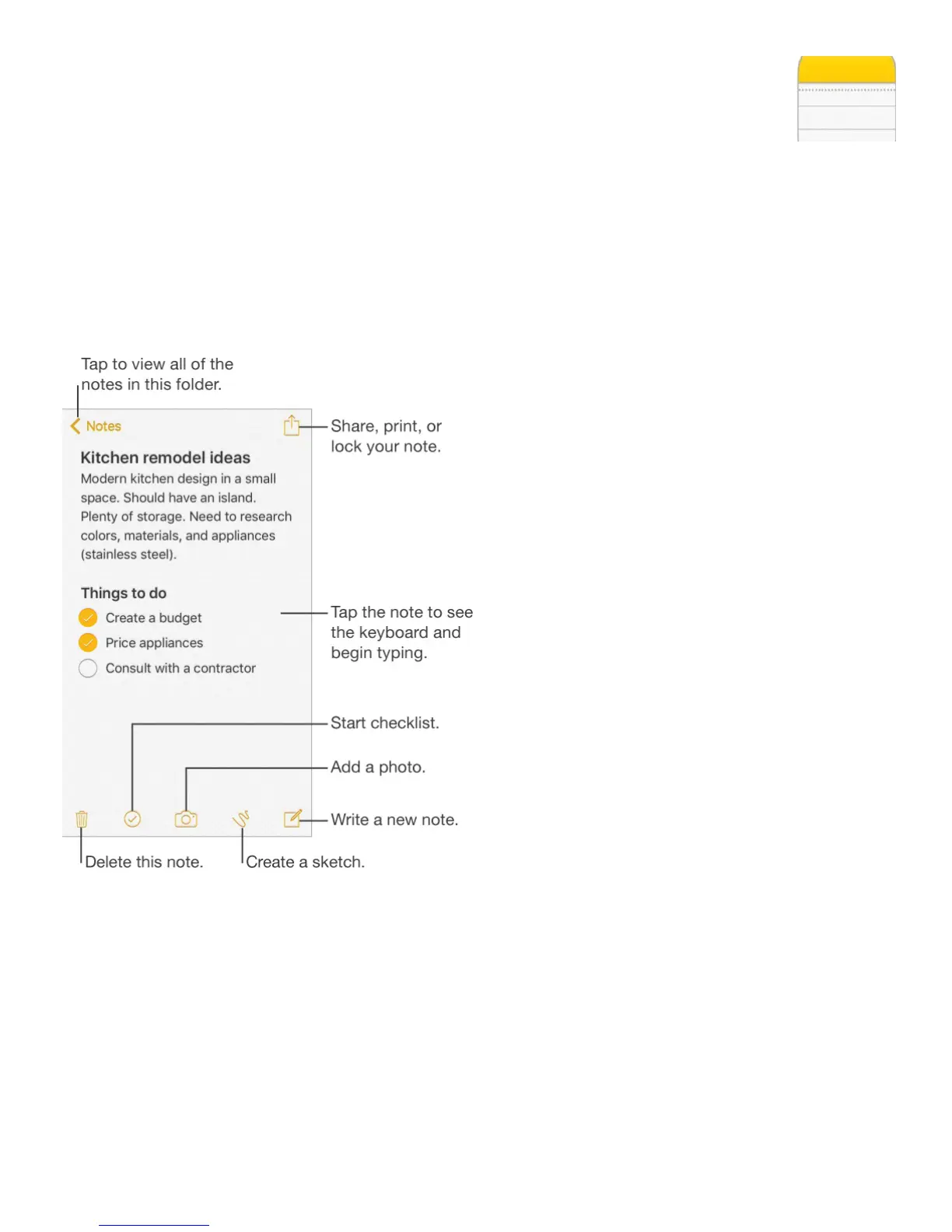
Notes at a glance
With Notes you can jot down important information, add attachments—like photos, web
links, or maps—sketch ideas, and keep things organized. When you create notes in your
iCloud account, they’re available on your other iOS devices, Mac computers, and
iCloud.com.
Set up notes. Go to Settings > iCloud, then turn on Notes. Your iCloud notes appear on all
your iOS devices and Mac computers that use the same Apple ID.
Note: If you’ve been using an earlier version of Notes, you may need to upgrade your iCloud
notes to use all the new features—sketching, checklists, paragraph styles, password
protection, and more. To upgrade, tap the Upgrade button (next to your iCloud notes account
in the upper-left corner of Notes). For more information about upgrading notes in your iCloud
account, including how it affects using Notes on your other devices, see
.



 To Next Page