Notes in this account appear only on your iPhone.
Choose the default account for new notes you create with Siri. Go to Settings > Notes.
See all folders in an account. Tap at the top of a list of notes.
Lock your notes
Use a password to lock and unlock updated notes in your iCloud account or in your On My
iPhone account. On iPhone 5s and later, you can also unlock your notes with Touch ID (if
enabled).
You can view locked notes that are in your iCloud account on your iOS devices with iOS 9.3
and Mac computers with OS X v10.11.4.
You can lock notes that include images, sketches, maps, and web attachments, but not
notes that include other types of attachments like PDFs or iWork documents.
Set a password. Go to Settings > Notes > Password.
Set Touch ID to unlock your notes. Go to Settings > Notes > Password, then turn on Use
Touch ID (iPhone 5s and later).
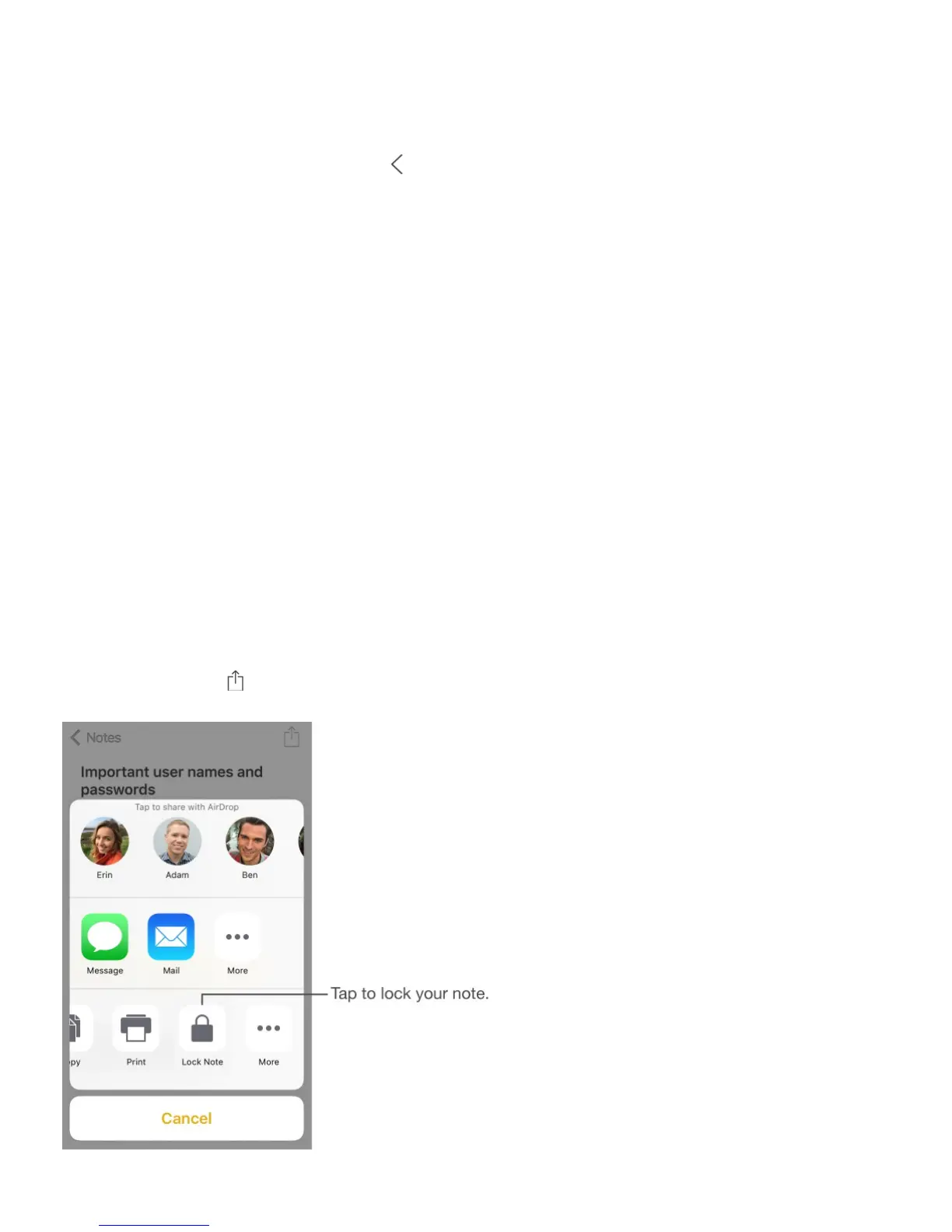
Lock a note. Tap , then tap Lock Note.



 To Next Page