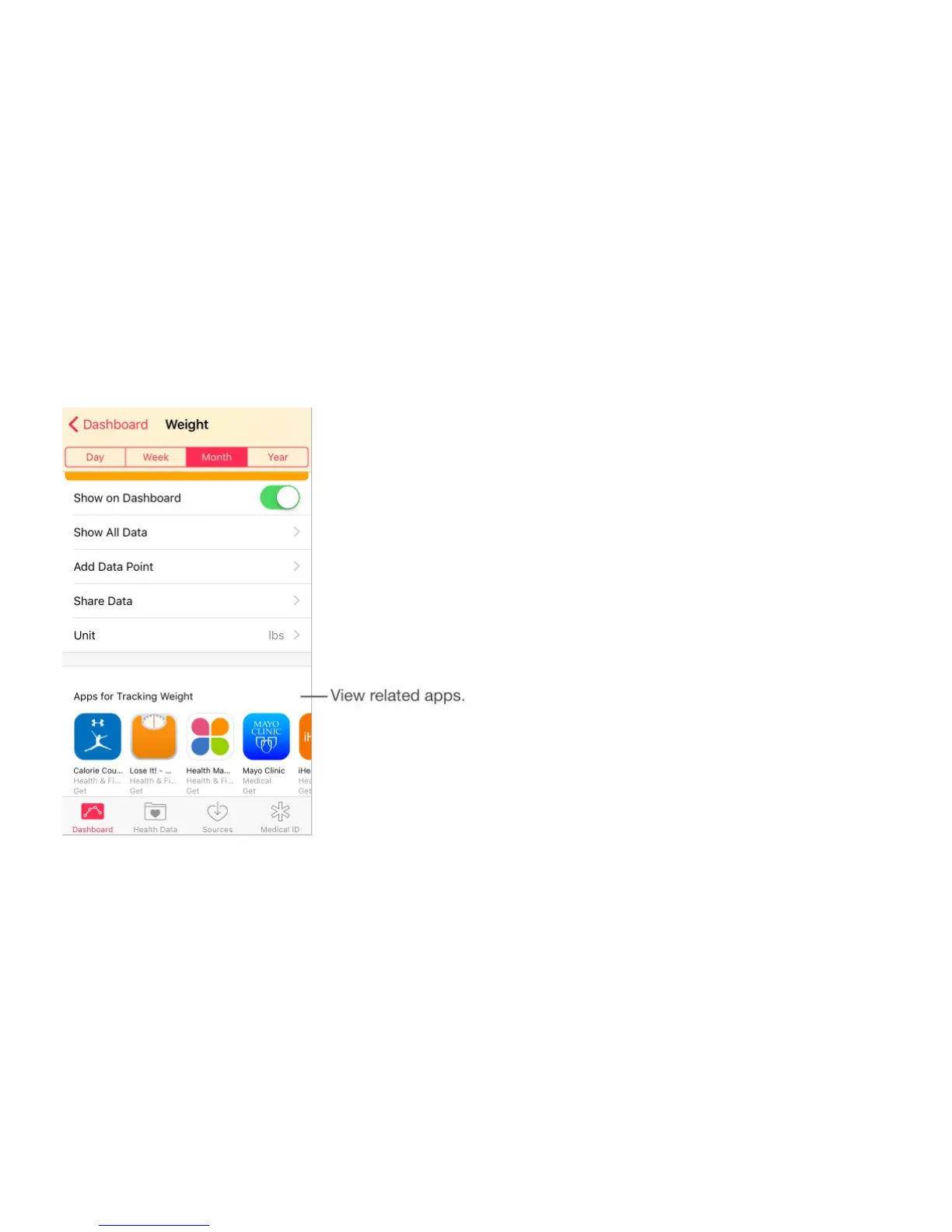
Add data type items to the Dashboard. Tap Health Data near the bottom of the screen, tap
a category (Fitness, for example), tap a data type (Activity, for example), then turn on Show
on Dashboard.
Rearrange data type items on the Dashboard. Touch and hold the item, then drag it up or
down.
Add related third-party apps. Tap Health Data near the bottom of the screen, select a
Category (Fitness, for example), select a data type (Active Energy, for example), then tap
the related app.
Note: Display of related apps is not available in all regions.
Collect health and fitness data
Collect data from Apple Watch. Once you pair Apple Watch with your iPhone, data is
automatically sent to the Health app. For example, to see heart rate data recorded by Apple
Watch, open the Health app on iPhone, then tap Health Data > Vitals > Heart Rate.
Collect data from another device. Follow the instructions that can come with the device to
set it up. If it’s a Bluetooth device, you need to pair it with iPhone—see .
Collect data from an app. Follow the instructions that can come with the app to set it up,
then watch for a sharing request where you control whether data is shared with the Health
Bluetooth devices



 To Next Page