FaceTime, then type the name or number you want to call in the entry field at the top. Tap
to make a video call, or tap to make a FaceTime audio call. Or tap to open
Contacts and start your call from there.
Quickly call or send a message to a recent contact. On iPhone 6s and iPhone 6s Plus,
press a contact in your list of FaceTime calls, then choose a quick action. See .
Leave a message. If no one answers your call, tap Leave a Message. You can also choose
to cancel the call or try calling back.
Want to call again? Tap FaceTime to see your call history on the screen. Tap Audio or
Video to refine your search, then tap a name or number to call again. Tap to open the
name or number in Contacts.
Delete a call from call history. Tap FaceTime to see your call history on the screen. Swipe
to the left, then tap Delete to delete the name or number from your call history.
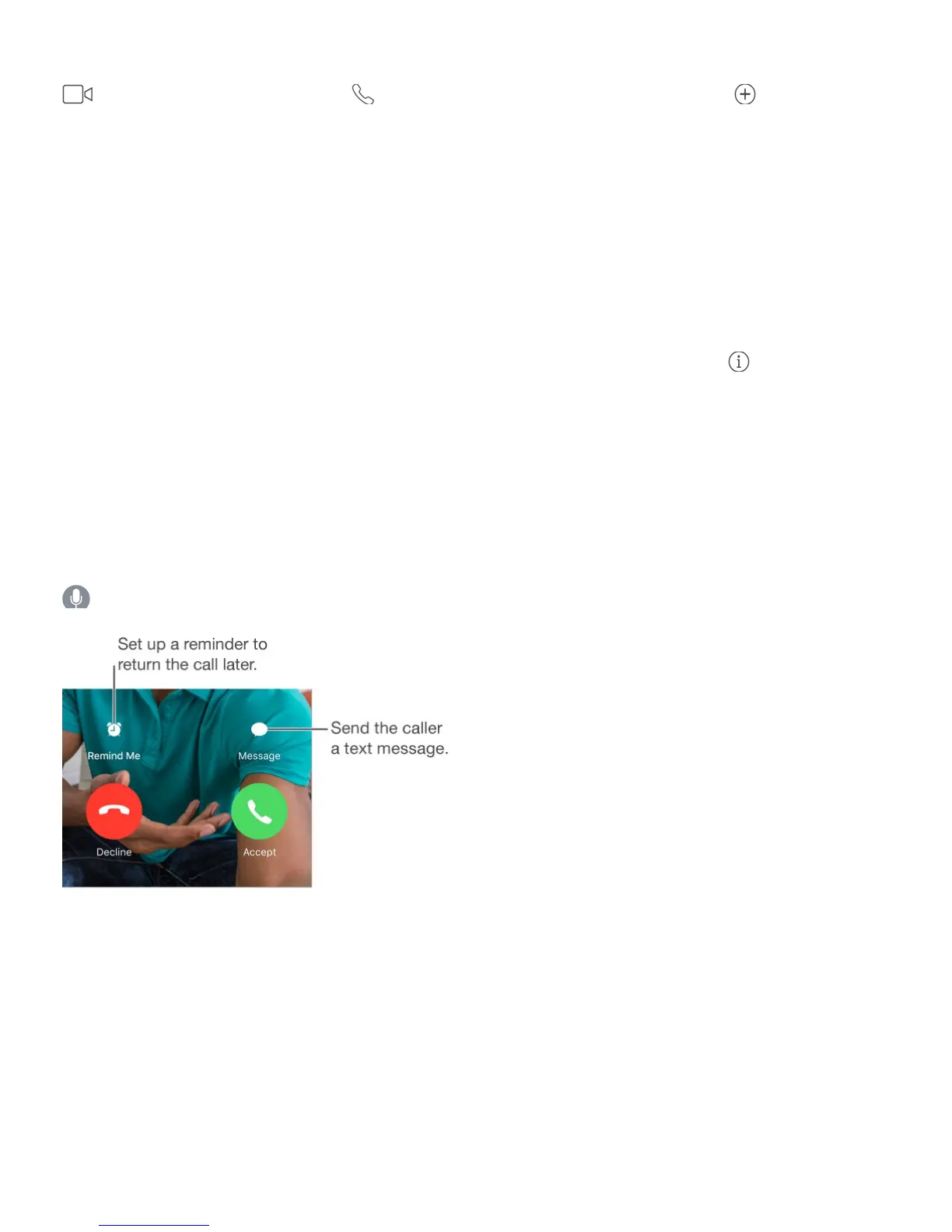
Can’t take a call right now? When a FaceTime call comes in, you can answer, decline, or
choose another option.
Ask Siri. Say something like: “Make a FaceTime call.”
See the whole gang. Rotate iPhone to use FaceTime in landscape orientation. To avoid
unwanted orientation changes, lock iPhone in portrait orientation. See
.
Manage calls
Multitask during a call. Press the Home button, then tap an app icon. You can still talk
with your friend, but you can’t see each other. To return to the video, tap the green bar at the
top of the screen.



 To Next Page