Chapter 3 Basics 29
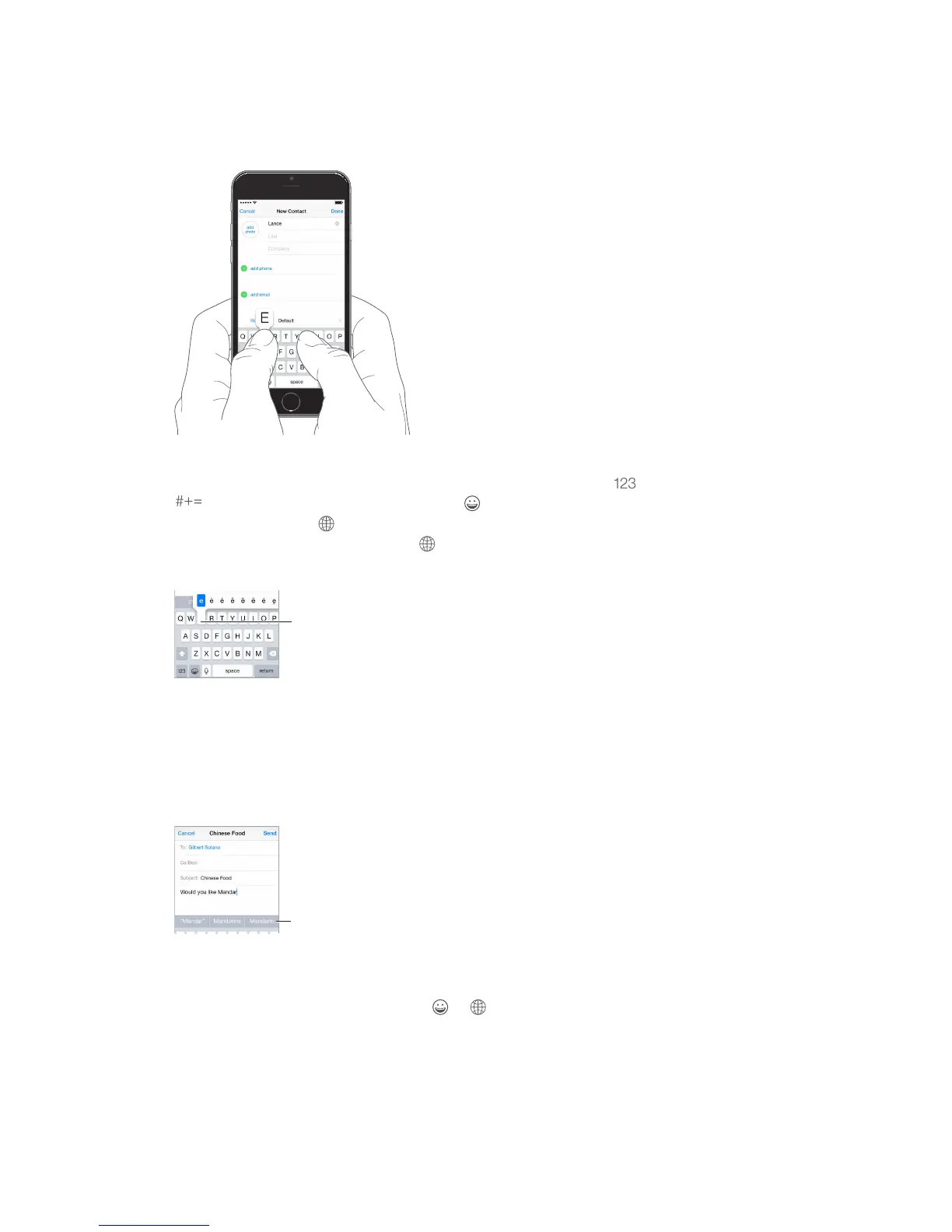
Enter text
9:41 AM
100%
Tap Shift to type uppercase, or touch the Shift key and slide to a letter. Double-tap Shift for caps
lock. To enter numbers, punctuation, or symbols, tap the Number key or the Symbol key
. If you haven’t added any keyboards, tap to switch to the emoji keyboard. If you have
several keyboards, tap to switch to the last one you used. Continue tapping to access other
enabled keyboards, or touch and hold
end a sentence with a period and a space, just double-tap the space bar.
To type an alternate character,
touch and hold a key, then slide
to choose one of the options.
To type an alternate character,
touch and hold a key, then slide
to choose one of the options.
If you see a word underlined in red, tap it to see suggested corrections. If the word you want
doesn’t appear, type the correction.
As you write, QuickType uses predictive text to anticipate your next word. Tap a word to choose
it, or accept a highlighted prediction by entering a space or punctuation. Reject a suggestion by
tapping your original word (shown as a QuickType option with quotation marks).
QuickType suggestions
Hide predictive text. Pull down QuickType suggestions. Pull them back up when you want them
to reappear.
Touch and hold or , then slide to Predictive.
Accept a suggestion by entering a space or punctuation, or by tapping return. To reject a



 To Next Page