Chapter 7 Safari 64
Shared links and subscriptions
You can view links shared from social media, such as Twitter, or feeds from your subscriptions.
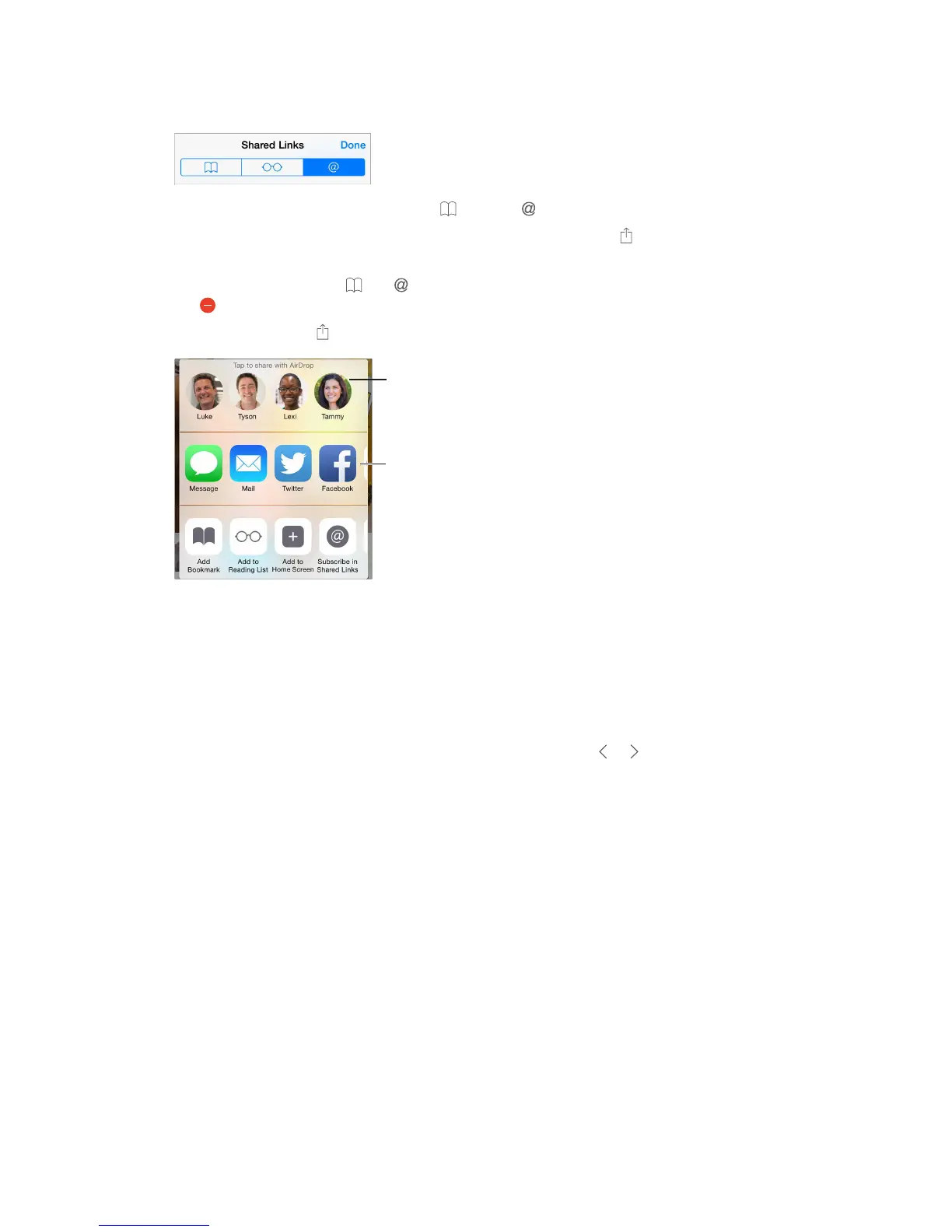
View shared links and subscriptions. Tap , then tap .
Subscribe to a feed. Go to a site that provides a subscription feed, tap , tap Add to Shared
Delete a subscription. Tap , tap , tap Subscriptions below the list of your shared links, then
tap next to the subscription you want to delete.
Spread the news. Tap .
Share using
the usual
methods.
Fill in forms
Whether you’re logging in to a website, signing up for a service, or making a purchase, you can
Tired of always having to log in? When you’re asked if you want to save the password for the
Fill in a form. or above the onscreen
Fill it in automatically.
websites support AutoFill.
Add a credit card for purchases.
Cards > Add Credit Card. To enter the information without typing it, tap Use Camera, then hold
iCloud
Keychain on page 44.
Use your credit card information. Look for the AutoFill Credit Card button above the onscreen
enter that yourself. If you’re not using a passcode for iPhone, you might want to start; see Use a
passcode with data protection on page 43.
Submit a form. Tap Go, Search, or the link on the webpage.



 To Next Page