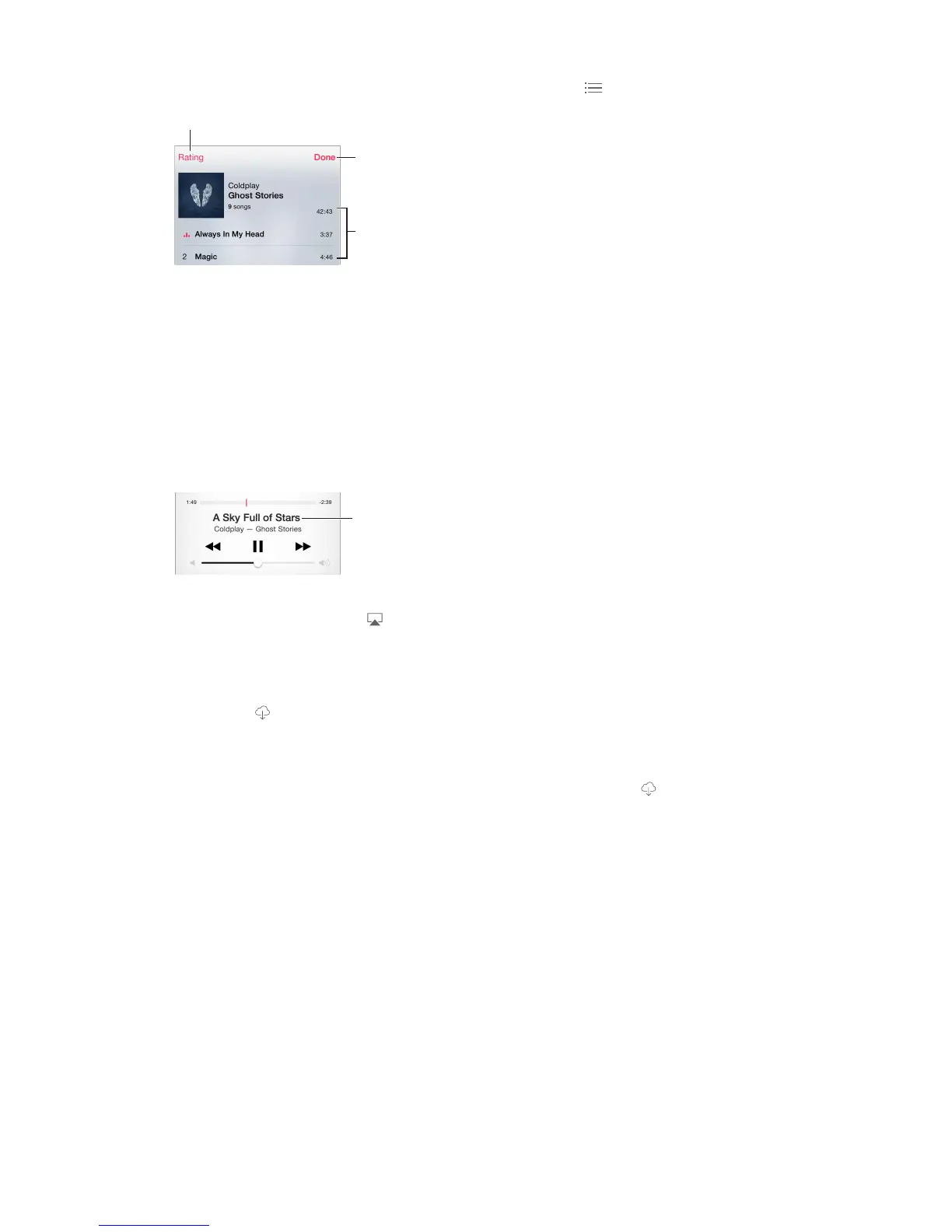
Album tracks
Search music.
enter your search text. You can also search audio content from the Home screen. See Spotlight
Search on page 33.
Rate a song for smart playlists in iTunes. Tap the screen to reveal the rating dots, then tap a dot
to assign a rating.
Display lyrics. If you’ve added lyrics to the song, tap the album cover to see them. To add lyrics,
use the song’s Info window in iTunes on your computer, then sync the song to iPhone.
Get audio controls from the Lock screen or when using another app. Swipe up from the
bottom edge of the screen to open Control Center. See Control Center on page 34.
Currently
playing song
Play music on AirPlay speakers or Apple TV. Swipe up from the bottom edge of the screen to
open Control Center, then tap . See AirPlay on page 40.
iCloud and iTunes Match
With iCloud, you can access all of the music you purchase in the iTunes Store on all of your
devices. The
Automatically download music purchased on another device. Go to Settings > iTunes &
App Store, sign in using your Apple ID, then turn on Music under Automatic Downloads.
Download music if you’re going somewhere you won’t have Wi-Fi. Click next to the songs
you’ll want to play. Or download entire albums and playlists. You can also download previous
purchases in the iTunes Store—tap More, tap Purchased, then tap Music.
Remove a song that’s been downloaded. Swipe left, then tap Delete. The song is removed from
iPhone, but remains available from iCloud.
View only music that’s downloaded. Go to Settings > iTunes & App Store. Under Show All, turn
With an iTunes Match subscription, you can store all your music in iCloud (up to 25,000 songs)—
even songs you imported from CDs.
Note: iTunes Match may not be available in all areas. See support.apple.com/kb/HT5085.
Subscribe to iTunes Match. Go to Settings > iTunes & App Store > Subscribe to iTunes Match.
See www.apple.com/itunes/itunes-match.
Turn on iTunes Match. Go to Settings > iTunes & App Store. Sign in if you haven’t already.



 To Next Page