EasyManua.ls Logo

Apple iPhone 5 - Camera; Camera at a glance

Apple iPhone 5
180 pages
Print Icon
To Next Page IconTo Next Page
To Previous Page IconTo Previous Page
Loading...
12
88
Camera
Camera at a glance
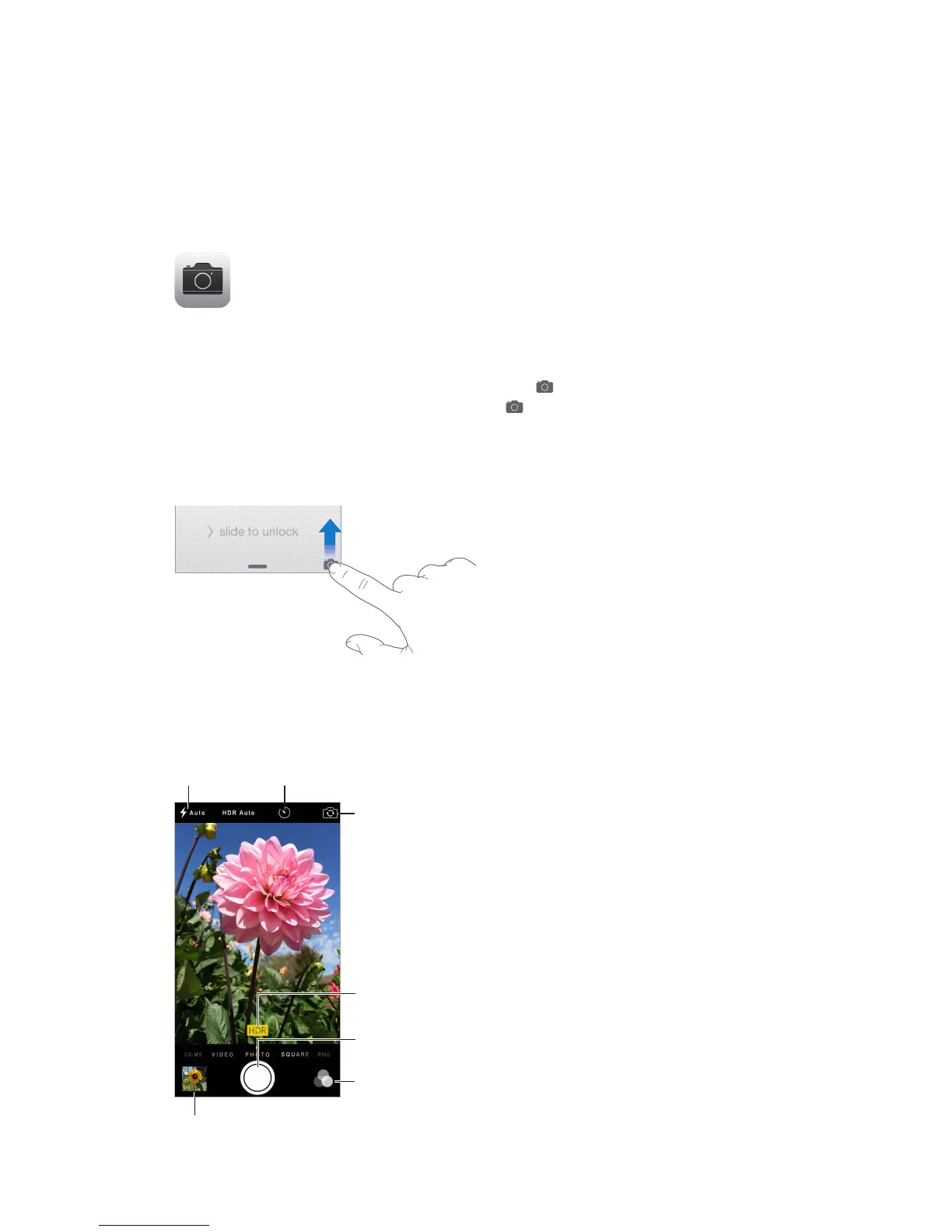
Quick! Get the camera! From the Lock screen, just swipe up. Or swipe up from the bottom
edge of the screen to open Control Center, then tap .
Note: When you open Camera from the Lock screen, you can view and edit photos and videos
you take while the device is locked by tapping the thumbnail at the lower-left corner of the

With iPhone, you can take both still photos and HD videos. And, there are two cameras—in
addition to the iSight camera on the back of iPhone, theres a on the front that you can use

Control Center on page 34.
View the photos and videos youve taken.
View the photos and videos you’ve taken.
Switch between
cameras.
Switch between
cameras.
Filter
Filter
Take a photo.
Take a photo.
HDR is in use.
HDR is in use.
Set LED
flash mode.
Set LED
flash mode.
Take a
timed photo.
Take a
timed photo.

Other manuals for Apple iPhone 5

Related product manuals