iPhone 5c – Disassemble Guide
Page 5 of 9
hp://www.fixez.com/
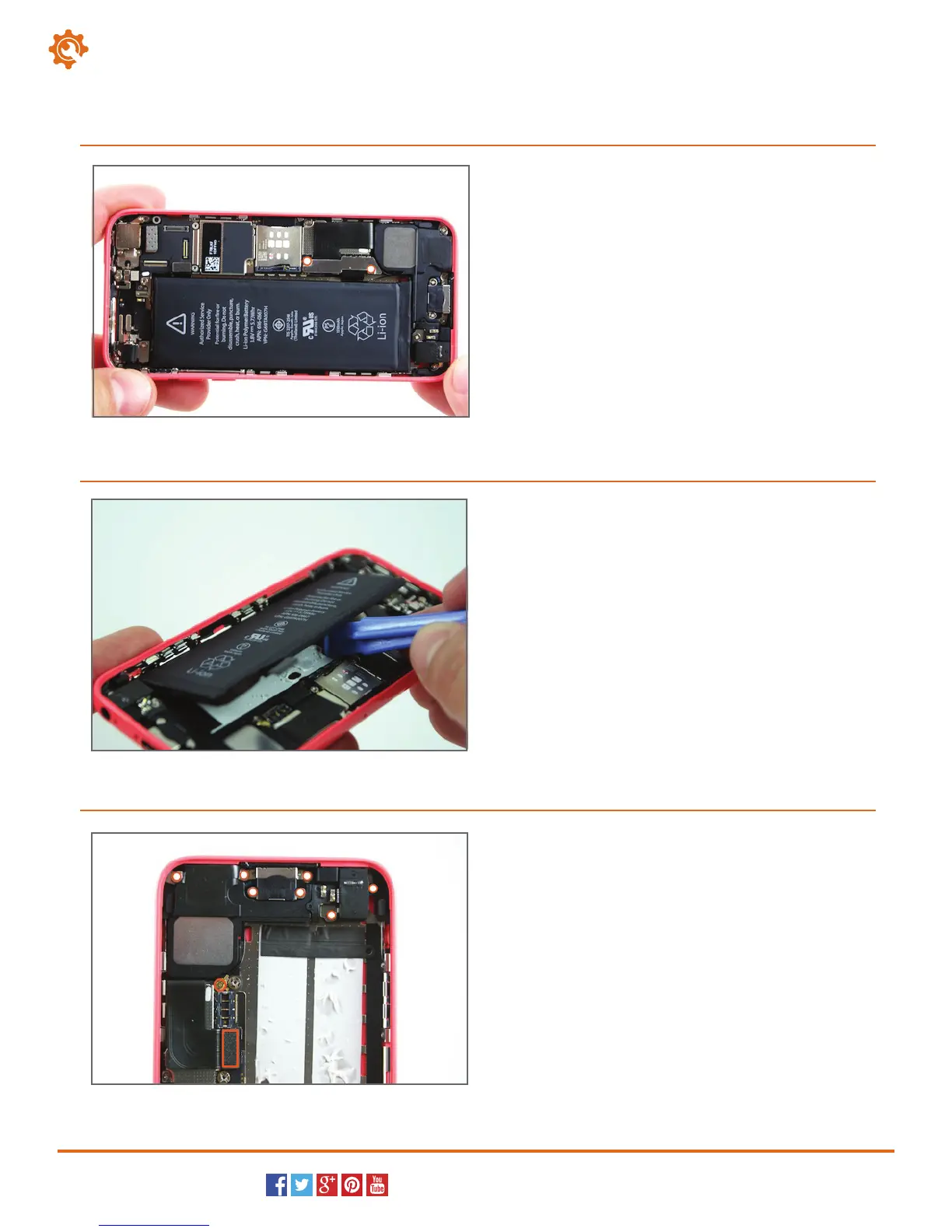
Locate and remove the two Phillips screws (#00) that
secure the battery connector’s cover. Next, gently pry
the connector up to release it from the motherboard.
10.
Use the spudger or the plastic opening tool to pry the
battery from the adhesive securing it to the iPhone.
You can now remove the battery from the iPhone 5c.
11.
Locate and remove the seven Phillips screws (#00)
that secure the loudspeaker and lightning port
assembly (marked with white dots).
Next, locate and disconnect the coaxial antenna plug
(circled in orange).
Now, locate and disconnect the connector for the
lightning port assembly (rectangle in orange).
12.
Baery
Loudspeaker



 To Next Page