stays on your calendar, but it doesn’t appear as busy to others who send you invitations.
Quickly send an email to attendees. Tap the event, tap Invitees, then tap .
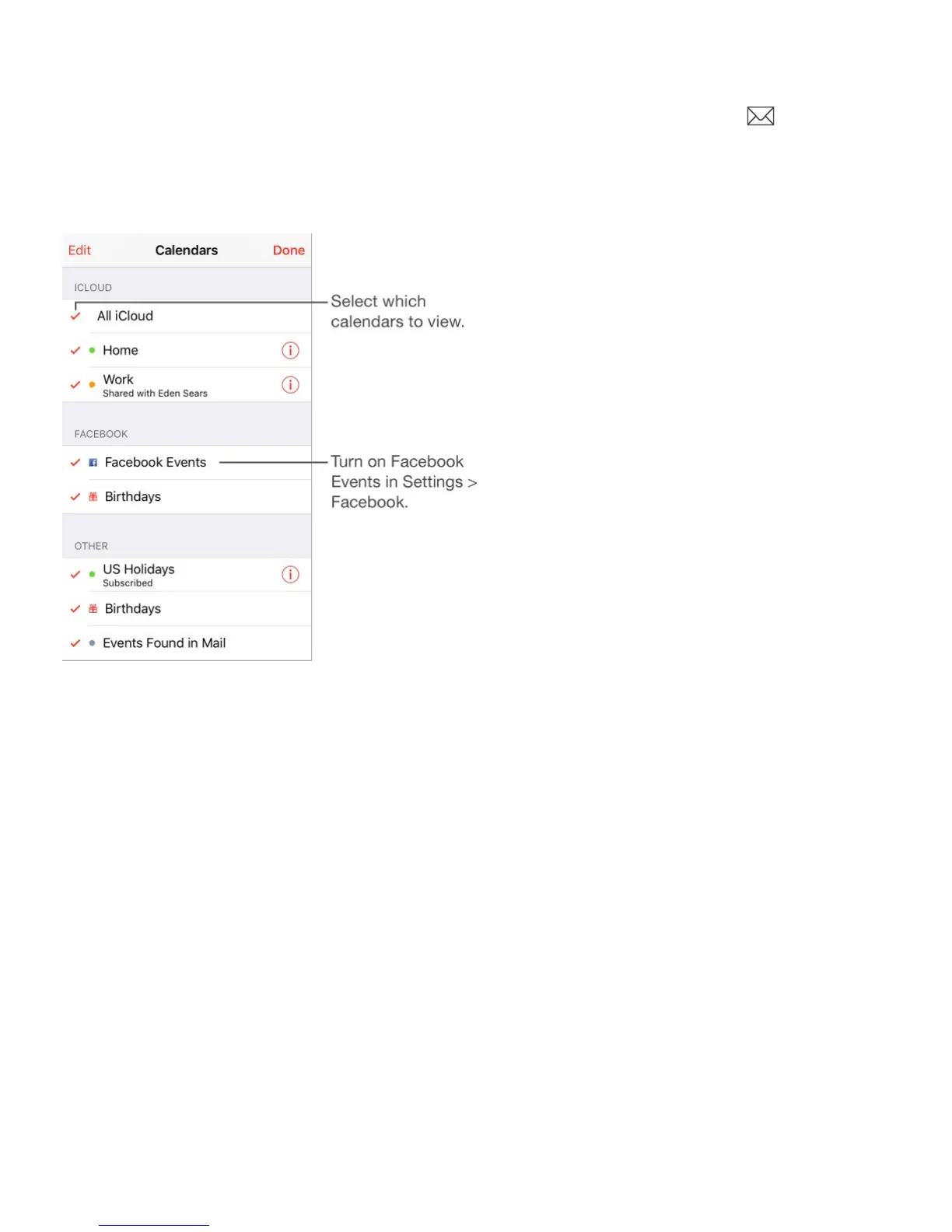
Use multiple calendars
Turn on iCloud, Google, Exchange, or Yahoo! calendars. Go to Settings > Mail,
Contacts, Calendars, tap an account, then turn on Calendar.
Subscribe to a calendar. Go to Settings > Mail, Contacts, Calendars, then tap Add
Account. Tap Other, then tap Add Subscribed Calendar. Enter the server and filename of the
.ics file to subscribe to. You can also subscribe to an iCalendar (.ics) calendar published on
the web, by tapping a link to the calendar.
Add a CalDAV account. Go to Settings > Mail, Contacts, Calendars, tap Add Account, then
tap Other. Under Calendars, tap Add CalDAV Account.
Add an OS X Server account. Go to Settings > Mail, Contacts, Calendars, tap Add
Account, then tap Other. Under Servers, tap Add OS X Server Account.
View the Birthdays calendar. Tap Calendars, then tap Birthdays to include birthdays from
Contacts with your events. If you set up a Facebook account, you can also include your
Facebook friends’ birthdays.



 To Next Page