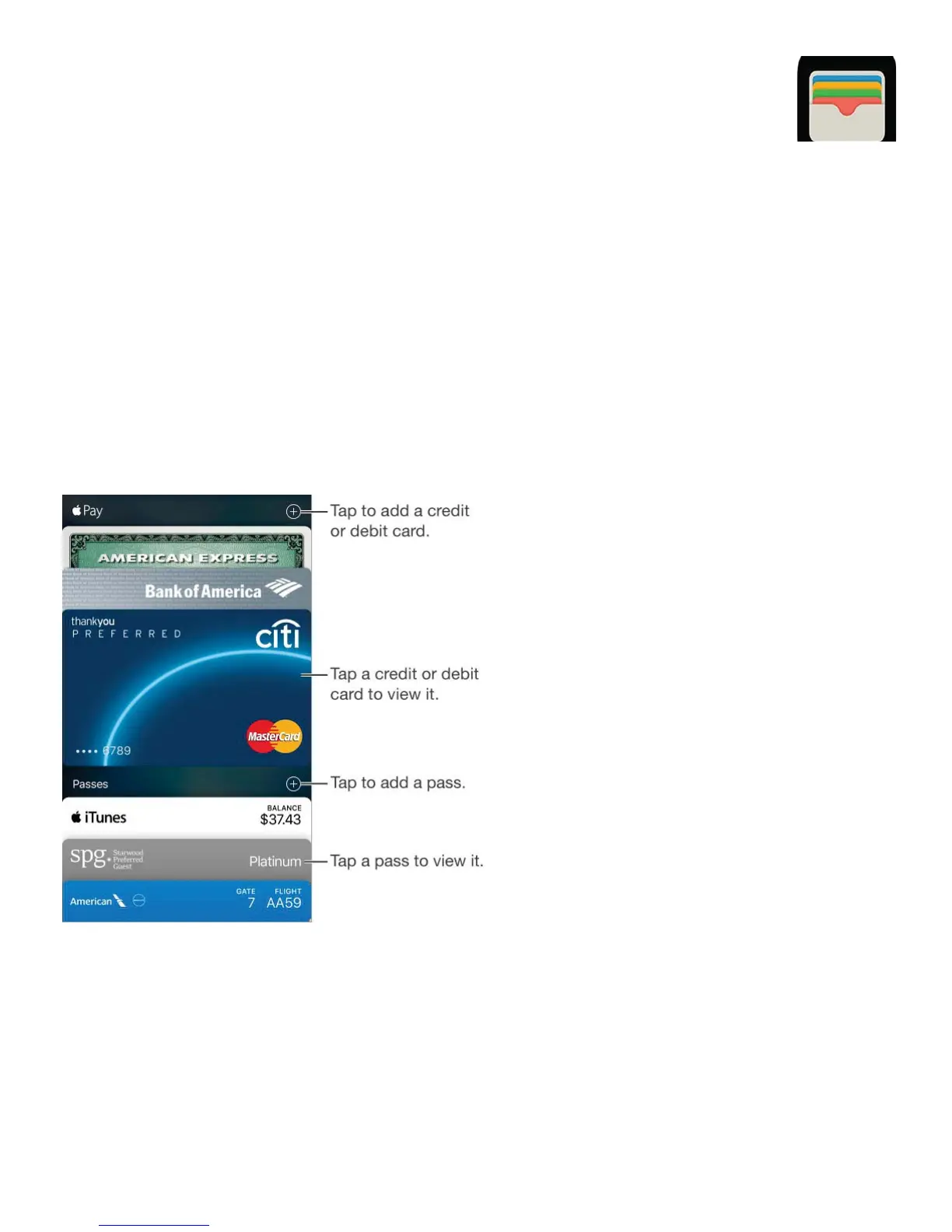
Wallet at a glance
Use Wallet to keep your boarding passes, movie tickets, coupons, rewards cards, and more,
all in one place. Scan a pass on iPhone to check in for a flight, get in to a movie, or redeem
a coupon. Passes can include useful information, such as the balance on your coffee card,
a coupon’s expiration date, or your seat number for a concert.
On iPhone SE, iPhone 6, iPhone 6 Plus, and later, you can add credit and debit cards
(including store credit and debit cards) to Wallet. Use them to make purchases in stores that
accept contactless payments, as well as within apps that support Apple Pay (not available
in all areas). See .
Wallet on the go
Find apps that support Wallet. Tap Find Apps for Wallet on the Welcome pass. Or, on
your computer, go to . You can add a pass from an app, an
email or a Messages message, or a website when you make a purchase or receive a
coupon or gift. Usually, you tap or click the pass or the link to a pass to add it to Wallet.
You can also scan codes, which are then downloaded to Wallet, from merchants’ ads or
www.appstore.com/walletapps



 To Next Page