Tap the Back button.
Press the Sleep/Wake button or the Home button.
Use the keypad to dial a non-emergency number.
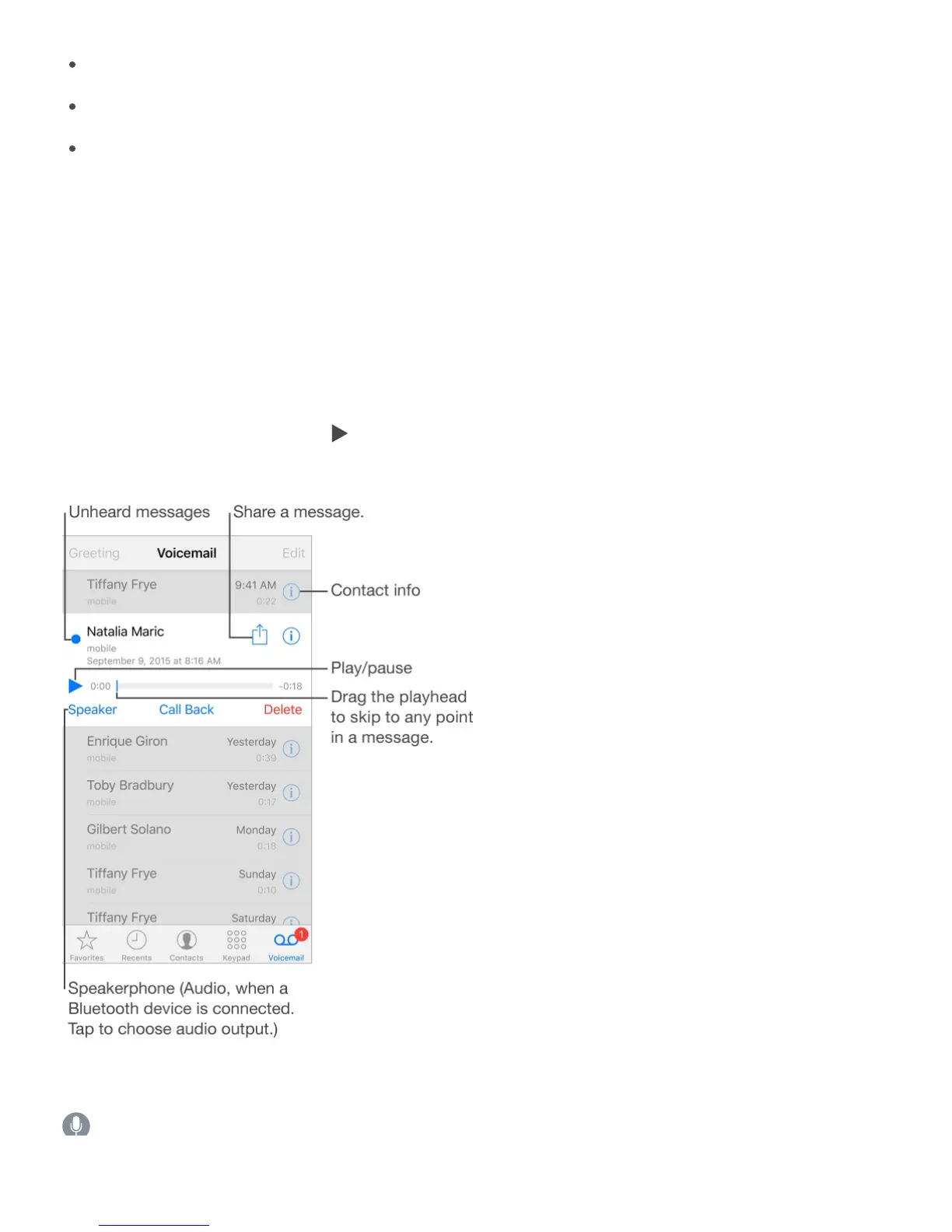
Visual voicemail
Visual voicemail lets you see a list of your messages and choose which one to listen to or
delete, without having to wade through all of them. A badge on the Voicemail icon tells you
how many unheard messages you have. The first time you tap Voicemail, you’re asked to
create a voicemail password and record your voicemail greeting.
Listen to a voicemail message. Tap Voicemail, then select a message. To listen again,
select the message, then tap . If visual voicemail isn’t available with your service, tap
Voicemail and follow the voice instructions.
Messages are saved until you delete them or your carrier erases them.
Ask Siri. Say something like:
“D I h i il?”



 To Next Page