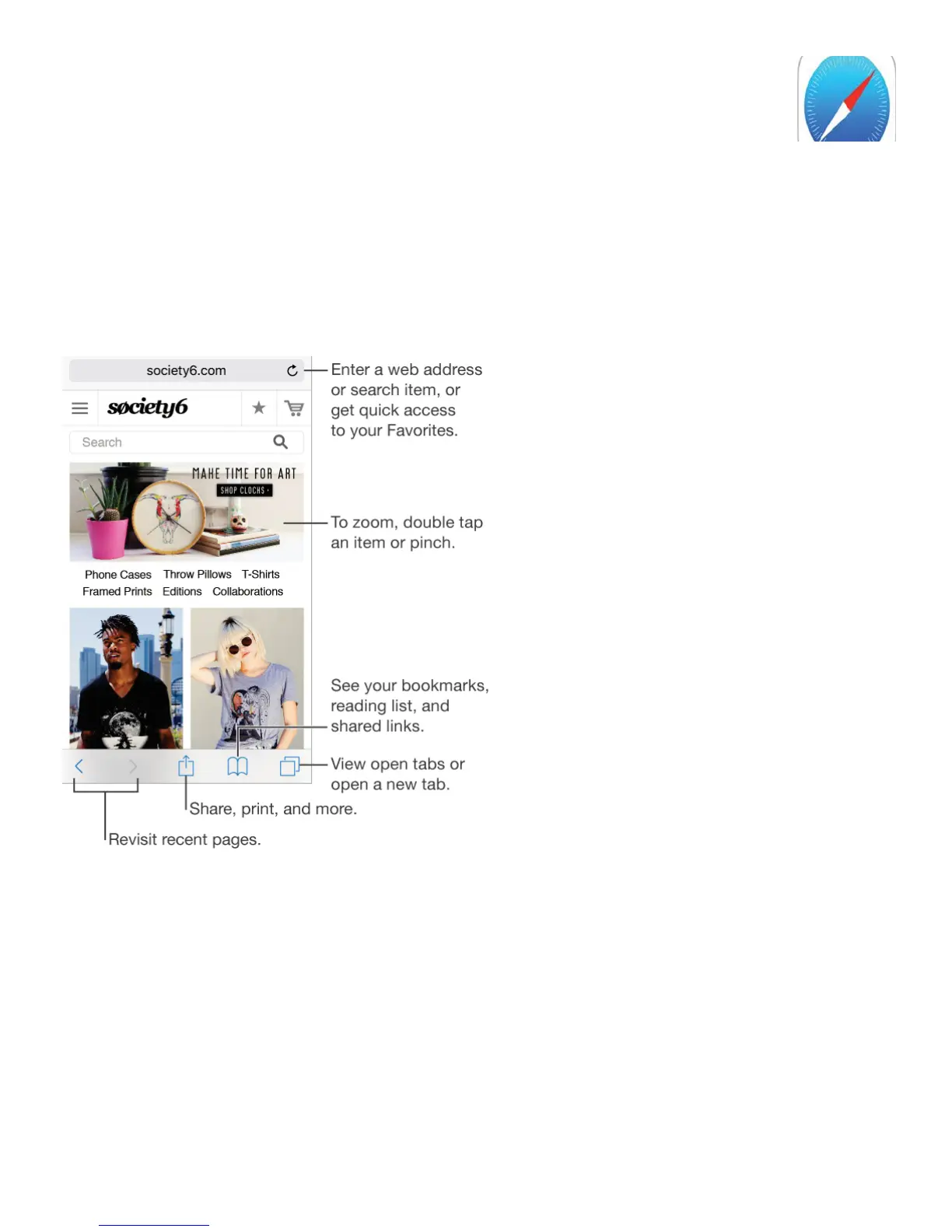
Safari at a glance
Use Safari on iPhone to browse the web, use Reading List to collect webpages to read later,
and add page icons to the Home screen for quick access. Use iCloud to see pages you
have open on other devices, and to keep your bookmarks, history, and reading list up to
date on your other devices.
Search the web
Search the web. Enter a URL or search term in the search field at the top of the page, then
tap a search suggestion, or tap Go on the keyboard to search for exactly what you typed. If
you don’t want to see suggested search terms, go to Settings > Safari, then (under Search)
turn off Search Engine Suggestions.



 To Next Page