Chiesi Ltd – iPhone 5s Quick Guide
Page 2
Add favourites. With Favourites, you can make a call with a single tap. To add someone to your
Favourites list, tap . You can also add names to Favourites from Contacts. In Contacts, tap Add to
Favourites at the bottom of a card, and tap the number to add.
Delete a name or rearrange your Favourites list. Tap Edit.
Return a recent call. Tap Recents, and then tap the call. Tap to get more info about the call, or the
caller. A red badge indicates the number of missed calls.
Dial manually. Tap Keypad, enter the number, and then tap Call.
Paste a number to the keypad: Tap the screen above the keyboard, and then tap Paste.
Enter a soft (2-second) pause: Touch the “*” key until a comma appears.
Enter a hard pause (to pause dialing until you tap the Dial button): Touch the “#” key until a
semicolon appears.
Redial the last number: Tap Keypad, tap Call to display the number, then tap Call again.
When someone calls
Tap Answer to take an incoming call. Or if iPhone is locked, drag the slider. You can also press the centre
button on your headset.
Silence a call. Press the Sleep/Wake button or either volume button. You can still answer the call after
silencing it, until it goes to voicemail.
Decline a call and send it directly to voicemail. Do one of the following:
Press the Sleep/Wake button twice quickly.
Press and hold the centre button on your headset for about two seconds. Two low beeps confirm that the call
was declined.
Tap Decline (if iPhone is awake when the call comes in).
Respond with a text message instead of answering. Tap Message and choose a reply or tap Custom. To create
your own default replies, go to Settings > Phone > Respond with Text, then tap any of the default messages
and replace it with your own text.
Remind yourself to return the call. Tap Remind Me and indicate when you want to be reminded.
While on a call
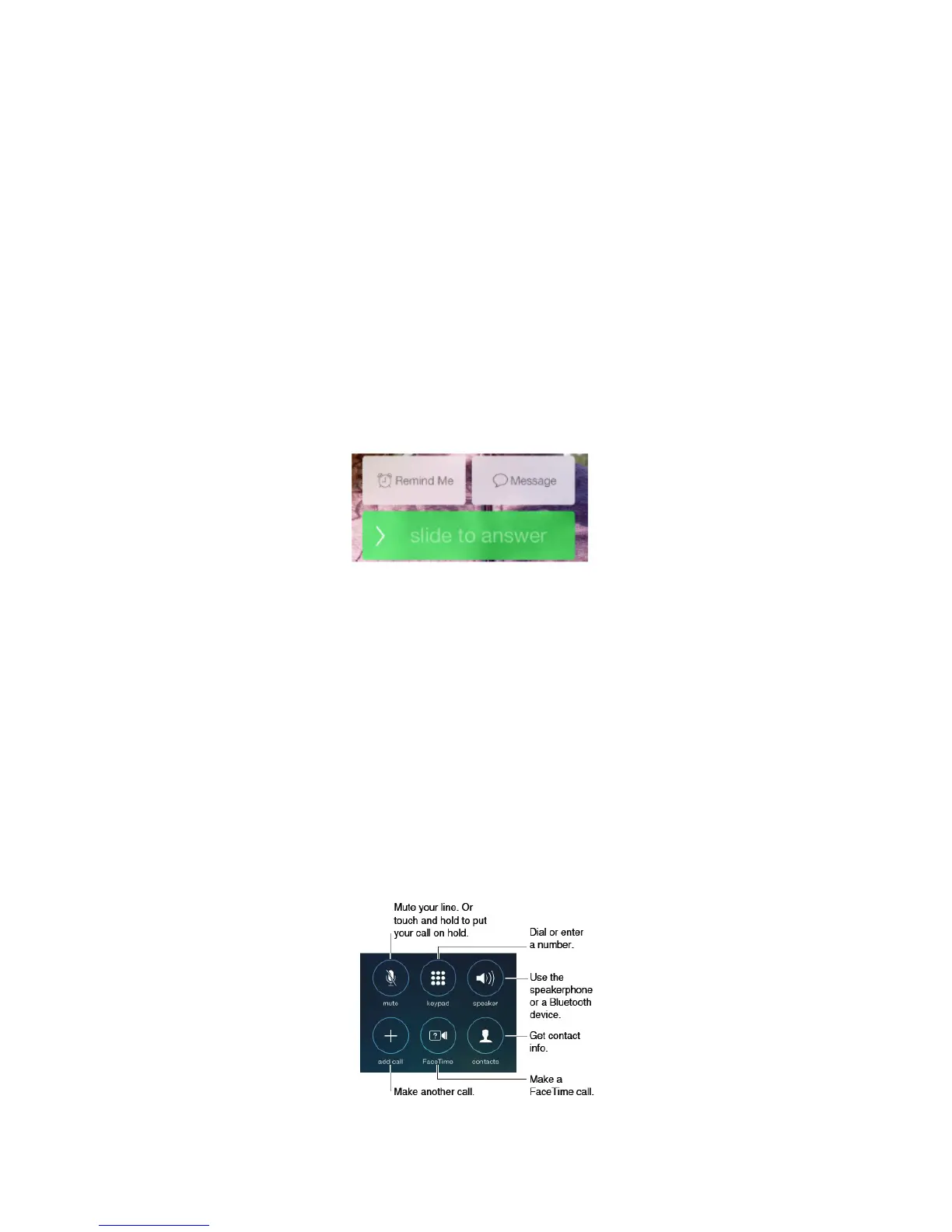
When you’re on a call, the screen shows several call options.



 To Next Page