10
2
2
Setting Up Your iPod Hi-Fi
You can set up and start listening to music on your
iPod Hi-Fi in a few easy steps.
Step 1:
Plug In Your iPod Hi-Fi or Insert Batteries
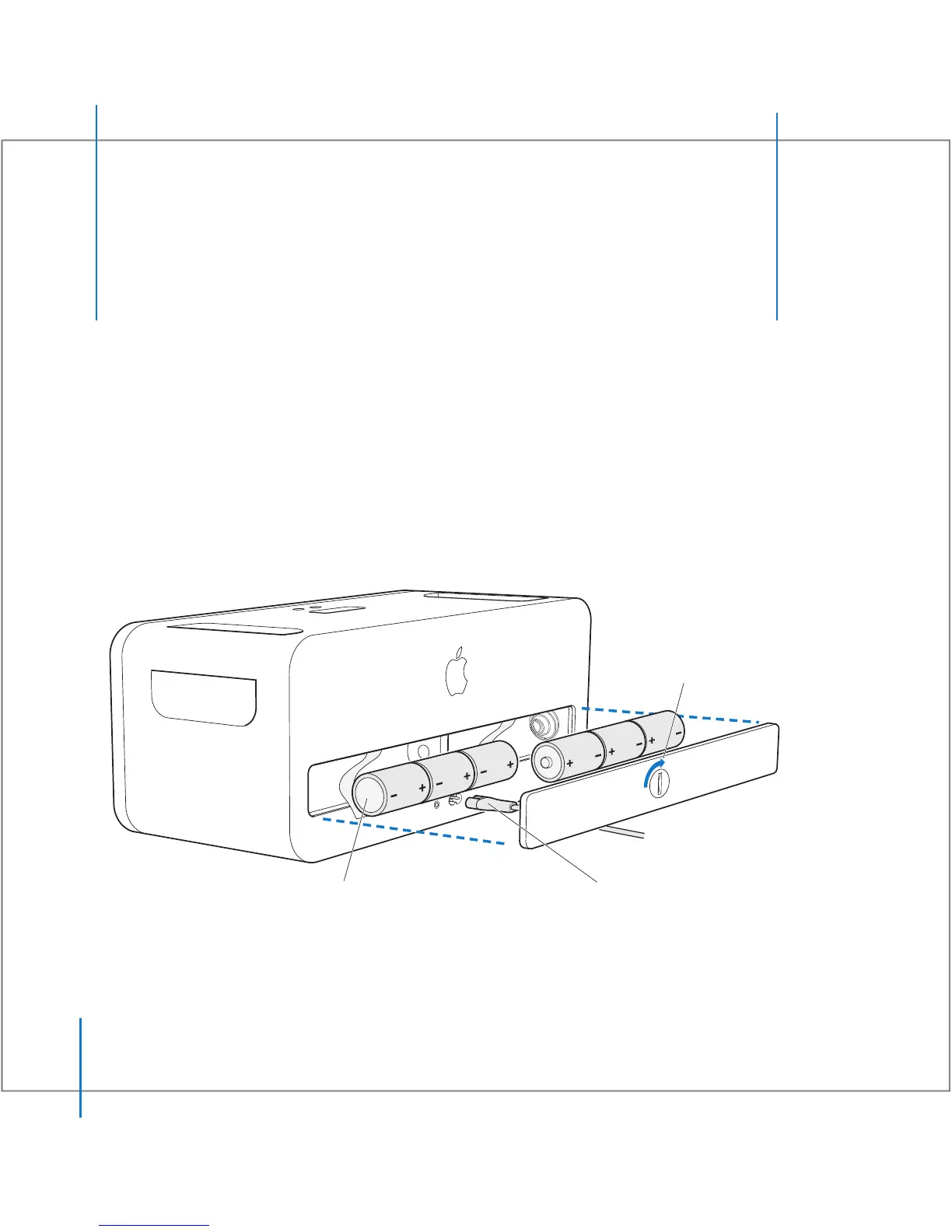
You can plug in your iPod Hi-Fi, or you can insert six D batteries to use it on the go.
To use your iPod Hi-Fi on the go, insert six
D batteries. Position the positive (
+
) and
negative (
–
) terminals on the batteries as shown.
You can also plug your
iPod Hi-Fi into an outlet using
the included power cord.
Turn the latch
with a coin to
remove the battery
compartment cover.



 To Next Page