Preface
iPod mini and iTunes at a Glance
7
iPod mini
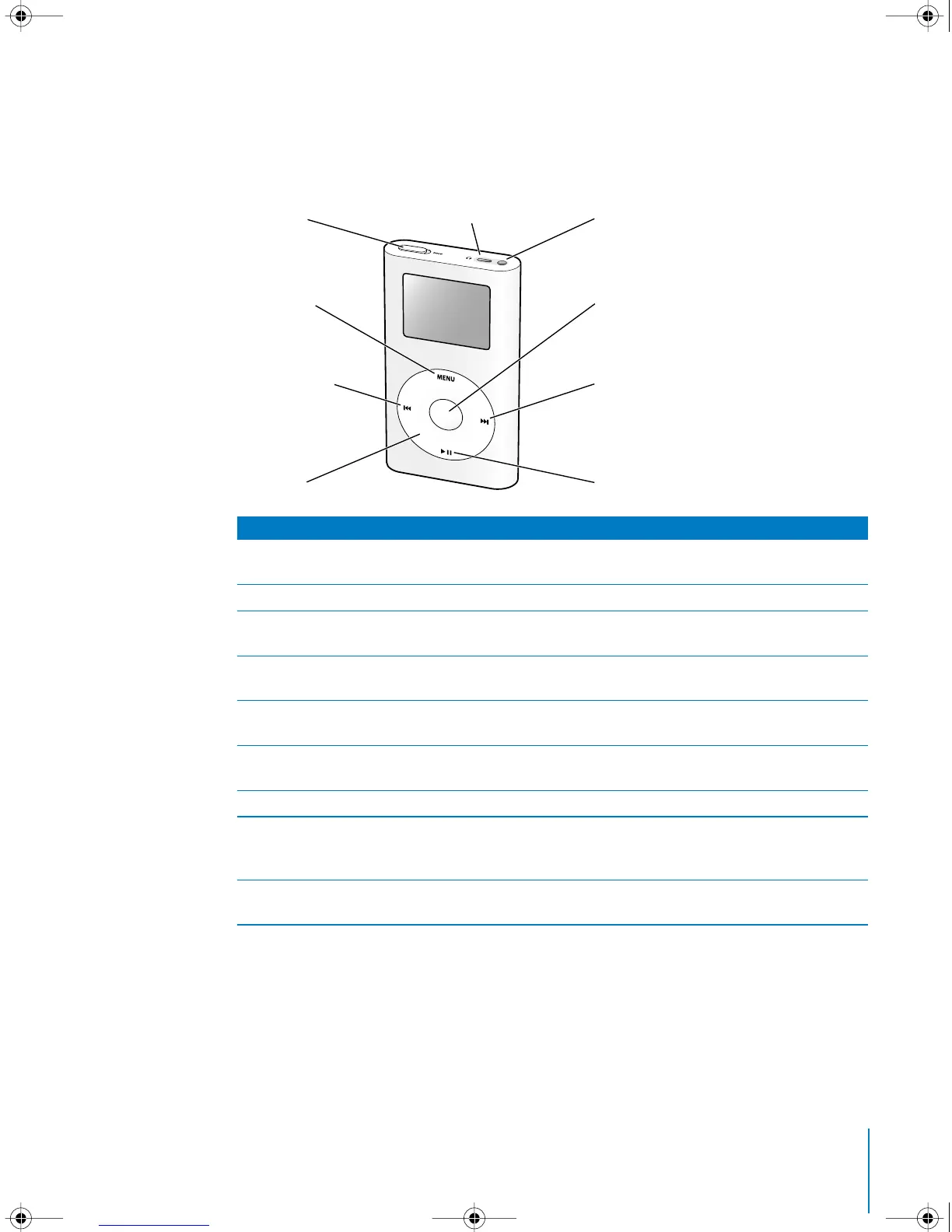
Use the iPod mini controls to navigate through onscreen menus, play songs, change
settings, and view information.
iPod mini Controls
Hold switch
Use the Hold switch to disable the iPod mini controls, so you don’t
press buttons accidentally.
iPod remote port
Connect optional accessories, such as the iPod Remote.
Headphones port
Connect headphones and speakers with a standard 3.5 millimeter
miniplug.
Menu button
Press to go back to the previous menu. Press and hold to turn on
the backlight.
Select button
Press to turn on iPod mini. If iPod mini is on, press to select a menu
item or play a song.
Previous/Rewind button
Press to restart the current song. Press twice to play the previous
song. Press and hold to rewind.
Next/Fast-forward button
Press to play the next song. Press and hold to fast-forward.
Click Wheel
Run a thumb or finger around the Click Wheel to scroll through
menus. From the Now Playing screen, use to control the volume.
Press the buttons on the Click Wheel to control iPod mini.
Play/Pause button
Press to play the highlighted song. While a song is playing, press to
pause. Press and hold to turn iPod mini off.
Hold switch
Menu button
Previous/Rewind
button
Click Wheel
Select button
Next/Fast-forward
button
Play/Pause button
iPod Remote port Headphones port
LL1519.book Page 7 Tuesday, February 3, 2004 6:03 PM



 To Next Page