38 Using iPod mini
If the battery icon in the upper-right corner of the iPod mini screen shows a lightning
bolt, the battery is charging.
If you don’t see the lightning bolt, iPod mini may not be connected to a high-power
USB 2.0 port. Try another USB port on your computer.
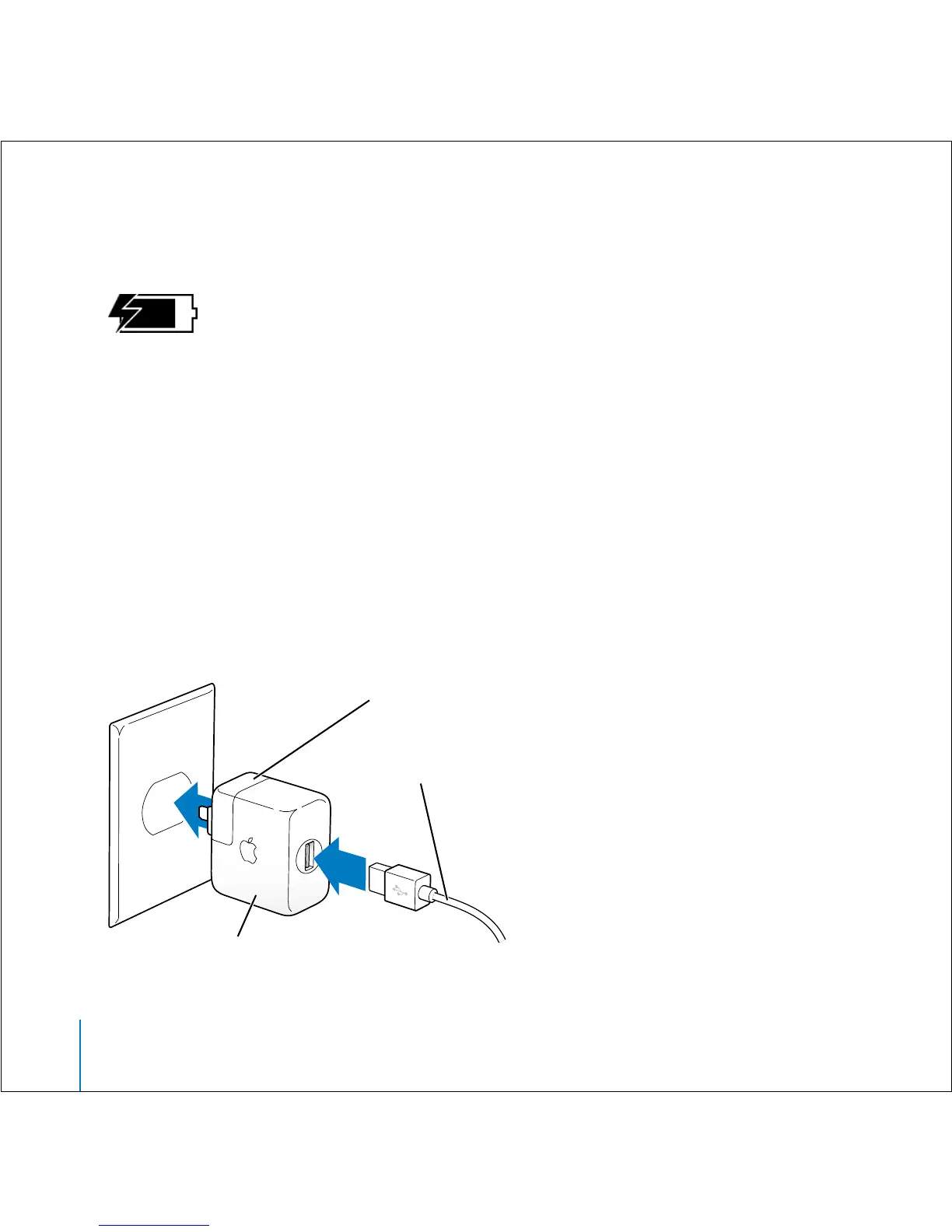
If you can’t charge using a USB port on your computer, you can charge the battery
using the optional iPod USB Power Adapter.
To charge the battery using the optional iPod USB Power Adapter:
1 Connect the AC plug adapter to the power adapter (this may already be assembled).
2 Connect the iPod Dock Connector to USB 2.0 Cable to the power adapter, and plug the
other end of the cable in to iPod mini.
3 Plug the power adapter in to a working electrical outlet.
AC plug adapter
iPod USB Power Adapter
iPod Dock Connector
to USB 2.0 Cable



 To Next Page