8 Preface iPod mini and iTunes at a Glance
iPod mini Menu
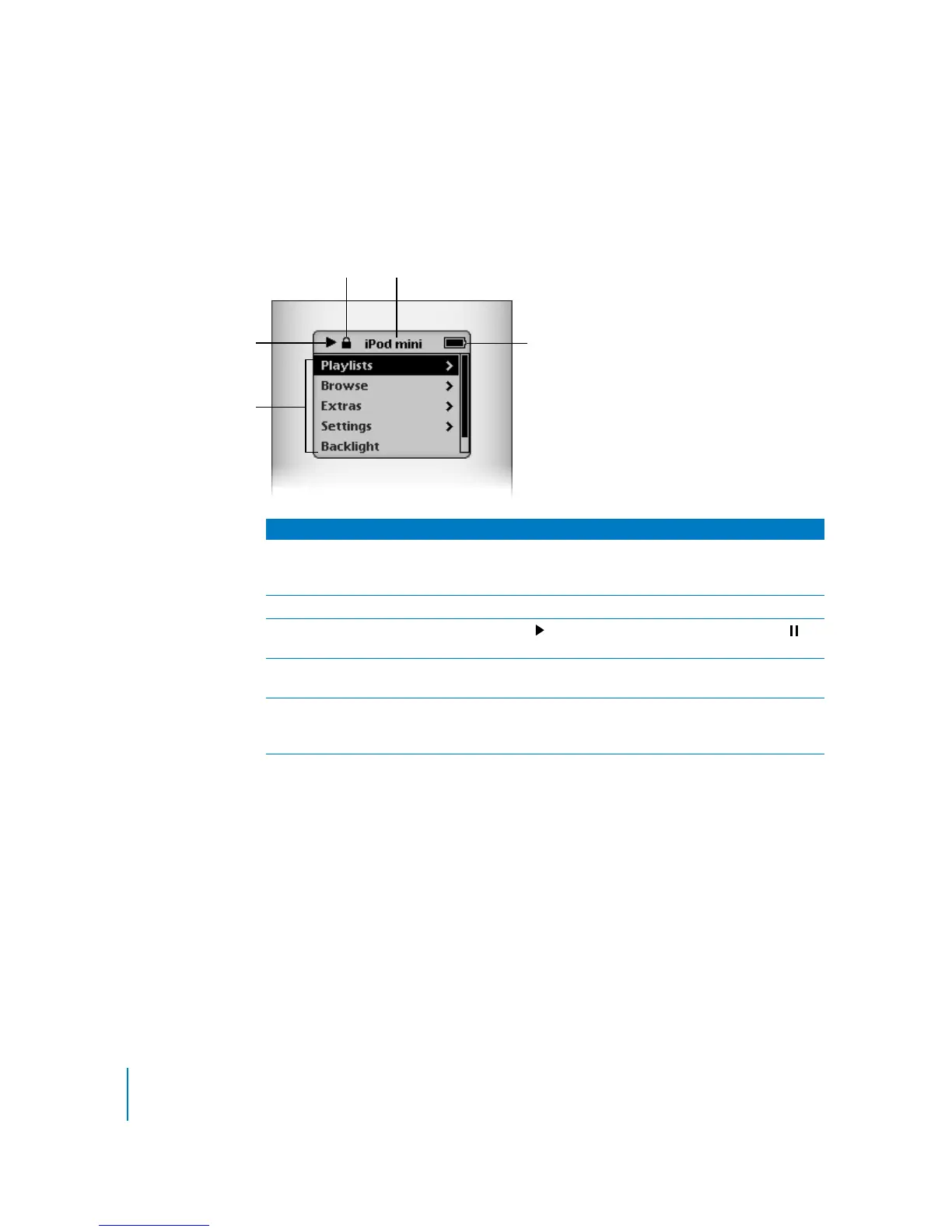
When you turn on iPod mini, you see the main menu. Select menu items to go to other
menus or perform functions on iPod mini. Status icons along the top of the screen
show iPod mini settings.
iPod mini Menu
Lock icon The Lock icon appears when the Hold switch (on top of iPod mini)
is set to hold. When the switch is set to hold, the iPod mini controls
are disabled.
Menu title Displays the title of the current menu.
Play status The Play icon ( ) appears if a song is playing. The Pause icon ( )
appears if a song is paused.
Battery status The Battery icon shows the remaining battery charge. If the battery
is charging, the icon is animated.
Menu items Use the Click Wheel to scroll through menu items. Press the Select
button (in the center of iPod mini) to select an item. An arrow next
to a menu item indicates that selecting it leads to another menu.
Play status
Menu items
Battery status
Menu title
Lock icon



 To Next Page