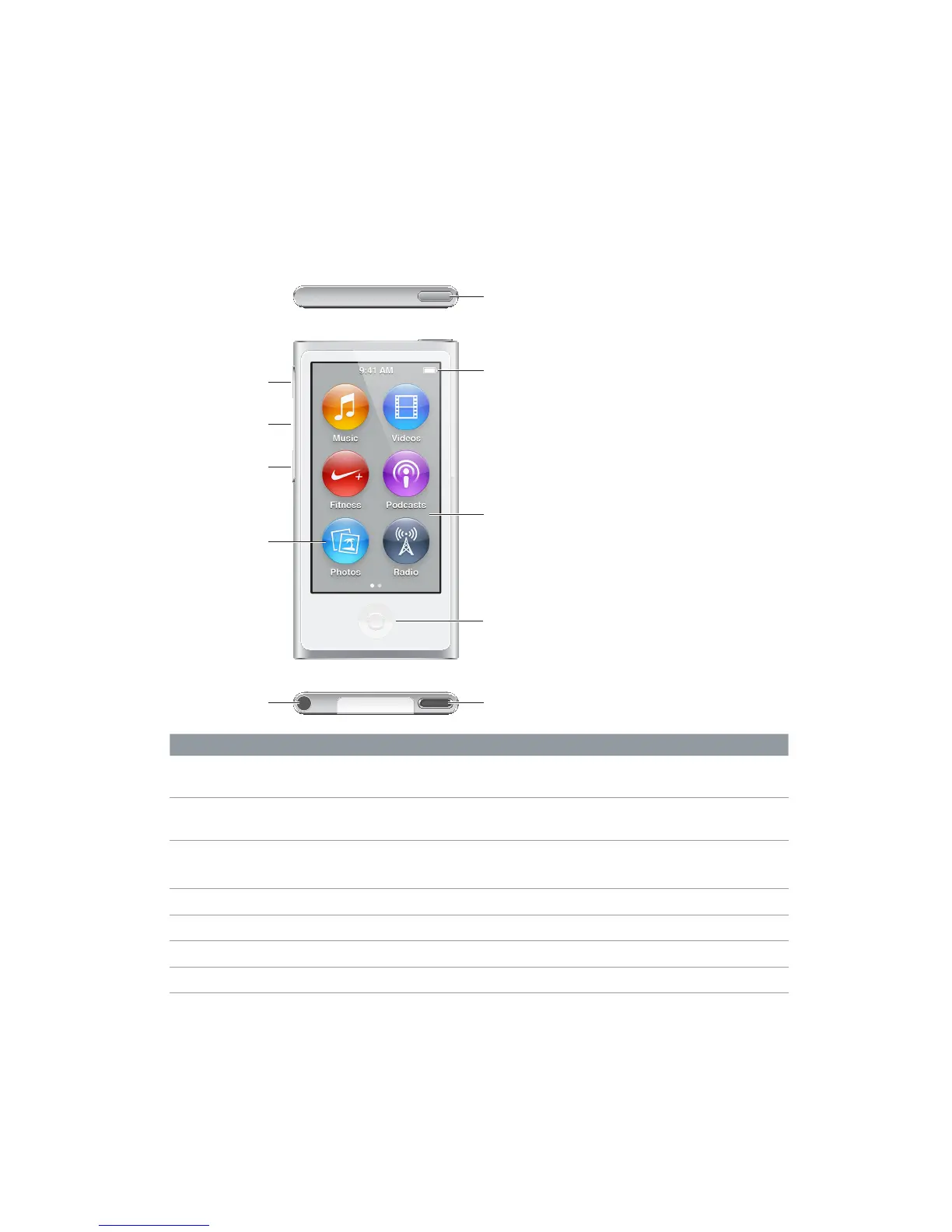
Headphone jack
Volume Down
Volume Up
Play/Pause
To Do this
Turn the screen on or o while
you listen to music or other audio
Press the Sleep/Wake button.
Turn iPod nano o completely, or
to turn it back on
Hold down the Sleep/Wake button for a few seconds.
Adjust the volume while listening
to songs or other media
Press the Volume Up or Volume Down button.
These buttons also control the volume for alerts and other sounds.
Play or pause audio Press the Play/Pause button.
Skip to the next audio track Press the Play/Pause button twice.
Skip to the previous audio track Press the Play/Pause button three times.
Return to the Home screen Press the Home button.



 To Next Page