Chapter 12 EarPods and Bluetooth accessories 54
Connecting to Bluetooth accessories
You can use iPod nano with compatible Bluetooth headsets and other accessories, including
some hands-free systems in newer cars. iPod nano supports A2DP for audio streaming and
AVRCP for controlling playback on Bluetooth devices. Before you can use a Bluetooth device, you
must pair it with iPod nano.
You can also use iPod nano with a Nike+ sensor or a Bluetooth heart rate monitor. Set up
Bluetooth tness devices in Fitness (see Setting Fitness preferences on page 34).
Important: Read the documentation that came with your Bluetooth device for instructions on its
use, on pairing it with other devices, and on optimizing performance.
Pair iPod nano with a Bluetooth device:
1 Follow the instructions that came with the device to make it discoverable or set it to search for
other Bluetooth devices.
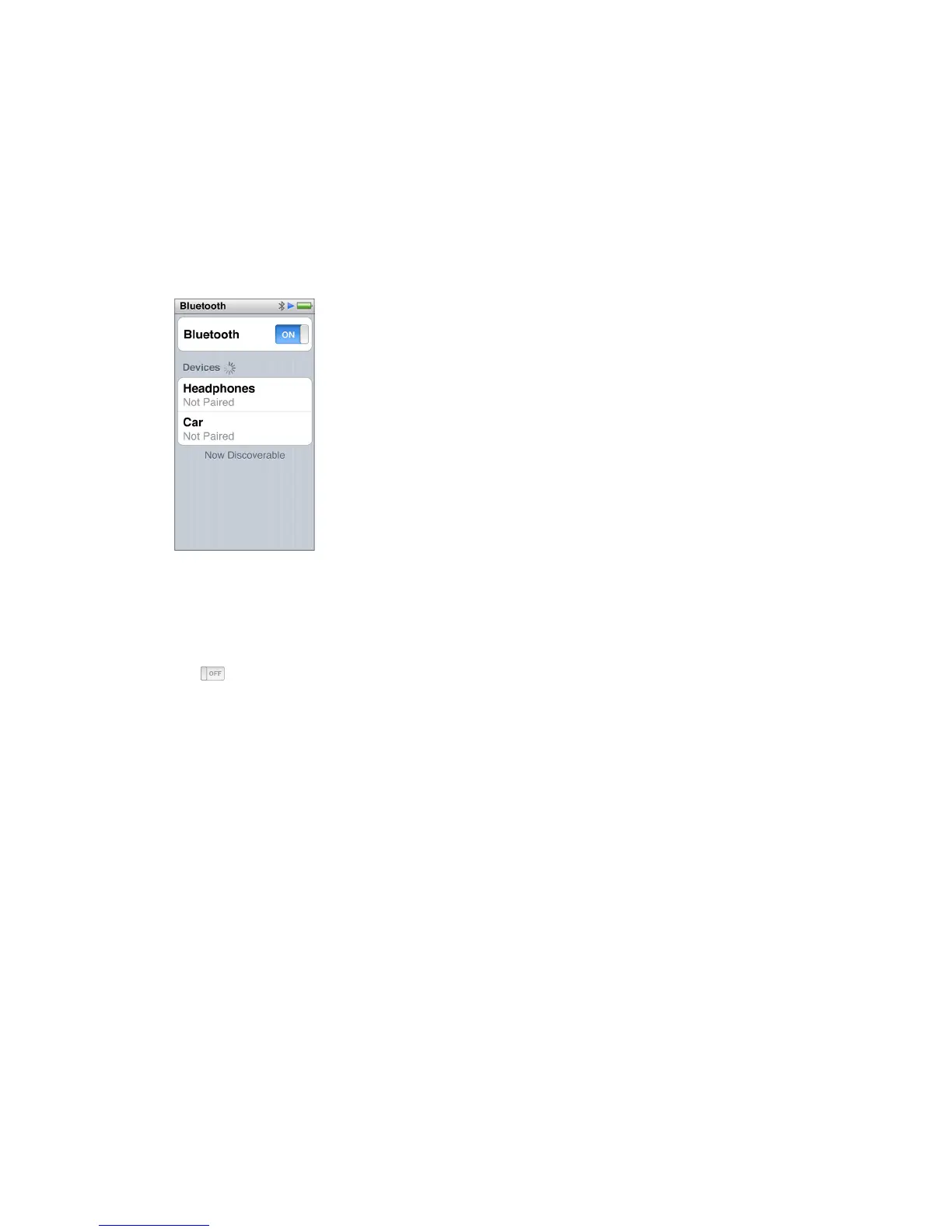
2 On the iPod nano Home screen, tap Settings > Bluetooth.
3 Tap , to turn it On.
iPod nano begins searching for available Bluetooth devices.
4 When your device appears in the list, tap it.
When the pairing is completed, you see “Connected” below the device name.
Some Bluetooth devices require a code to complete the pairing. If you see a screen asking you to
enter a code, check the documentation that came with the device, then enter the code provided
in the device’s documentation.
If your device uses the Simple Secure Pairing system, a six digit code appears on iPod nano
and on the Bluetooth device screen. If the codes match, tap Pair on iPod nano to complete
the pairing.
Connect to a paired Bluetooth device:
A Bluetooth device can be paired with iPod nano even when it’s not currently connected. You
must connect to the device to use it.
m On the Home screen, tap Settings > Bluetooth, then tap the paired device.
When successfully connected, you see “Connected” below the device name.



 To Next Page