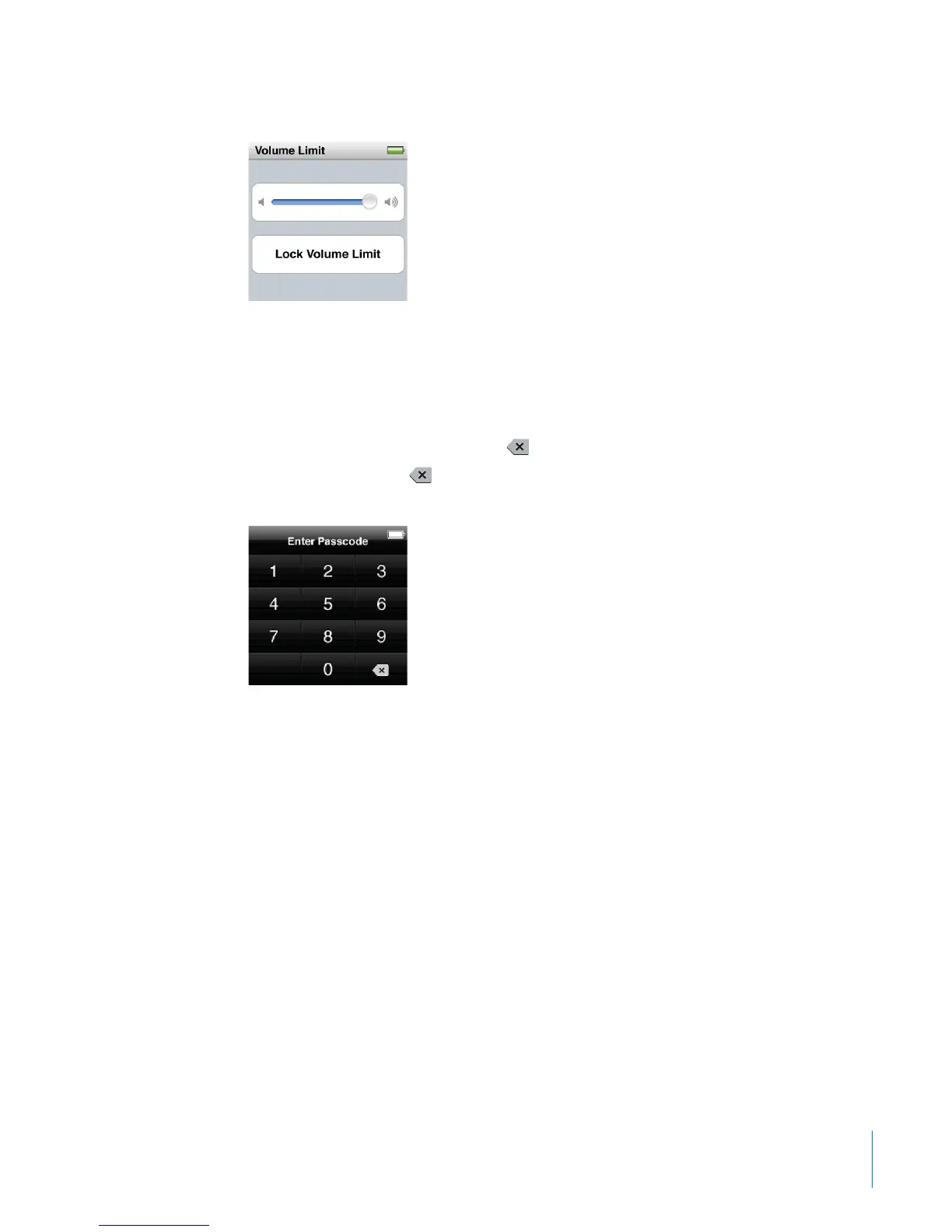
The volume control shows the maximum volume limit.
3 Drag the slider left to lower the maximum volume limit, or right to raise the limit.
To require a passcode to change the volume limit:
1 After setting the maximum volume, tap Lock Volume Limit.
2 In the screen that appears, tap a four-digit passcode.
If you tap a number by mistake, tap
and then tap the number you intended.
You can keep tapping
to erase all numbers and return to the Volume Limit screen
without setting a passcode.
3 When you’re prompted to reenter the passcode, tap the numbers again.
If you set a passcode, you must enter it before you can change or remove the
volume limit.
To remove the volume limit:
1 On the Home screen, tap Settings.
2 Tap Music, then tap Volume Limit.
3 Drag the slider all the way to the right.
If you set a passcode, tap Unlock Volume Limit rst, enter your passcode, and then
drag the slider.
If you forget the passcode, you can restore iPod nano. See “Updating and Restoring
iPod Software” on page 69.
31
Chapter 5 Music and Other Audio



 To Next Page