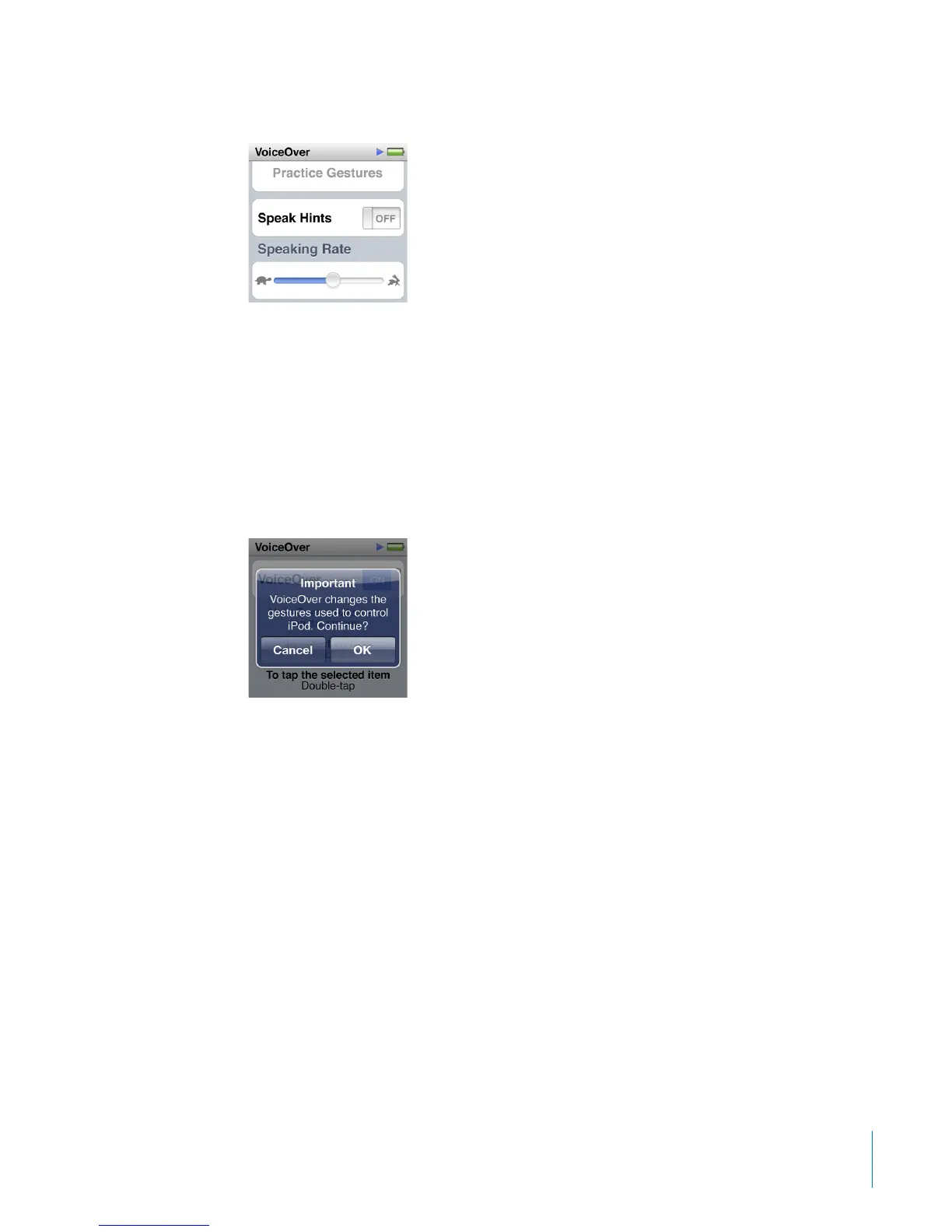
4 Flick up, and set any of these options:
•
Speak Hints: Explains how to interact with the item in the VoiceOver cursor. You may
want to turn this on to help you learn how to use iPod nano, and turn it o later.
•
Speaking Rate: Increases or decreases the rate of speech for VoiceOver. This does not
aect the speech rate for audiobooks or podcasts.
•
Language: Sets the language for VoiceOver. It should match the language set for
iPod nano.
5 Tap VoiceOver, and then tap the On/O switch to turn VoiceOver On.
If this is the rst time you turned on VoiceOver on iPod nano, a dialog appears.
6 Tap OK in the dialog, and then double-tap OK to conrm.
If you can’t see the screen, move your nger until you hear “OK button,” and then
double-tap with one nger.
If you do nothing for 15 seconds, the dialog disappears and VoiceOver turns o.
When VoiceOver is on, you use a dierent set of gestures to control iPod nano. If you
change your mind and want to turn VoiceOver o, double-tap with two ngers to
move the switch to O. If you navigate away from the Settings screen, you need to use
VoiceOver gestures to return to the setting and turn it o.
61
Chapter 10 Accessibility



 To Next Page