2
4
Read this chapter to learn about the features of iPod shue, how to
use its controls, and more.
Your iPod shue package includes iPod shue, the Apple Earphones, and a USB cable to connect
iPod shue to your computer.
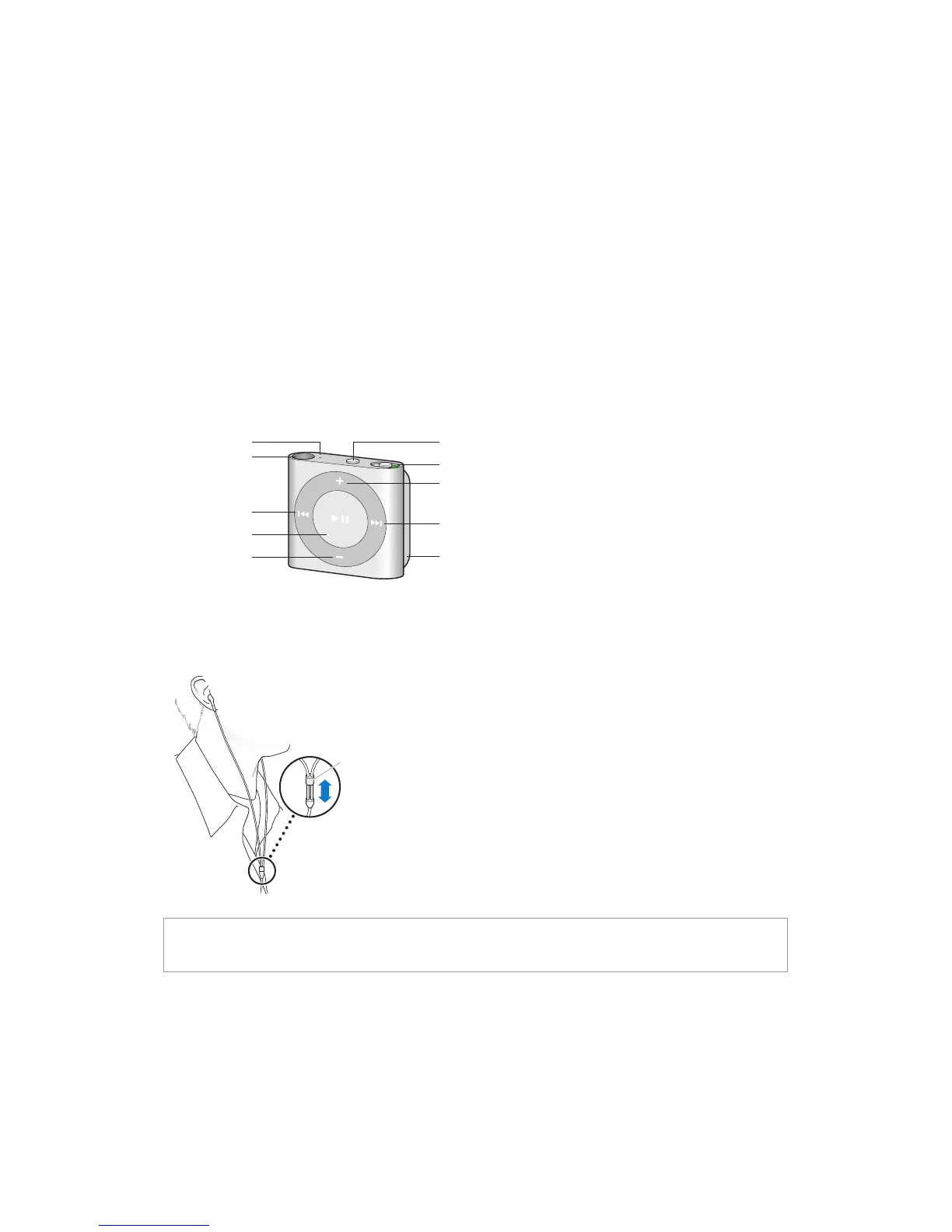
iPod shue at a glance
Status light
Headphone jack
Use the Apple Earphones:
m Plug the Apple Earphones into the headphone jack on iPod shue, then place the earbuds in
your ears as shown.
The earphone
cord is adjustable.
WARNING: Read all safety instructions about avoiding hearing loss in Important safety
information on page 27 before using iPod shue.
You can purchase other accessories, such as the Apple EarPods with Remote and Mic or the
Apple In-Ear Headphones with Remote and Mic, at www.apple.com/ipodstore. The microphone
isn’t supported on iPod shue.
iPod shue Basics



 To Next Page