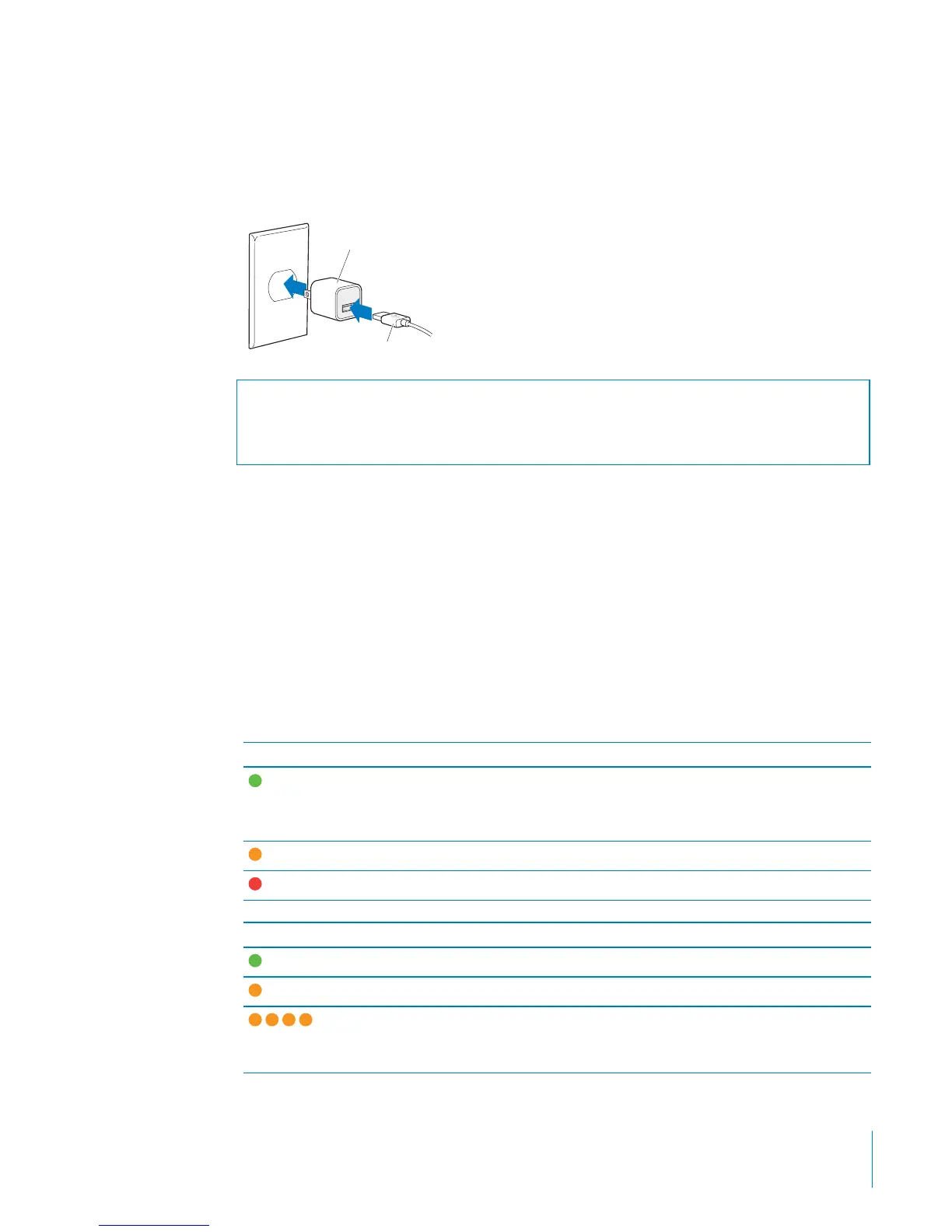
To charge the battery using the Apple USB Power Adapter:
1 Connect the included iPod shue USB cable to the power adapter, and plug the other
end into iPod shue.
2 Plug the power adapter into a working power outlet.
Apple USB Power Adapter
(your adapter may look different)
iPod shuffle USB cable
WARNING: Make sure the power adapter is fully assembled before plugging it into a
power outlet. Read all safety instructions about using the Apple USB Power Adapter
in Chapter 7, “Safety and Handling,” on page 34 before use.
Rechargeable batteries have a limited number of charge cycles. Battery life and
number of charge cycles vary by use and settings. For information, go to
www.apple.com/batteries.
Checking the Battery Status
You can check the battery status of iPod shue when it’s connected to your computer
or disconnected. The status light tells you approximately how much charge is in the
battery.
If iPod shue is on and not connected to a computer, you can use VoiceOver to hear
the battery status by pressing the VoiceOver button twice.
Status light when disconnected VoiceOver message
Solid green Good charge “Battery full” or
“Battery 75%” or
“Battery 50%”
Solid orange Low charge “Battery 25%”
Solid red Very low charge “Battery low”
Status light when connected to computer
Solid green Fully charged
Solid orange Charging
Blinking orange Do not disconnect (iTunes is syncing, or iPod shue
is enabled for disk use); may be still charging or may
be fully charged
11
Chapter 2 iPod shue Basics



 To Next Page