Typing
The onscreen keyboard appears anytime you need to type.
Entering Text
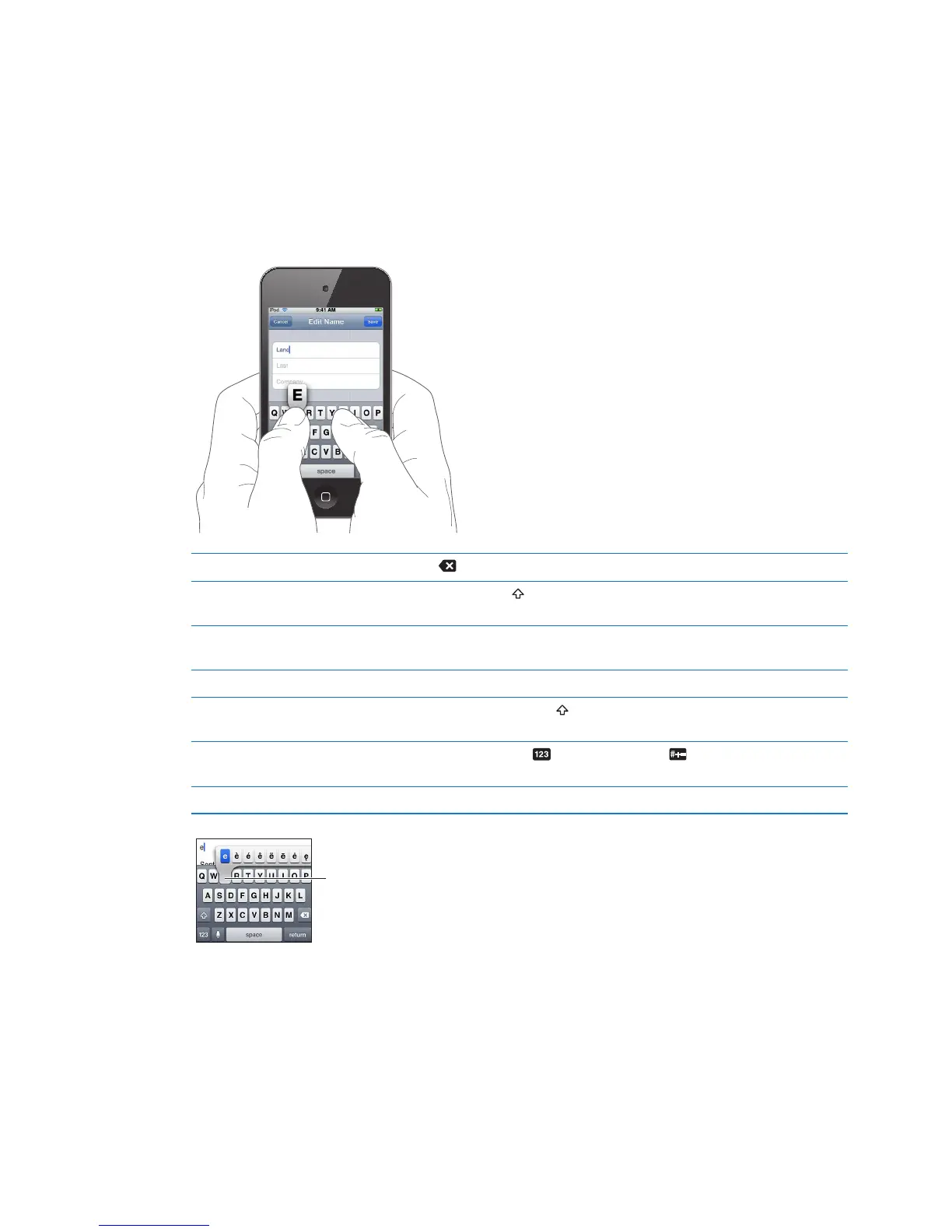
The onscreen keyboard appears when you tap an area where you need to enter text. The
keyboard corrects misspellings, predicts what you’re typing, and learns as you use it. Depending
on the app, the intelligent keyboard may suggest corrections as you type.
Enter text: Tap any text eld to bring up the keyboard, then tap keys on the keyboard. If you
touch the wrong key, you can slide your nger to the correct key before you release your nger.
Delete the last character you typed Tap .
Type uppercase Tap the Shift key before you tap a letter. Or touch and hold the Shift key,
then slide to a letter.
Quickly type a period and space Double-tap the space bar. To turn this feature o, go to Settings >
General > Keyboard.
Use autocorrection to enter “’ll” Type “lll.” For example, type “youlll” to get “you’ll.”
Turn caps lock on Double-tap the Shift key
. Tap the Shift key again to turn o caps lock.
To turn this feature o, go to Settings > General > Keyboard.
Enter numbers, punctuation,
or symbols
Tap the Number key
. Tap the Symbol key to see additional
punctuation and symbols.
Set options for typing Go to Settings > General > Keyboard.
To type an alternate character,
touch and hold a key, then slide
to choose one of the options.



 To Next Page