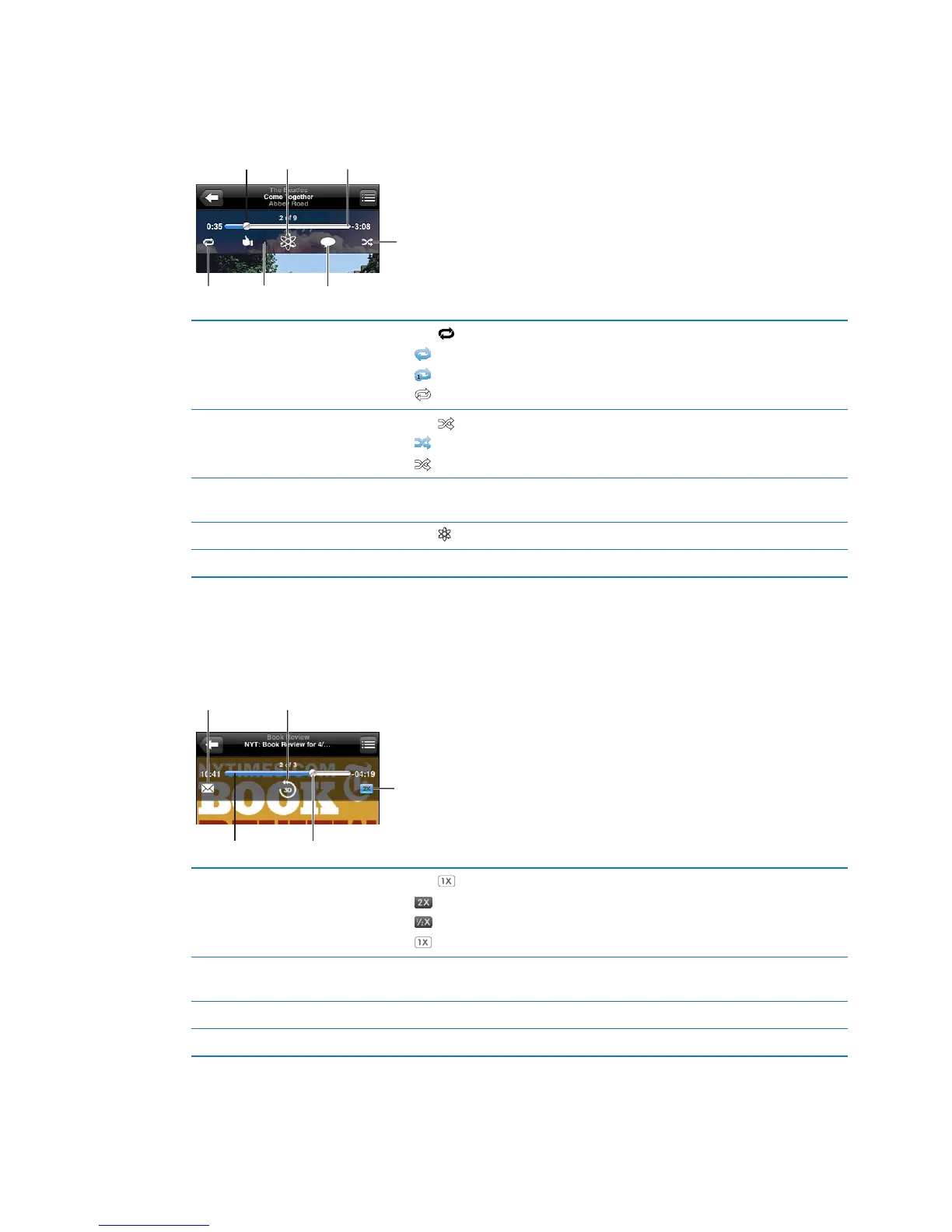
Additional audio controls
To display additional controls, tap the album artwork on the Now Playing screen. You can see
elapsed time, remaining time, and the song number. The song’s lyrics also appear, if you’ve added
them to the song in iTunes.
Repeat Ping like
Scrubber bar
Shuffle
Genius
Ping post
Playhead
Repeat songs Tap .
= Repeat all songs in the album or list.
= Repeat the current song only.
= No repeat.
Shue songs Tap .
= Shue songs.
= Play songs in order.
Skip to any point in a song Drag the playhead along the scrubber bar. Slide your nger down to slow
down the scrub rate.
Make a Genius playlist Tap
. See “Genius” on page 40.
Use Ping See “Following artists and friends
” on page 95.
Podcast and audiobook controls
Podcast and audiobook controls and information appear on the Now Playing screen when you
begin playback.
Scrubber bar
Playhead
Playback
speed
30-second repeatEmail
Set the playback speed Tap . Tap again to change the speed.
= Play at double speed.
= Play at half speed.
= Play at normal speed.
Skip to any point along the
timeline
Drag the playhead along the scrubber bar. Slide your nger down to slow
down the scrub rate.
Show or hide the controls Tap the center of the screen.
Hide podcast info Go to Settings > Music.
37
Chapter 4 Music



 To Next Page