If you’re taking public transit, tap to set your departure or arrival time, and to choose a
schedule for the trip. Tap the icon at a stop to see the departure time for that bus or train, and to
get a link to the transit provider’s website or contact info.
Get directions from a location
on the map
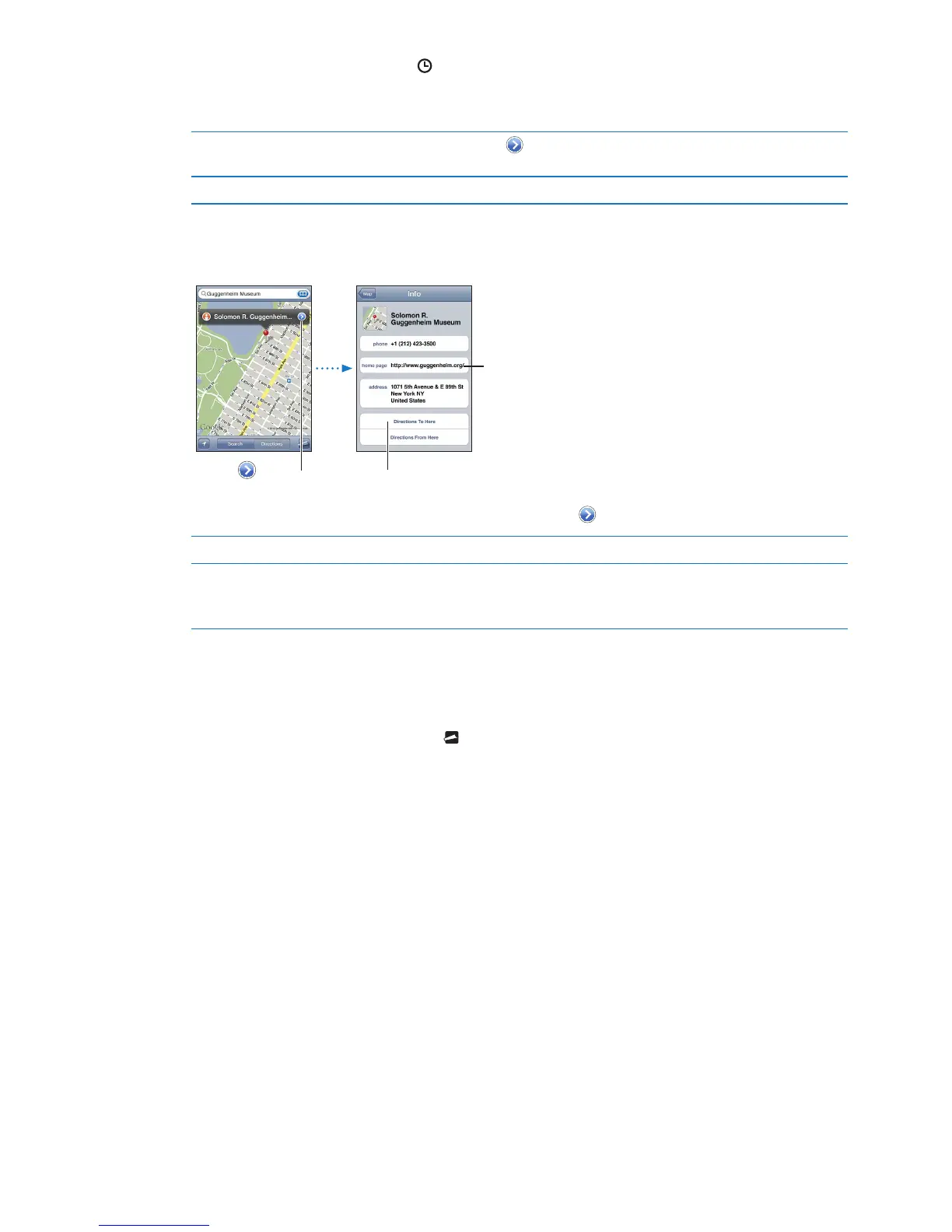
Tap the pin, tap , then tap Directions To Here or Directions From Here.
Bookmark a location Tap "Add to Bookmarks.”
Getting and sharing info about a location
Get or share info about a location: Tap the pin, then tap .
Add a business to your contacts Tap “Add to Contacts.”
Tweet, text, or email your location Tap Share Location.
To post a Tweet, you must be logged in to your Twitter account. Go to
Settings > Twitter.
Showing trac conditions
You can show trac conditions for major streets and highways on the map.
Show or hide trac conditions: Tap , then tap Show Trac or Hide Trac.
Streets and highways are color-coded to indicate the ow of trac:
Gray—no data is available Â
Green—posted speed limit Â
Yellow—slower than the posted speed limit Â
Red—stop and go Â
Trac conditions aren’t available in all areas.
83
Chapter 18 Maps



 To Next Page