EasyManua.ls Logo

Apple iPod touch (4th generation - Calculator; Using the Calculator; Scientific Calculator

Apple iPod touch (4th generation
141 pages
Print Icon
To Next Page IconTo Next Page
To Previous Page IconTo Previous Page
Loading...
Calculator
22
Using the calculator
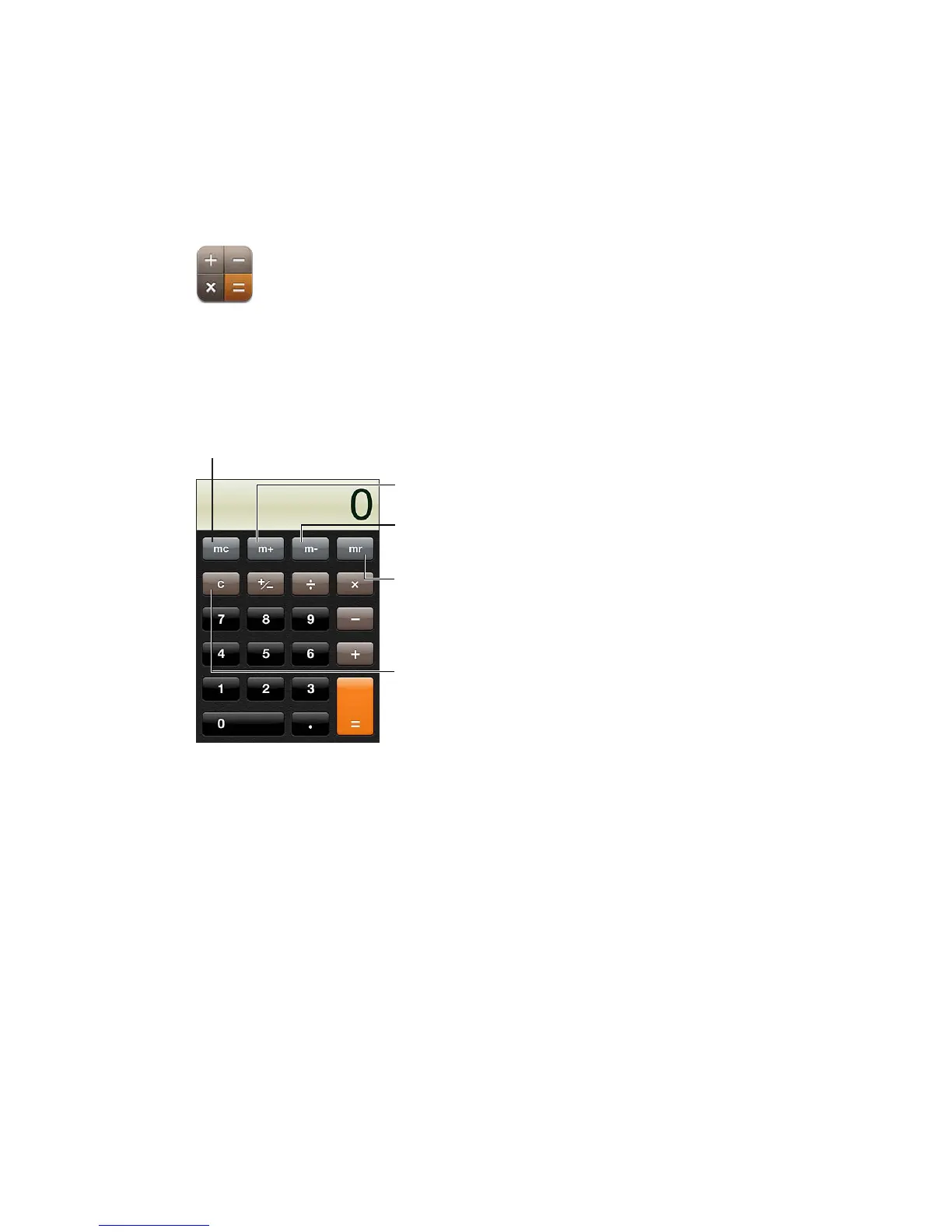
Tap numbers and functions in Calculator just as you would with a standard calculator. When you
tap the add, subtract, multiply, or divide button, a white ring appears around the button to let you
know the operation to be carried out.
Get a number from
memory (a white ring
indicates a number is
stored in memory).
Clear the display.
Add a number to memory.
Subtract a number from
memory.
Clear memory.
Scientic calculator
Rotate iPod touch to landscape orientation to display the scientic calculator.
90

Related product manuals