22
Getting Started with iPod touch:
A guide for using iPod touch and iTunes for teaching and learning
Adding Content to iPod touch
Using iTunes
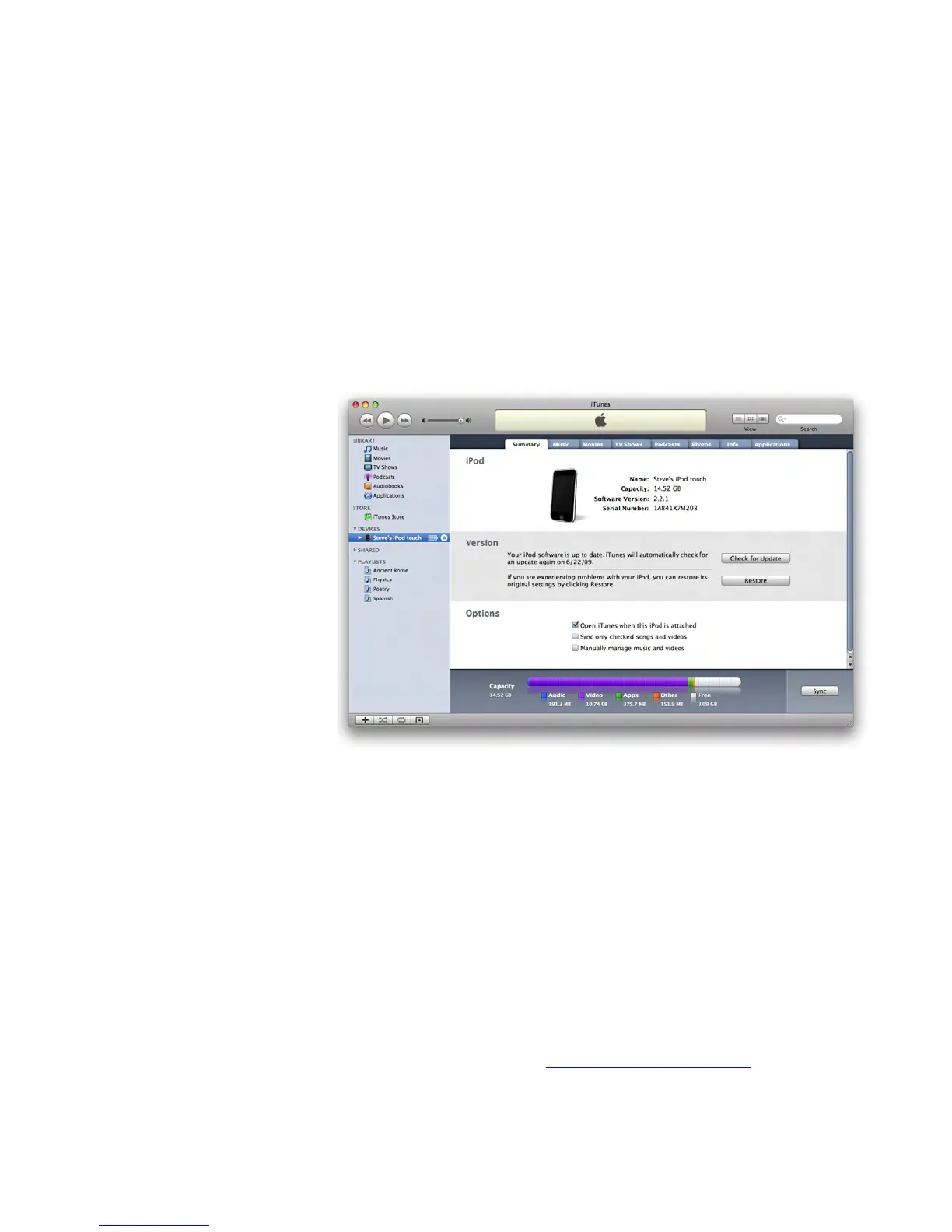
ThersttimeyouconnectiPodtouchtoacomputer,iPodSetupAssistantappearsand
guides you to name the iPod touch and select settings for syncing. (Syncing means
to copy the content in an iTunes library to an iPod.) You can set iTunes to sync music,
audiobooks,podcasts,otheraudioles,moviesandTVshows,applicationsdownloaded
from the iTunes Store, photos, contacts, calendars, email account settings, and webpage
bookmarks.
You can adjust sync settings at any time iPod touch is connected to a computer. With
the automatic syncing option, you can choose to sync all of your content whenever
iPod touch is connected to the computer or have iTunes sync just some of it, such as
particular playlists or photo albums. When you select the manual syncing option, when
you connect iPod touch to a computer, you drag the content that you want from the
iTunes library to the iPod touch.
Note: Your computer should have come with iTunes pre-installed if you have a Mac.
You need to have iTunes version 8.0.2 or later to use iPod touch. If you have a PC or
you need the latest version, go to: www.apple.com/itunes/download.



 To Next Page