29
Getting Started with iPod touch:
A guide for using iPod touch and iTunes for teaching and learning
Restricting Access with Parental Controls
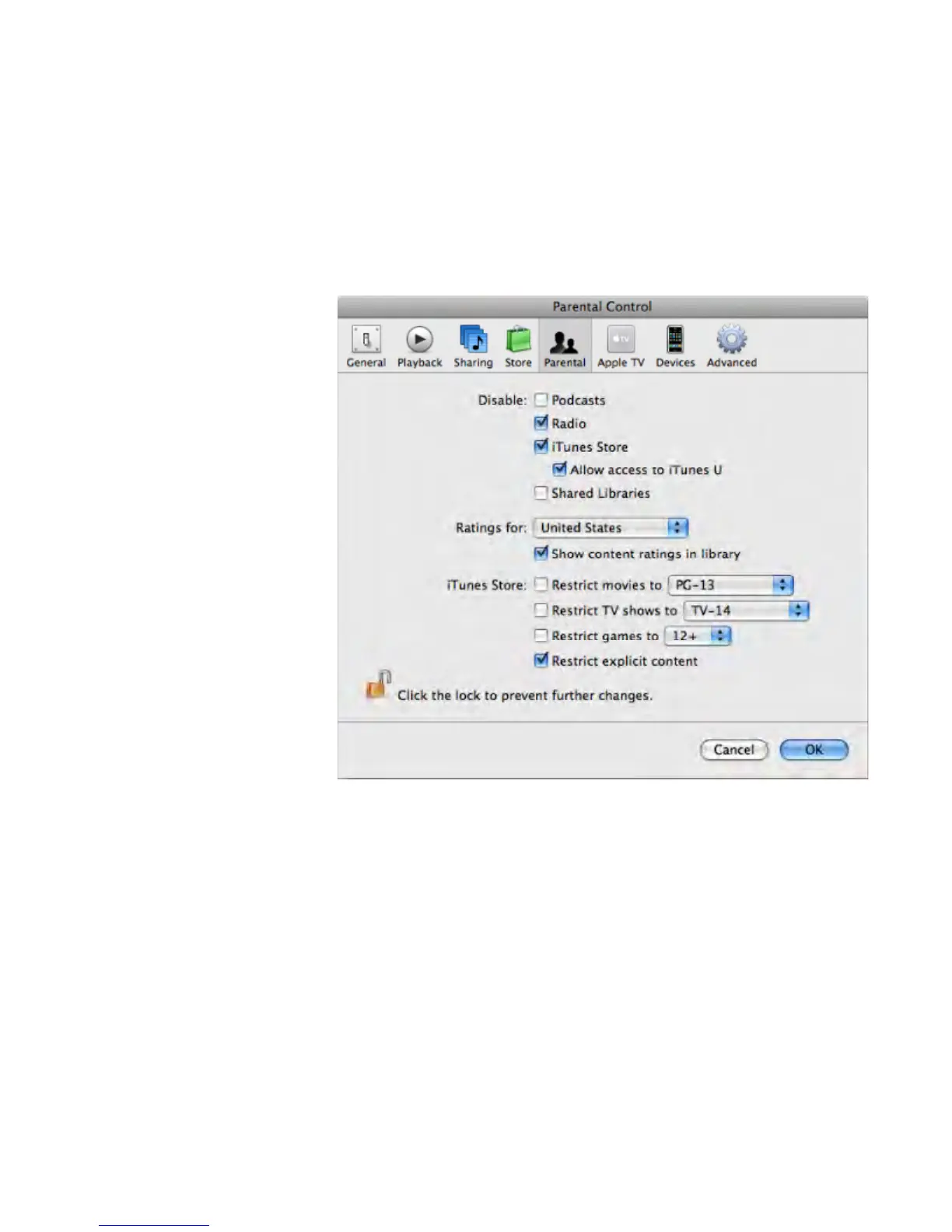
iTunes has preference settings that you can use for extra security, such as to restrict
access to YouTube, the iTunes Store, or to radio channels or explicit content from the
iTunes Store. You can choose to disable student access to the iTunes Store but allow
them access to iTunes U. To select these options, in iTunes, choose iTunes > Preferences,
then click the Parental button. Select the options you want, then click OK.



 To Next Page