Buttons
A few simple buttons make it easy to turn iPod touch on or o, and adjust the volume.
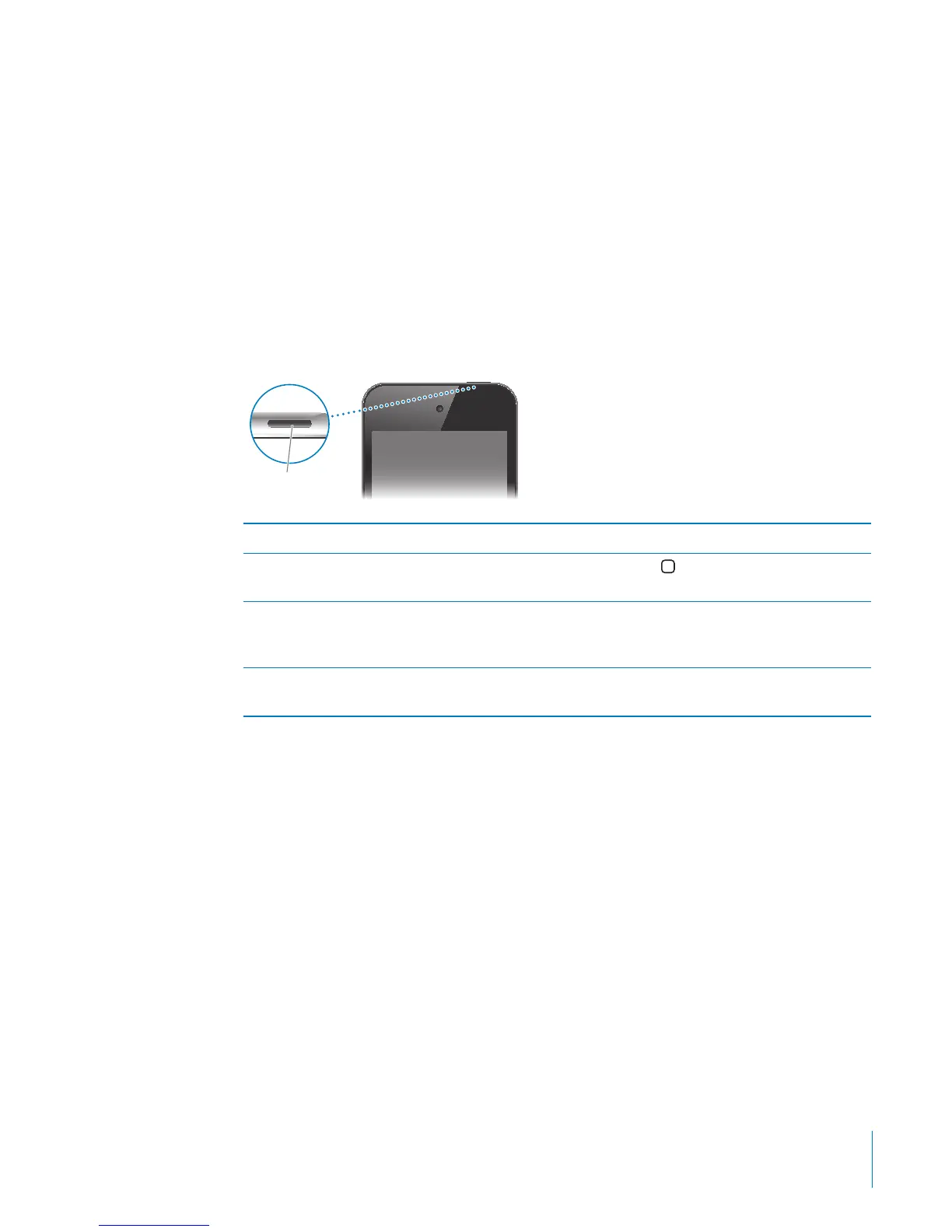
On/O Sleep/Wake Button
When you’re not actively using iPod touch, you can lock it to turn o the display and
save the battery.
When iPod touch is locked, nothing happens if you touch the screen. You can still
listen to music and, while listening to music, adjust the volume using the buttons on
the side of iPod touch.
By default, iPod touch locks if you don’t touch the screen for a minute.
On/Off Sleep/
Wake button
Lock iPod touch Press the On/O Sleep/Wake button.
Unlock iPod touch Press the Home
button or the On/O Sleep/
Wake button, then drag the slider.
Turn iPod touch completely o Press and hold the On/O Sleep/Wake button for
a few seconds until the red slider appears, then
drag the slider.
Turn iPod touch on Press and hold the On/O Sleep/Wake button
until the Apple logo appears.
For information about changing how long before iPod touch locks, see “Auto-Lock” on
page 160. For information about setting iPod touch to require a passcode to unlock it,
see “Passcode Lock” on page 160.
11
Chapter 1 iPod touch at a Glance



 To Next Page