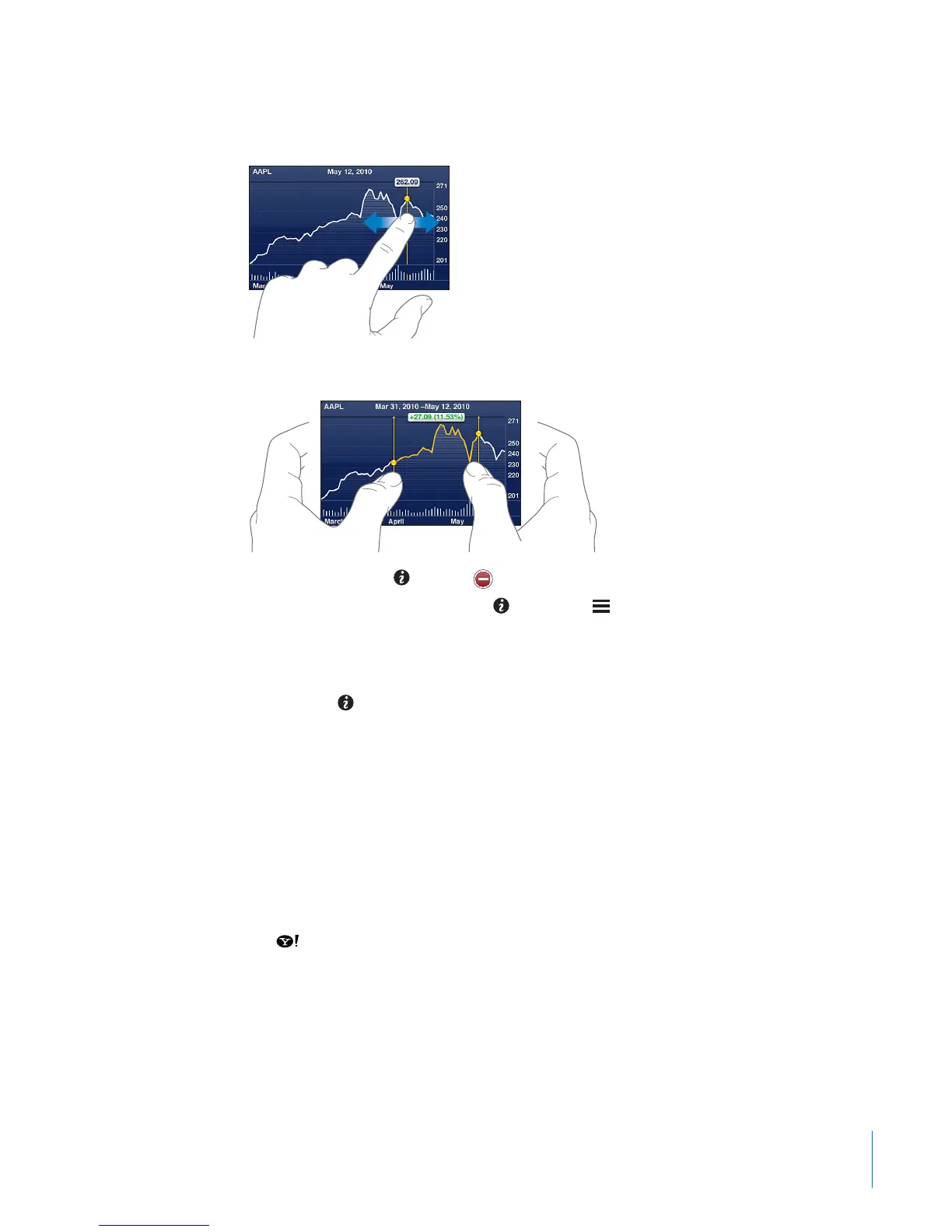
When you view a chart in landscape orientation, you can touch the chart to display the
value for a specic point in time.
Use two ngers to see the change in value over a specic period of time.
Delete a stock: Tap and tap next to a stock, then tap Delete.
Change the order of the list: Tap
. Then drag next to a stock or index to a new
place in the list.
Switch the view to percentage change, price change, or market capitalization: Tap
any of the values along the right side of the screen. Tap again to switch to another
view. Or tap
and tap %, Price, or Mkt Cap, then tap Done.
Getting More Information
See the summary, chart, or news page about a stock, fund, or index: Select the stock,
fund, or index in your list, then ick the pages underneath the stock reader to view the
summary, chart, or recent news page.
On the news page, you can scroll up and down to read headlines, or tap a headline to
view the article in Safari.
See more information at Yahoo.com: Select the stock, fund, or index in your list, then
tap
.
11 7
Chapter 14 Stocks



 To Next Page