Record a voice memo:
1 Tap to start recording. You can also press the center button on a compatible
three-button headset with mic.
2 Tap
to pause or to stop recording. You can also press the center button on a
compatible three-button headset with mic to stop recording.
You can record in either mono or stereo depending upon the external microphone
you use.
When you start a voice recording, iPod touch makes a short ringing sound.
To use other apps while recording your voice memo, you can lock iPod touch or press
the Home
button.
Play a voice memo you just recorded: Tap
.
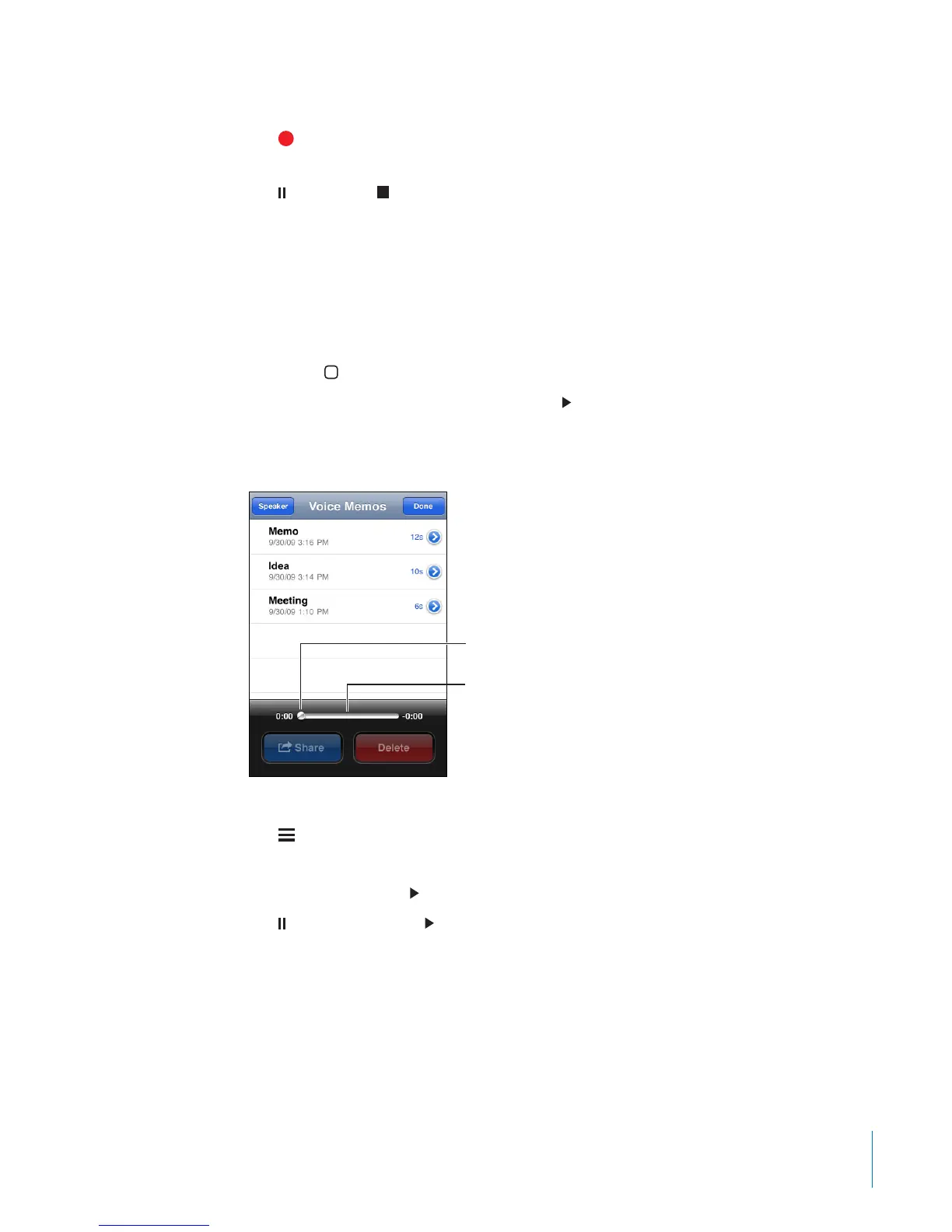
Listening to Voice Memos
Scrubber bar
Playhead
Play a voice memo you’ve previously recorded:
1 Tap
.
Memos are listed in chronological order, with the most recent memo rst.
2 Tap a memo, then tap
.
Tap to pause, then tap again to resume playback.
Skip to any point in a voice memo: Drag the playhead along the scrubber bar.
Listen through the built-in speaker: Tap Speaker.
Managing Voice Memos
Delete a voice memo: Tap a memo in the list, then tap Delete.
137
Chapter 20 Voice Memos



 To Next Page