22
Using iPod
Note:
If you are using a Windows PC with a USB port and the optional
iPod Dock Connector to USB 2.0 + FireWire Cable, you can connect the cable’s FireWire
connector to the iPod Power Adapter to charge the battery, and connect the USB
connector to your computer’s USB port to transfer files at the same time (see page 48
for an illustration).
Important:
If you are using the iPod Dock Connector to USB 2.0 + FireWire Cable and
your computer has USB and FireWire ports, don’t plug the cable’s USB and FireWire
connectors in to your computer at the same time.
By default, iPod imports songs automatically when you connect it to your computer.
When this automatic transfer is done, you can disconnect iPod.
Disconnecting iPod
If you set iPod to transfer songs manually (see page 28) or enable iPod for use as a
hard disk (see page 34), you must eject iPod before disconnecting it.
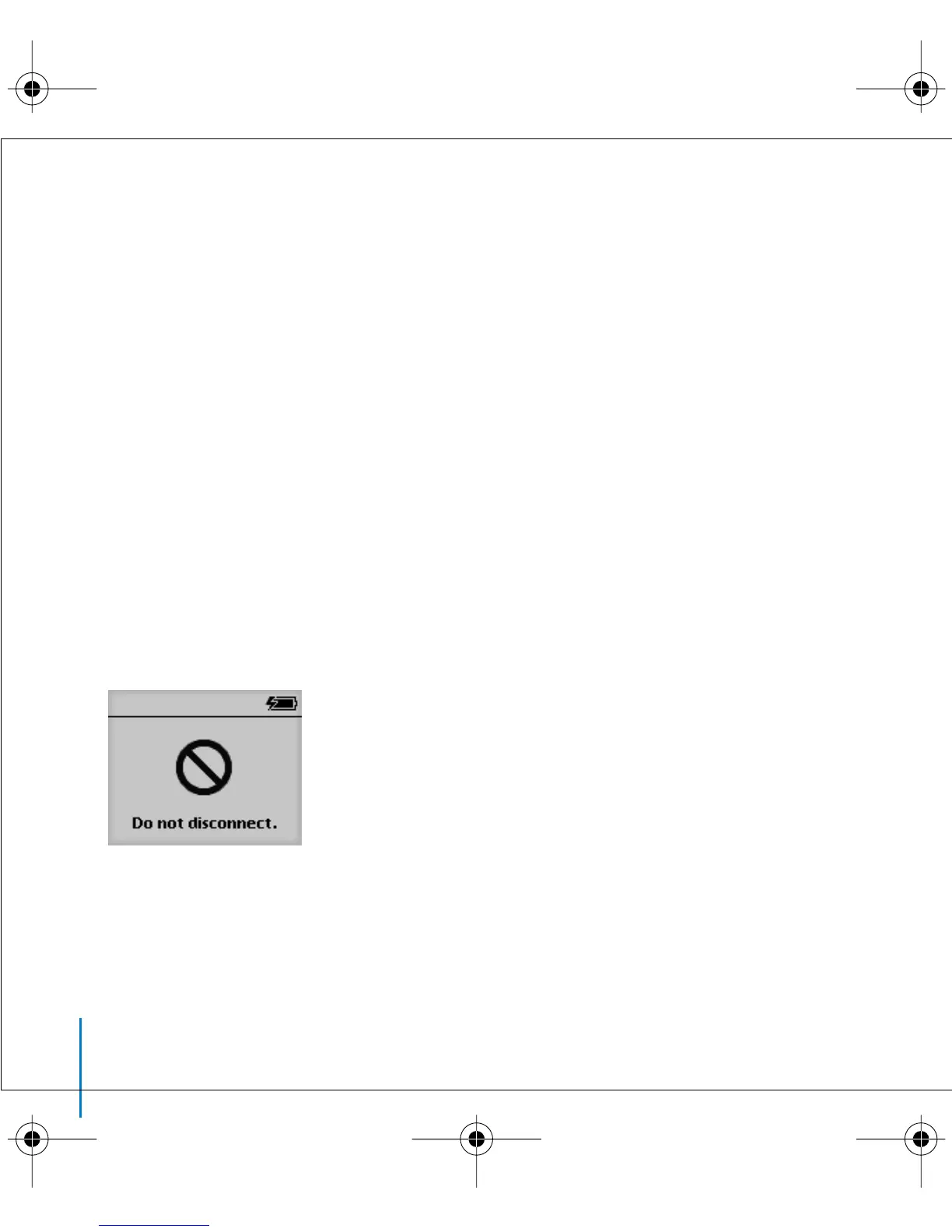
If it’s not OK to disconnect iPod, this screen appears:
Important:
Don’t disconnect iPod if you see the “Do not disconnect” message. You
could damage files on iPod. If you see this message, you must eject iPod before
disconnecting it.
LL2595_border.book Page 22 Wednesday, April 28, 2004 3:44 PM



 To Next Page