1 INTRODUCTION
1 Introduction
Your computer is a static-sensitive device. It is
susceptible to invisible damage if not protected
during installation.
We recommend proper grounding through the use
of a grounding strap. Be sure to work in a clean and
static-free area, and avoid wearing clothing that
retains static charges.
For more information, please visit
http://www.macsales.com/static
Thank you for purchasing the Mac mini 2012 Bluetooth Shielding
Kit from OWC.
This guide will demonstrate how to disassemble your Mac mini and
install shielding on the Bluetooth chipset.
Should you require additional support after reading this manual
along with helpful tips and FAQs, please see the inside back page
for OWC customer support options.
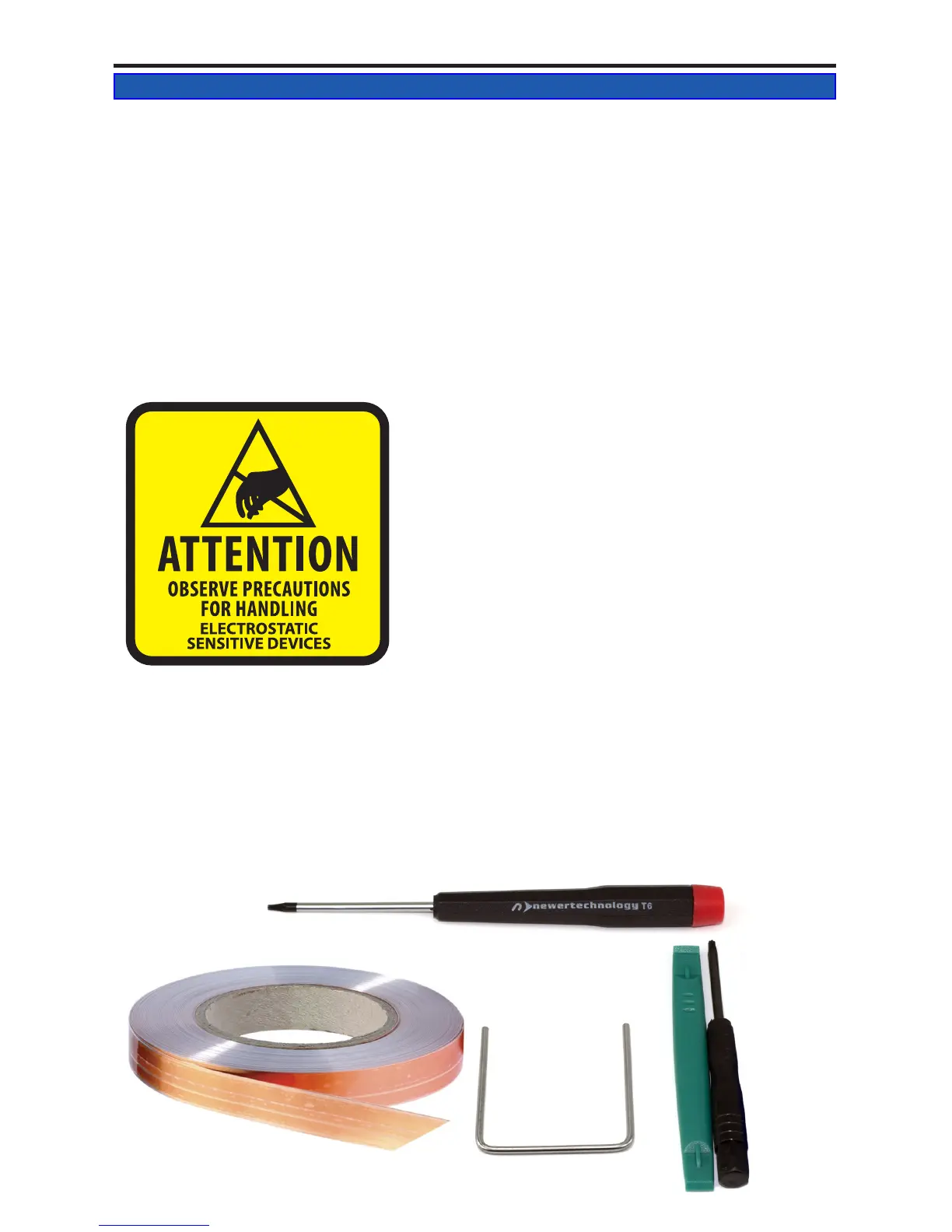
To perform this installation, you will need the following:
• Torx T6 screwdriver
• Torx T8 Screwdriver
• Plastic Spudger
• Logic Board Removal Tool
• EMI Shielding Material
1.2 Tools Required
1.1 Static Precautions
Mac mini 2012 Bluetooth Shielding Instructions



 To Next Page