Chapter 4 Last, but Not Least 63
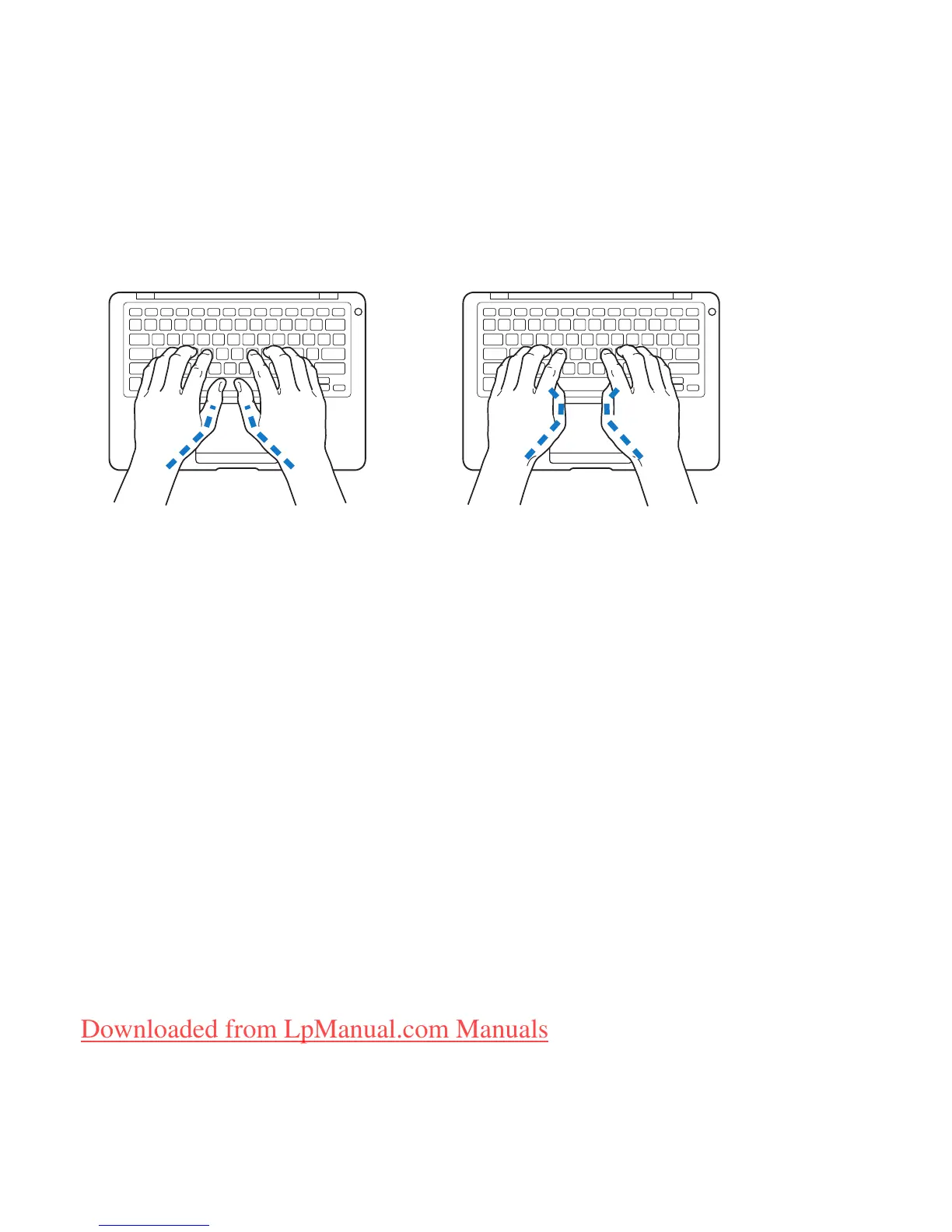
Use a light touch when typing or using the trackpad and keep your hands and fingers
relaxed. Avoid rolling your thumbs under your palms.
Change hand positions often to avoid fatigue. Some computer users might develop
discomfort in their hands, wrists, or arms after intensive work without breaks. If you
begin to develop chronic pain or discomfort in your hands, wrists, or arms, consult a
qualified health specialist.
External Mouse
If you use an external mouse, position the mouse at the same height as the keyboard
and within a comfortable reach.
Chair
An adjustable chair that provides firm, comfortable support is best. Adjust the height
of the chair so your thighs are horizontal and your feet are flat on the floor. The back of
the chair should support your lower back (lumbar region). Follow the manufacturer’s
instructions for adjusting the backrest to fit your body properly.
Not this
This
Downloaded from LpManual.com Manuals



 To Next Page