EasyManua.ls Logo

Apple MacBook Pro 13 inch - General Information

Apple MacBook Pro 13 inch
221 pages
Print Icon
To Next Page IconTo Next Page
To Previous Page IconTo Previous Page
Loading...
MacBook Pro (13-inch) Take Apart — General Information 110
2010-09-14
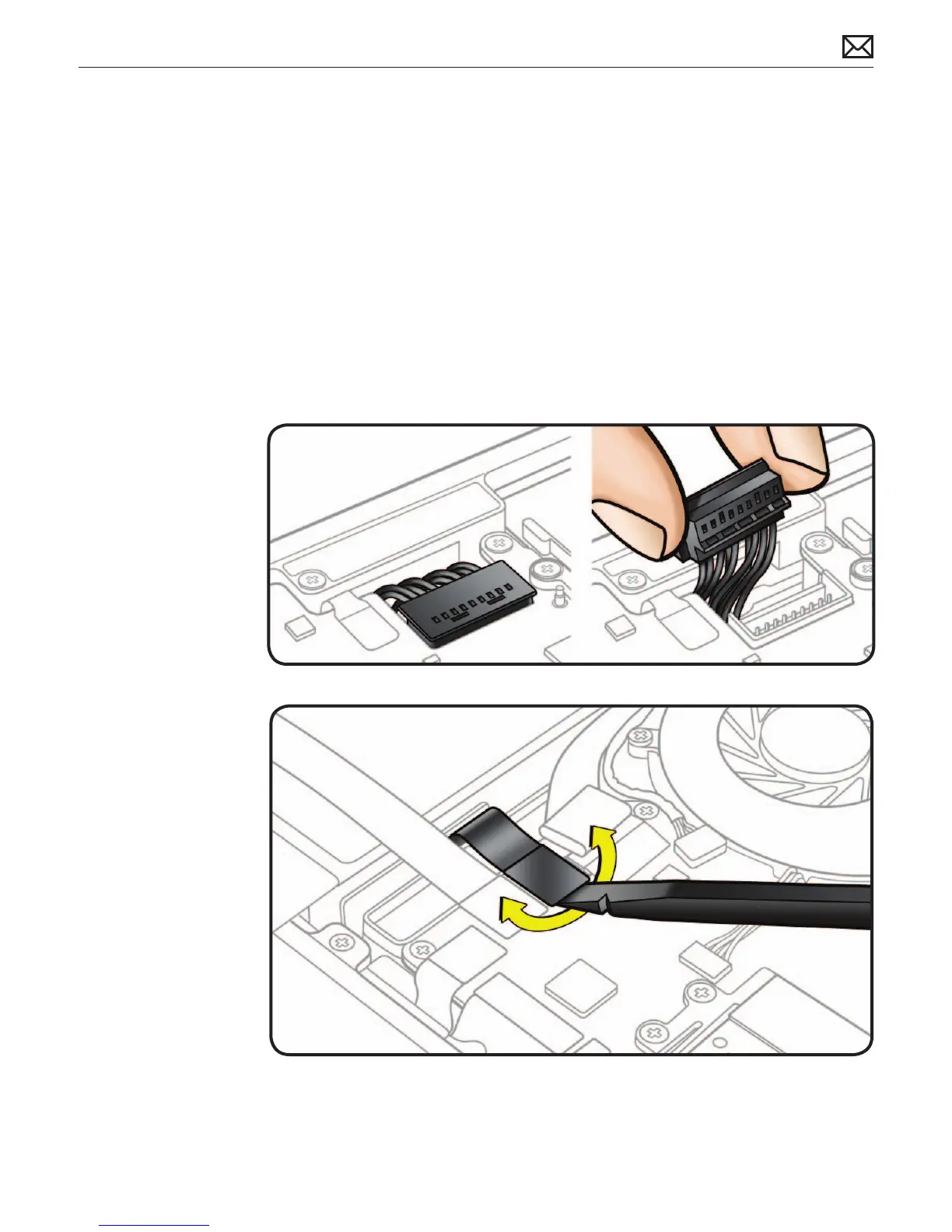
Battery Connector
Use black stick or
ngernails to pull up
evenly on sides of
connector.
Align connector
over pins and press
onto board when
reconnecting.
Do not pull wires.
Low-Prole Solid
Platform Flex
Use black stick and
gentle rocking motion
to release tension to
remove cable.
Keep connector level
to board and press
evenly to install cable.
Examples:
optical drive
hard drive
trackpad
BIL
General Information
Connector Types on Logic Board
On the logic board are ve types of connectors, each requiring special handling. Make sure you
read these tips before disconnecting and installing the connectors.

Related product manuals