MacBook Pro (13-inch) General Troubleshooting — Liquid Contact Indicators 25
2010-09-14
Liquid Contact Indicators
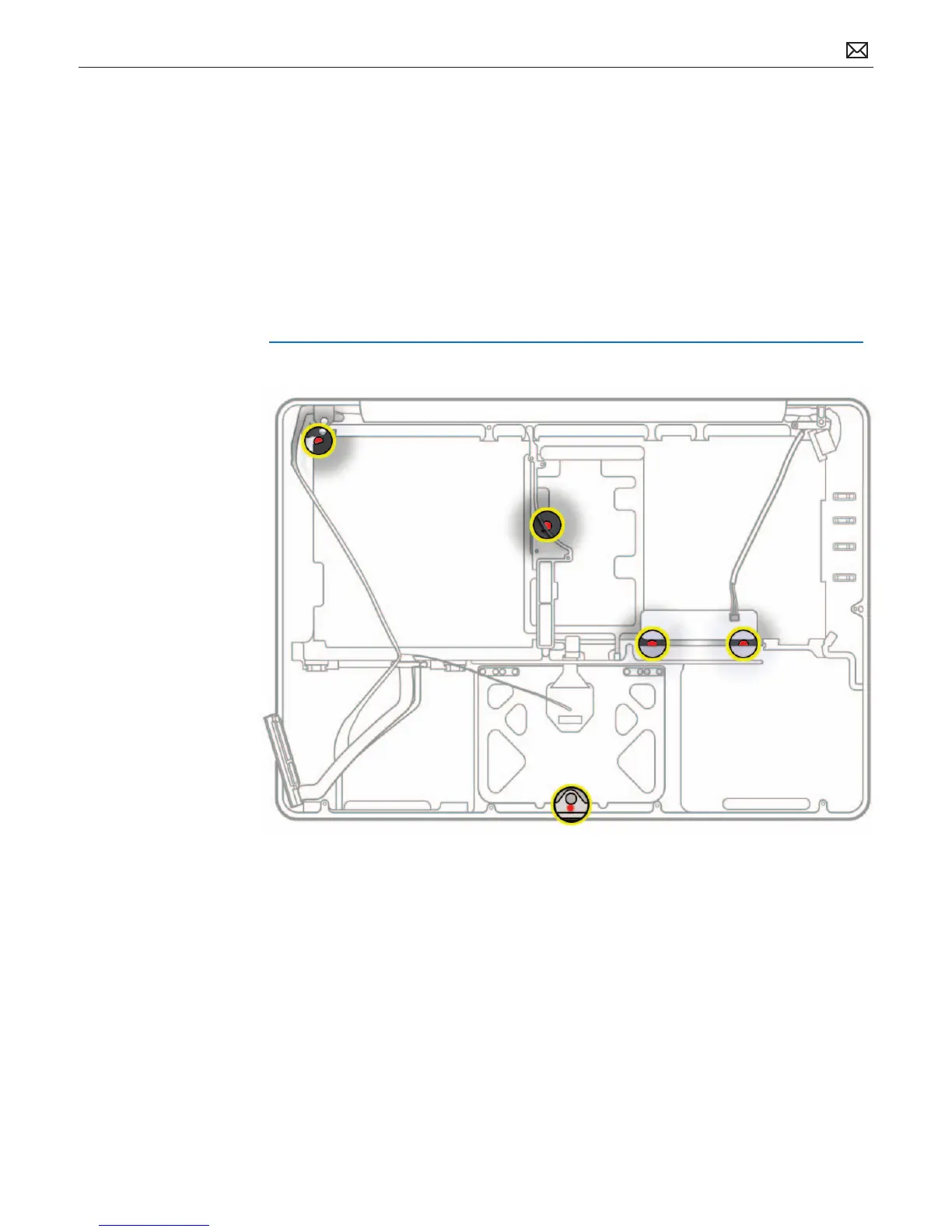
To help discover accidental damage to the computer, the top case includes spill sensors called
liquid contact indicators (LCI). The sensors are only visible when the bottom case and most of
the modules have been removed. Normally represented by small white dots, the LCIs turn red
when they have come in contact with liquid, such as an accidental spill.
MacBook Pro (13-inch, Mid 2010) has an extra LCI just below the trackpad set screw, which is not
present in the MacBook Pro (13-inch, Mid 2009).
For more information, refer to
kBase #HT3400: About liquid contact indicators (LCI) on portable and desktop computers



 To Next Page