38 Chapter 2 Getting to Know Your MacBook Pro
To pair your Apple Remote with your MacBook Pro:
1 Position the Apple Remote 3 to 4 inches from the IR receiver on your MacBook Pro.
2 Press and hold the Menu (») and Next/Fast-forward (‘) buttons on the Apple
Remote for 5 seconds.
When you successfully pair your Apple Remote with your MacBook Pro, you’ll see a
chainlink symbol ( ) onscreen.
To delete a pairing between the Apple Remote and your MacBook Pro:
1 Choose Apple () > System Preferences from the menu bar.
2 Click Security and then click Unpair.
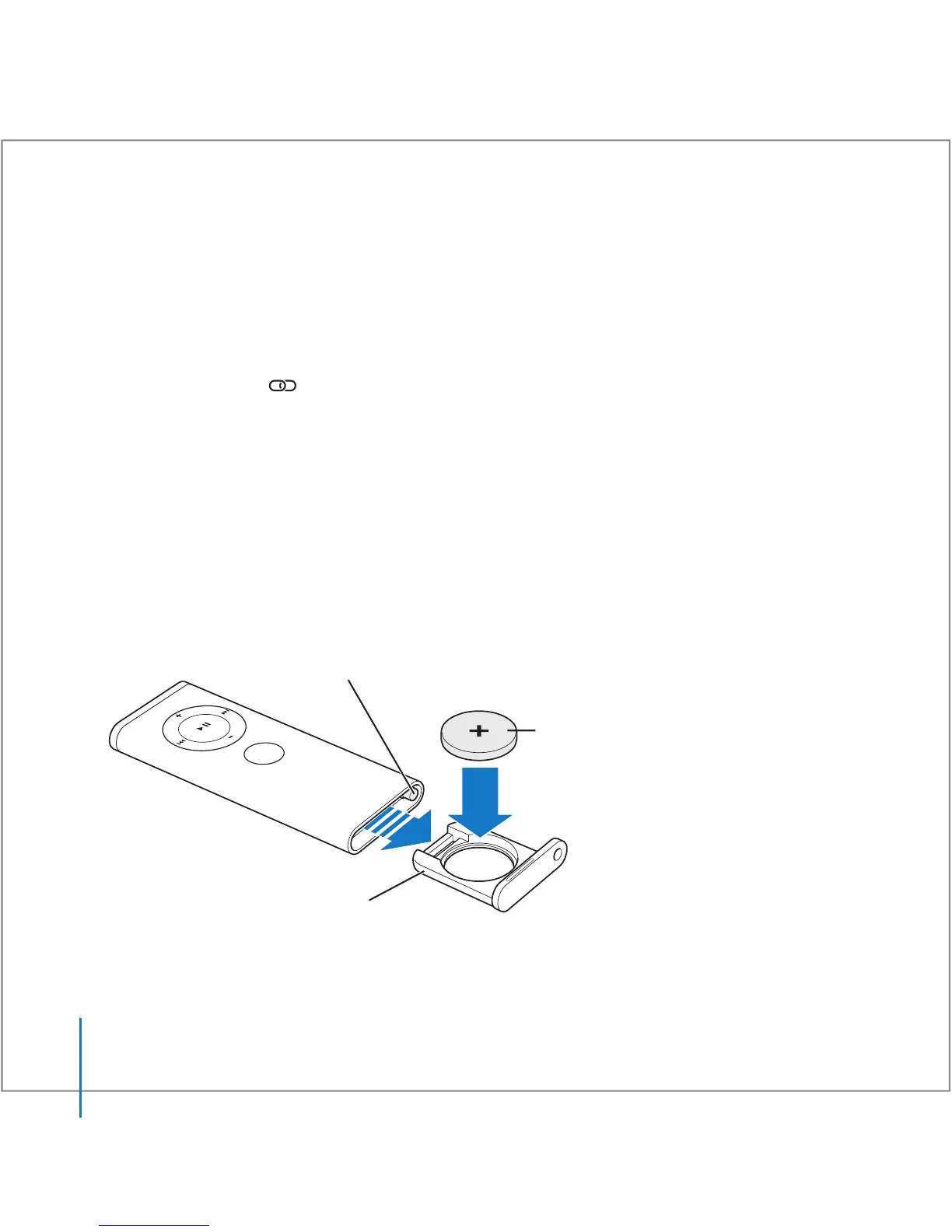
Replacing the Battery
The Apple Remote includes a non-rechargeable battery. When needed, replace the
battery with a CR 2032 battery. Do not attempt to recharge the battery.
Press this button with a small blunt object to
partially eject the battery compartment.
Positive (+) side faces up.
Pull the battery
compartment free.
M
EN
U





 To Next Page