Chapter 4 Adding Memory to Your MacBook Pro 87
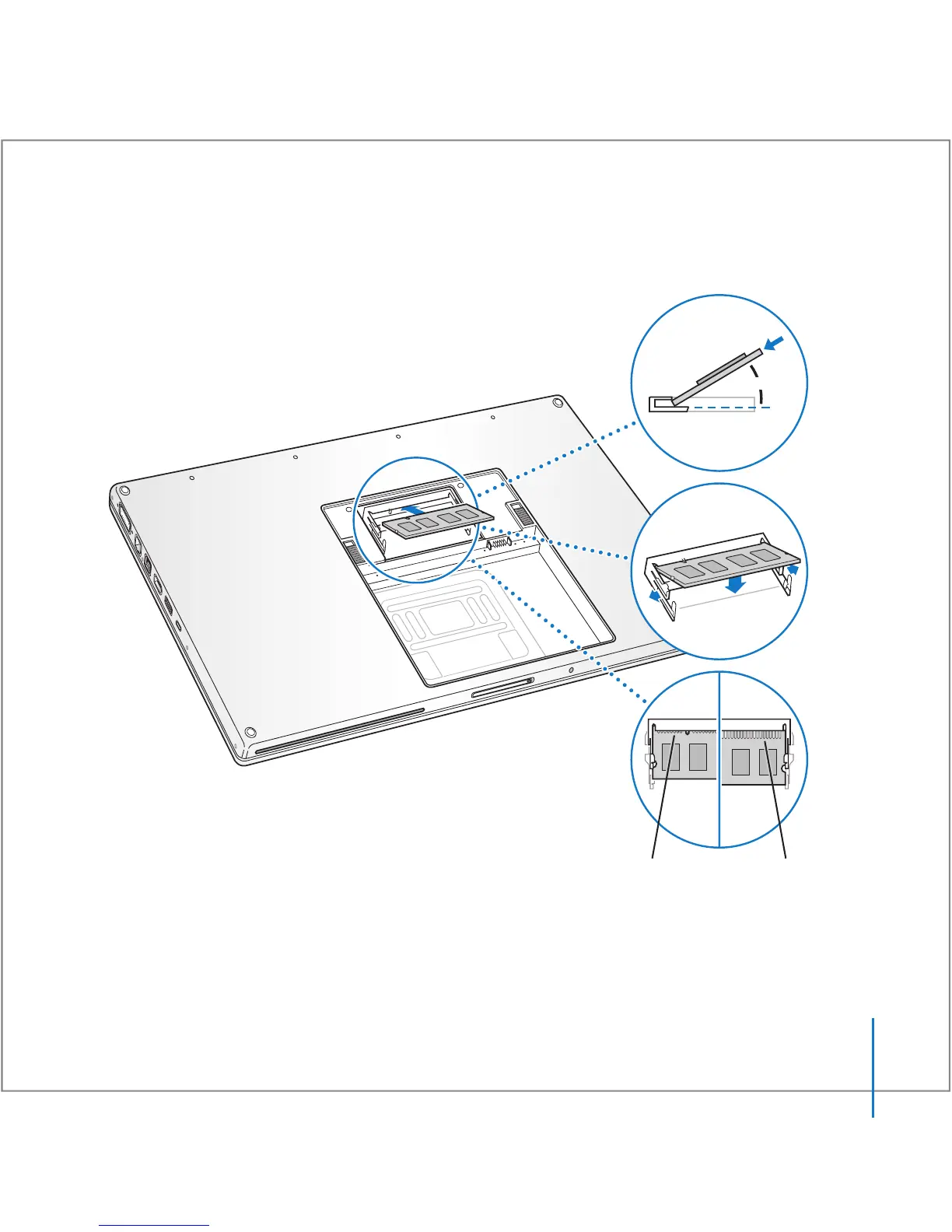
5 Gently spread the small tabs in the memory slot away from the notches and push the
memory card down until the two snaps on either side of the card lock into place.
Note: Make sure your memory is installed according to this illustration, where the gold
contacts are almost completely inserted into the connector.
25
O
Correctly
inserted
Incorrectly
inserted





 To Next Page