MacBook (13-inch) Take Apart — I/O Frame 110
Procedure
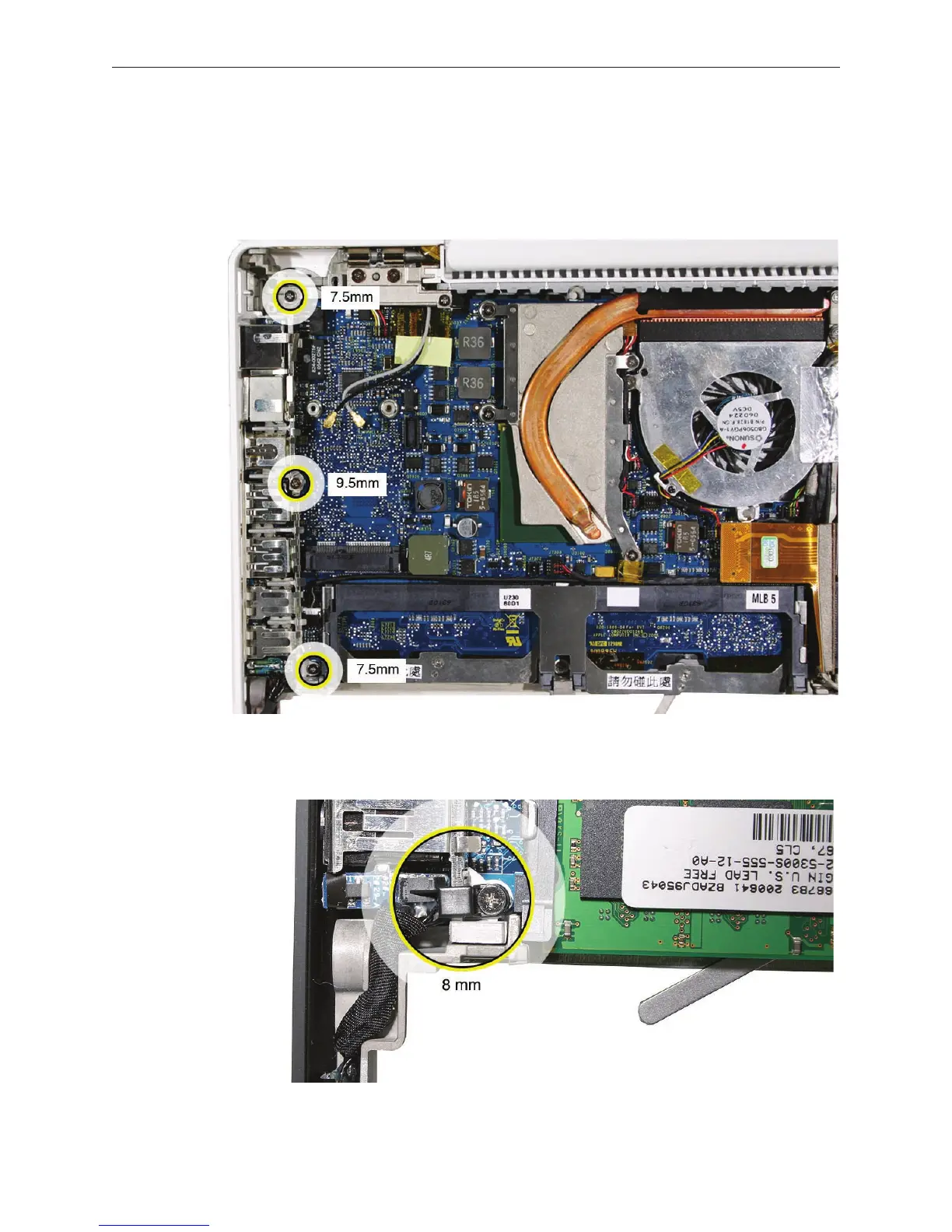
At the left side of the computer assembly, remove the screws from the I/O frame:
• Two identical 7.5-mm long screws (one at each end)
• One 9.5-mm long screw in the middle
Replacement Note: If the I/O frame screw that is closest to the battery connector secures a
battery cable clip, the screw length is 8 mm, not 7.5 mm.
1.



 To Next Page